Wifi Speed Test - Speed Test
Wifi Speed Test - Speed Test
Wifi Speed Test for fast accurate internet diagnosis
Screenshots
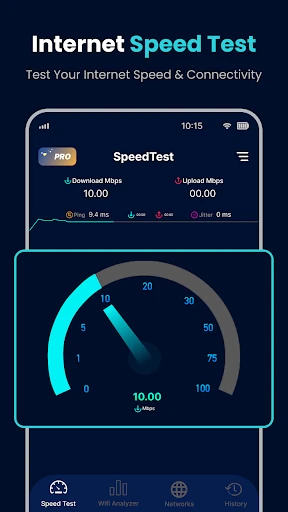
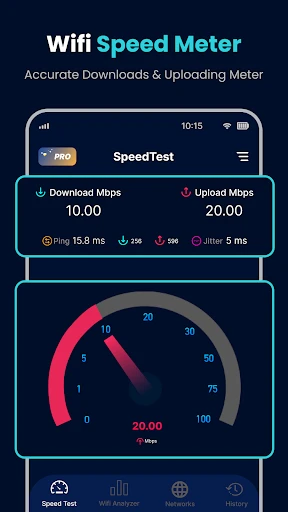
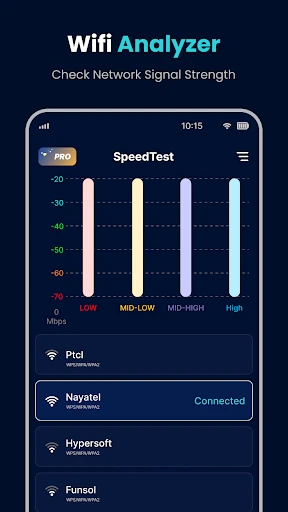
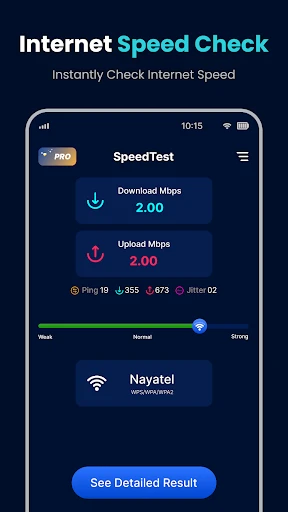
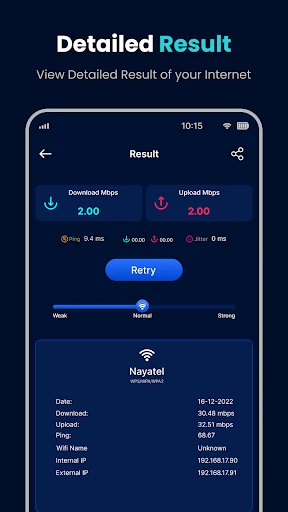
Wifi Speed Test - Speed Test Overview and Practical Evaluation
Wifi Speed Test - Speed Test is a lightweight mobile utility designed to measure internet connection performance. It focuses on providing accurate and real-time data on download speed, upload speed, and ping latency for both Wi-Fi and cellular networks. The app eliminates unnecessary visual clutter and prioritizes core functionality, making it a straightforward tool for users who need quick and reliable network diagnostics. Its clean interface and one-tap testing process ensure that anyone can check their connection quality without technical expertise. The app also offers a history log to track performance changes over time, helping users identify patterns or issues with their internet service provider or home network setup.
Chapter 1: Function
The core function of Wifi Speed Test - Speed Test is to execute rapid and precise internet speed measurements. Upon opening, the user simply taps a single start button, and the app runs a series of data transfers to a designated server. It calculates download speed in megabits per second, upload speed, and ping response time in milliseconds. The app automatically selects the optimal server based on geographic proximity to minimize external latency factors. It also supports manual server selection for advanced users who want to test against specific locations. Additionally, the app provides a connection stability indicator, which shows variance in latency during the test. All results are saved in a local history tab, allowing users to compare current performance against past tests and generate simple trend charts without needing external analytics tools.
Chapter 2: Value
The primary value proposition of Wifi Speed Test - Speed Test lies in its combination of accuracy, efficiency, and user accessibility. Unlike many competitors that overload the interface with ads or unnecessary features, this app delivers a focused testing experience that takes under 30 seconds per session. Its key advantage is the intelligent server selection algorithm, which reduces measurement errors caused by long-distance routing. For users troubleshooting slow internet, the app provides empirical data that can be presented to internet service providers as evidence of underperformance. Another advantage is the minimal data consumption during tests; each run uses less than 20 megabytes, making it suitable for users on limited data plans. The history feature offers practical value by allowing users to correlate speed drops with specific times of day or network changes. Furthermore, the app functions consistently across both Wi-Fi and mobile data, giving a unified benchmark regardless of connection type. This reliability makes it a trusted tool for remote workers, gamers, and casual users who need to verify if their network meets the requirements for video calls, streaming, or online gaming. The absence of forced registration or complex setup also lowers the barrier to entry, ensuring that anyone can verify their internet quality within seconds.
Chapter 3: Scenarios
The primary target user groups for Wifi Speed Test - Speed Test include home broadband subscribers, remote professionals, and mobile data users. A typical daily use case occurs when a user experiences buffering during a video conference or streaming session; they launch the app to determine whether the issue stems from their own Wi-Fi signal or the internet service provider. Another common scenario involves a user switching between Wi-Fi and cellular data while commuting; they run a test after each change to confirm which network offers better performance for their current task, such as downloading a large file or joining a cloud meeting. Gamers use the app to check ping stability before starting an online match, ensuring their connection can support real-time gameplay without lag. Additionally, household members might test different rooms in their home to identify dead zones for Wi-Fi coverage. The app is also useful for travelers who need to verify the reliability of hotel or café Wi-Fi before performing sensitive work. In each case, the app provides an immediate, shareable result that informs decision-making, whether that means moving closer to the router, switching to a mobile hotspot, or contacting a service provider for support.
Advantages
- instantaneous wifi speed scan with one-tap accuracy
- real-time ping and jitter tracking for gaming sessions
- lightweight engine runs without draining background battery
- detects signal interference from neighbor networks automatically
- offline speed history stored locally for trend analysis
Disadvantages
- requires precise location permission for network mapping
- no server selection option for targeted remote testing
- results may vary on dual-band routers without band lock
- limited to wifi-only; no cellular network speed evaluation
- ad-supported interface interrupts continuous testing flow
Frequently Asked Questions
Q: What does this app measure exactly?
A: This app measures your current internet speed by testing download speed, upload speed, and ping latency. It uses multiple servers worldwide to ensure accuracy, providing real-time results in Mbps. No additional equipment is required beyond a standard Wi-Fi or cellular connection.
Q: Is the app free to use with no hidden charges?
A: Yes, the app is free to download and use. It contains optional in-app purchases for removing ads or accessing premium features like historical data logs. No subscription is required for core speed testing functions.
Q: Which devices and systems are supported?
A: The app supports iOS and Android devices running iOS 12.0+ or Android 6.0+. It works on smartphones and tablets. No additional hardware or permissions beyond network access are needed for basic testing.
Q: Can I share or save my test results?
A: Yes, test results can be saved locally on your device and shared via standard sharing options like email, messages, or social media. Premium users can access extended history, but basic saving and sharing are free.
Q: How accurate is the speed test compared to other tools?
A: Accuracy depends on server distance, network congestion, and device capability. The app uses real-time multi-server selection to minimize variance. Results typically match other reputable speed test tools within a 10-15% margin under normal conditions.
Technical Information
Recommended for You

B9: Cash Advance・Banking・Earn

ComiQuest - Comic Reader

Hallow: Prayer & Meditation

Black Light

Shutterfly: Prints Cards Gifts

PayPal - Pay, Send, Save

Pill Identifier - Pro

Voice GPS & Driving Directions

Surveys On The Go

CVS Health

Aadhan: Breaking & Short News

Geo Tracker - GPS tracker

HSN Phone Shop App

ExpressVPN: Fast & Secure VPN

Fluid Magic: 3D Live Wallpaper

App Lock - Applock Fingerprint

AI Photo Enhancer - PixLift

Video Maker & Photo Music

Boat Trader

PC Games Radar for Epic Games,

AI Home Design: Interior DecAI
Digital Iwasa Watch Face

Camera Remote Watch