XTranslate - Photo, Voice, PDF

XTranslate - Photo, Voice, PDF
Translate across text voice and images for travelers and learners
Screenshots

XTranslate - Photo, Voice, PDF: Your All-in-One Language Assistant
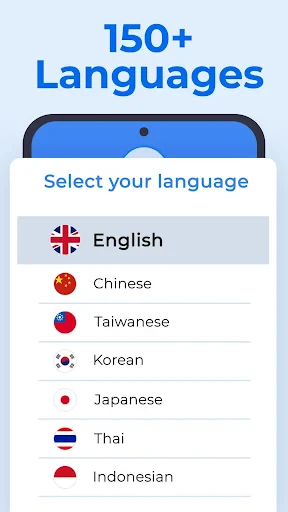
XTranslate is a versatile mobile application designed to break down language barriers across text, images, speech, and documents. It combines optical character recognition, voice input, and PDF translation into a single streamlined tool, making communication and information access seamless in over 100 languages.
Chapter 1: Function
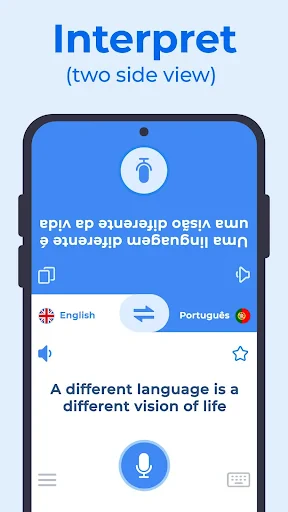
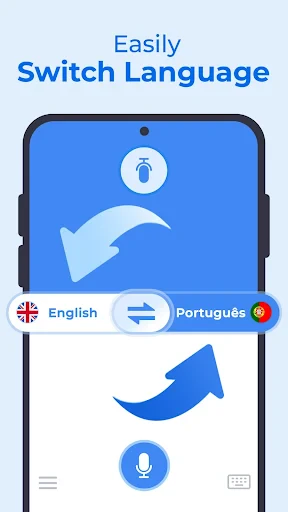
XTranslate offers four core translation functions. First, its Photo Translation mode uses the device camera to instantly capture and translate text from signs, menus, or printed pages without manual typing. Second, Voice Translation enables real-time conversational translation, supporting bidirectional speech input and output in multiple languages. Third, the Text Translation field allows direct input for written translations. Fourth, the PDF/Document Translation feature processes uploaded files like PDFs, Word documents, or images while preserving original formatting. All functions leverage offline translation packs for common languages, ensuring privacy and speed when internet access is limited. The app also includes a history log and a favorites system for quick access to frequently used phrases.
Chapter 2: Value
XTranslate delivers profound value by consolidating multiple translation needs into a single efficient platform. Its key advantage lies in versatility: unlike apps that focus solely on text or voice, XTranslate handles visual, auditory, and document-based translation equally well. This eliminates the need for users to switch between different tools. The offline translation capability is a major differentiator, providing reliable service in remote areas or during international travel without data costs. Furthermore, the PDF translation feature is particularly valuable for professionals and students who regularly work with foreign-language documents, saving hours of manual cross-referencing. The app also prioritizes accuracy, using advanced neural machine translation models tuned for context rather than literal word-for-word conversion. Language support is extensive, including major world languages and numerous regional dialects. The intuitive interface reduces the learning curve, allowing even non-technical users to start translating immediately. Finally, XTranslate respects user privacy by processing many translations locally on the device, ensuring sensitive documents or personal conversations remain confidential.
Chapter 3: Scenarios
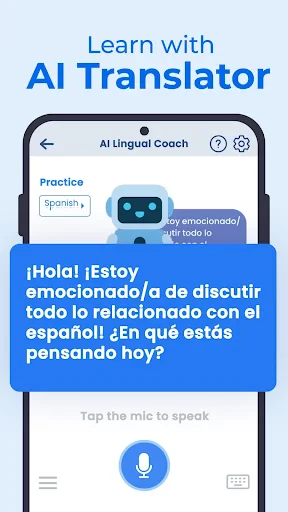
XTranslate serves five primary user groups with distinct use cases. Travelers rely on it to decipher foreign road signs, restaurant menus, and hotel instructions using the photo translation mode. Students and researchers use the PDF translation function to read academic papers, textbooks, and journal articles published in languages they are learning. Business professionals employ the voice translation feature during multilingual conference calls or client meetings, and the text mode for drafting and proofreading international correspondence. Expatriates and immigrants use the camera function to understand administrative documents, rental agreements, and medical forms in their new country's language. Language learners utilize the app as a real-time practice assistant, comparing their pronunciation with the app's voice output and saving challenging phrases for later review.
Advantages
- instant camera translation for 50+ languages offline
- voice input supports 30+ dialects with real-time output
- preserves original PDF layout after full-document translation
- zero internet dependency for core photo and text translation
- built-in OCR works on handwritten notes and screenshots
Disadvantages
- video subtitles require manual text extraction first
- no document editing or export to editable formats
- voice translation accuracy drops in noisy environments
- photo batch processing limited to 5 images per session
- free tier caps PDF page count at 10 per file
Frequently Asked Questions
Q: What is XTranslate's core functionality?
A: XTranslate is a translation app that supports photo, voice, and PDF translation. It allows users to translate text from images using OCR, convert spoken language in real time, and process PDF documents without losing original formatting. No additional hardware is required.
Q: Is XTranslate free to use or does it require a subscription?
A: XTranslate offers a free tier with limited daily translations. Full access to unlimited photo, voice, and PDF translation requires a subscription via in-app purchase. No additional equipment is needed beyond a compatible device.
Q: Which devices and systems are compatible with XTranslate?
A: XTranslate is available for iOS and Android devices. It requires iOS 13.0 or later and Android 8.0 or later. The app supports over 100 languages for text translation, but photo and PDF features may require a camera and sufficient storage.
Q: How accurate is the photo translation feature?
A: Photo translation accuracy depends on image quality and text clarity. The OCR works best with well-lit, high-contrast images and standard fonts. Handwritten or decorative text may reduce accuracy. Users can manually edit recognized text before translation for improved results.
Q: Can XTranslate translate PDF files while preserving layout?
A: Yes, XTranslate can translate PDF files while maintaining original formatting, including fonts, tables, and images. However, very complex layouts or scanned PDFs without selectable text may require OCR preprocessing, which can slightly alter alignment. The app supports batch translation for multiple pages.
Technical Information
Recommended for You

Happy Birthday songs & wishes

Remodel AI - Home Renovation
iPhone Keyboard

2025 ColorCal

Mudflap

Qibla Compass: Qibla Direction

PulsePoint Respond

Pisces - Smart Stream Player

Driver Pulse by Tenstreet

Sticker.ly - Sticker Maker

CreArt - AI Image Generator

Bazaart AI Photo Editor Design

Download Video & Player

WebNovel

GoWish - Your Digital Wishlist

WiZ Connected

Five Guys Burgers & Fries

PicMa: AI Video&Photo Enhancer

Policia de Niños Llamada Falsa

Screen Recorder - G1REC

HiSense Smart TV Remote

Node Video - Pro Video Editor

ValeroPay+