My Card Wallet

My Card Wallet
Smart wallet for digital cards, IDs, and loyalty rewards.
Screenshots
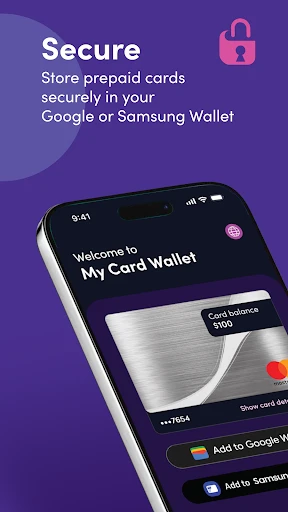
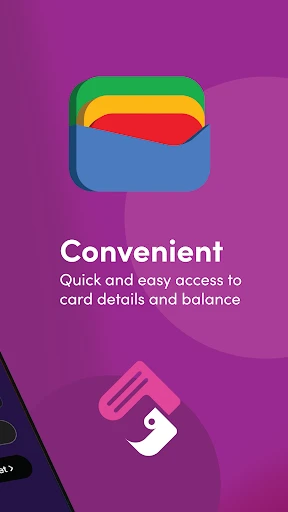
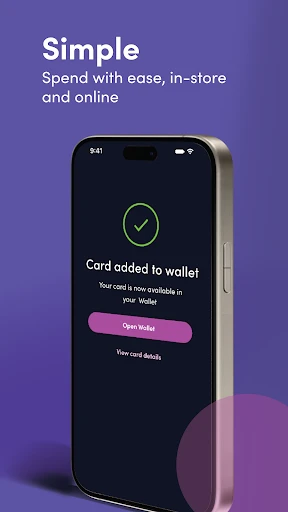
My Card Wallet: Streamlined Digital Card Management for Everyday Life
My Card Wallet is a mobile application designed to simplify the management of all types of cards, including loyalty cards, membership cards, gift cards, and digital versions of business or identification cards. The app replaces the need for a physical cardholder by storing card information securely on a user's smartphone. It offers a centralized dashboard where users can view, organize, and access cards instantly. Key features include barcode and QR code scanning for quick checkout, categorization by card type or business, and a notes section for each card. The app aims to reduce wallet clutter and ensure users never miss out on loyalty rewards or membership benefits when they forget their physical cards. Its interface is minimalist, focusing on fast retrieval and ease of use.
Chapter 1: Function
My Card Wallet provides a comprehensive set of core functions centered on digitizing and organizing cards. First, users can add cards by scanning the barcode or QR code directly with the smartphone camera, eliminating manual data entry. Alternatively, manual input is supported for cards lacking scannable codes, allowing users to enter the card name, number, and store details. Second, the app offers a smart organization system where cards can be sorted into custom folders or tagged by category, such as dining, retail, or health. A search function enables instant location of any card by name or store. Third, the app includes a quick-access widget for the home screen, allowing users to pull up the most frequently used card without opening the app. Fourth, it supports sharing of digital cards via a secure link, which is useful for transferring gift cards or business contacts. Fifth, the app notifies users of upcoming card expirations or balance changes when integrated with supported merchant APIs, ensuring active management of store credit and loyalty points.
Chapter 2: Value
The primary value proposition of My Card Wallet lies in its ability to declutter physical wallets and ensure that users always have their cards available, thereby preventing loss of rewards or membership benefits. The app removes the friction of carrying multiple plastic cards, reducing the risk of losing them and saving time during checkout. A key advantage is its offline accessibility; once cards are scanned, they are stored locally on the device, so users do not require an internet connection to display barcodes or QR codes at a point of sale. This reliability is critical for daily errands like grocery shopping or coffee runs. Additionally, the app prioritizes privacy and security by not storing card data on cloud servers unless explicitly enabled by the user. All sensitive information is encrypted using device-level encryption, and the app never shares data with third parties for advertising purposes. Another advantage is its memory feature: the app can log the last usage date for each card, helping users remember which loyalty cards they actually use, thus enabling them to cancel unused accounts and save on annual fees. Compared to native wallet apps from phone manufacturers, My Card Wallet supports a broader range of card types and offers more granular categorization. For businesses, the ability to share digital cards seamlessly reduces the need for printing physical materials, supporting sustainability goals. Ultimately, the app delivers peace of mind by centralizing all card-based information into one secure, organized, and portable solution.
Chapter 3: Scenarios
The primary target user groups for My Card Wallet are busy professionals who carry multiple loyalty and membership cards, frequent shoppers at grocery stores and retail chains, and travelers who need to manage hotel rewards cards, airline lounge passes, and local store cards. Additionally, small business owners use the app to store digital versions of their business cards and client gift cards. Daily use cases include a user scanning their coffee shop loyalty card at the counter using the app's barcode viewer, thereby earning stamps without carrying the physical card. Another scenario is a parent managing a family's various store gift cards, where the app's folder feature keeps each card organized by store name and balance. During holiday shopping, a user can quickly access a department store's membership card from the search bar to apply an exclusive discount. Travelers find value in storing international loyalty programs, such as hotel chain memberships, and can recall the card number even from a different country without searching through emails. The app is also used by health club members who store their membership barcodes when entering the gym, eliminating the need to carry an ID badge. For professionals attending networking events, the app's share function allows them to send their digital business card as a link, saving paper. Overall, My Card Wallet serves as a daily utility tool for anyone wishing to lighten their pocket load and prevent the frustration of leaving a crucial card at home.
Advantages
- stores up to 500 virtual cards without bulk
- instantly scans and imports membership barcodes
- works offline with full card data access
- auto-archives expired cards to reduce clutter
- syncs encrypted wallet via iCloud across devices
Disadvantages
- no native support for transit or payment cards
- manual card sorting required in large wallets
- limited to static barcode display
- no dynamic qr
- lacks collaboration sharing for joint accounts
- no browser extension for auto-fill on websites
Frequently Asked Questions
Q: What is My Card Wallet used for?
A: My Card Wallet is a digital card management app that stores, organizes, and retrieves business cards, loyalty cards, and membership cards. It uses OCR to scan card details, supports custom categories, and offers offline access. No internet connection is required for basic viewing after initial sync.
Q: Is My Card Wallet free to use?
A: My Card Wallet is free to download with basic features including scanning up to 50 cards. Premium subscription unlocks unlimited cards, cloud backup, and advanced search. No in-app purchases are required for core storage and organization. No additional hardware or permissions beyond camera access are needed.
Q: Which devices and systems does My Card Wallet support?
A: My Card Wallet supports iOS 14.0+ and Android 8.0+ smartphones and tablets. It is optimized for iPhone and Samsung Galaxy series. No desktop or web version is available. The app requires camera access for scanning and storage permission for saving card images locally.
Q: Can I export my card data from My Card Wallet?
A: Yes, My Card Wallet allows exporting all card data as CSV or VCF files via email or cloud storage. Export is limited to premium users for batch export; free users can export one card at a time. Exported files include name, phone, email, and company fields.
Q: How does My Card Wallet handle lost data or device changes?
A: My Card Wallet offers optional cloud backup for premium subscribers, syncing to their account. Free users rely on local storage only. To transfer data to a new device, free users must manually export VCF files before switching. No recovery service is provided for unbacked local data.
Technical Information
Recommended for You

Coinoscope: Coin identifier

SoundCloud: Play Music & Songs

Dexcom G6
OBD Fusion (Car Diagnostics)

Veryable: Work. Next Day Pay

Bath & Body Works

Astonishing Comic Reader

VPN - Super Unlimited Proxy

AR Draw Sketch: Paint & Trace

Jooble — Job Search App

Minecraft Education

Voice Recorder: Memos & Audio

Photo Video Maker with Music

Video Downloader Pro

MangaToon: Comic & Manga

Houseparty

Visual Voicemail

N5_Theme for Car Launcher app

Tennis TV - Live Streaming

Caller ID - Block Spam Call
![[KNA003] SHADOW](https://apk.ericdress.com/wp-content/uploads/2026/07/image16116066015620127422.webp)
[KNA003] SHADOW

Wifi Speed Test - Speed Test

Freed Audiobooks