Minecraft Education
Minecraft Education
Minecraft Education builds creativity collaboration for classroom learners
Screenshots
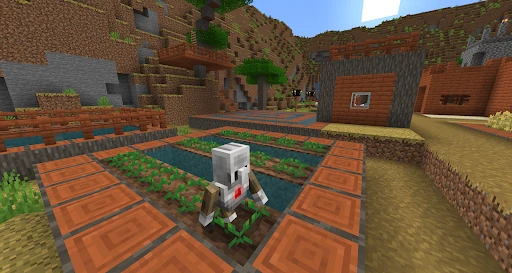
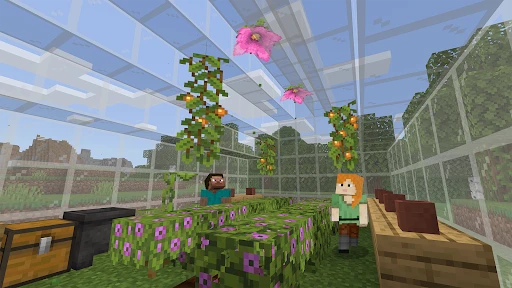

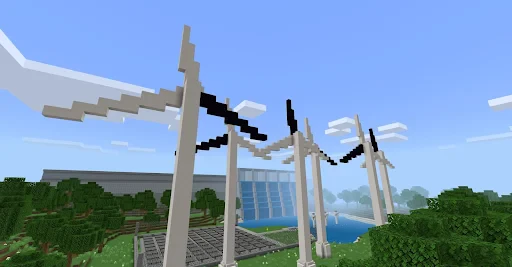

Minecraft Education: A Game-Based Learning Platform for Classrooms
Minecraft Education is a specialized version of the popular sandbox game Minecraft, designed specifically for educational settings. It transforms the open-world creative environment into a structured, interactive learning platform. The app enables teachers and students to explore subjects like science, history, mathematics, and coding through immersive digital worlds. It includes unique features such as classroom management tools, assessment capabilities, and pre-built lesson plans aligned with curriculum standards. By blending gameplay with educational objectives, Minecraft Education aims to foster collaboration, critical thinking, and digital literacy among learners of all ages.
Chapter 1: Function
Minecraft Education offers a suite of core functions that distinguish it from the standard game. The most prominent feature is the ability to import and export worlds, allowing teachers to share specific learning environments with students. The app includes a Classroom Mode interface, which gives educators real-time visibility into student whereabouts and actions within the world, as well as the ability to teleport players, communicate via chat, and manage inventory. Another key function is the Chemistry Resource Pack, which enables students to simulate chemical reactions and build molecular structures using a block-based system. The app also supports Code Builder, an integrated tool that teaches programming through drag-and-drop block coding or JavaScript, directly within the game. Additionally, pre-built lesson plans span subjects from ancient civilizations to renewable energy, providing ready-made content that reduces teacher preparation time.
Chapter 2: Value
The primary value proposition of Minecraft Education lies in its ability to engage students through a medium they find intrinsically motivating: gaming. This engagement translates into deeper learning outcomes, as students are more willing to explore complex topics when presented in a familiar, low-stakes environment. The app encourages collaborative problem-solving, as students must work together to build structures, solve engineering challenges, or complete historical recreations. This social aspect helps develop communication and teamwork skills essential for modern workplaces. Furthermore, the sandbox nature of Minecraft allows for creative expression, enabling students to visualize abstract concepts like geometry, physics, and architectural design in tangible three-dimensional space. For teachers, the app provides a powerful assessment tool; student creations and behavior within the game serve as authentic evidence of understanding. The platform also promotes digital citizenship by requiring students to navigate a shared virtual space responsibly. Another key advantage is accessibility: the app works on multiple devices, including Windows, macOS, iPad, and Chromebook, making it adaptable to various school technology infrastructures. The pre-built lesson plans align with Common Core, Next Generation Science Standards, and other national educational frameworks, ensuring that time spent in the game directly supports academic goals. Finally, the app fosters inclusivity, as students with diverse learning styles who may struggle in traditional lecture settings often find success in a visual, hands-on, and gamified learning environment.
Chapter 3: Scenarios
Minecraft Education serves a broad range of primary target user groups, predominantly students in elementary through high school, along with their teachers and school administrators. Everyday use cases vary by subject area. In a history class, a teacher might deploy a pre-built world of Ancient Egypt, where students role-play as architects designing pyramids or as traders navigating the Nile, learning about geography and culture through authentic tasks. In a science classroom, students use the Chemistry Resource Pack to build and observe compounds like water or carbon dioxide, reinforcing molecular theory. For coding education, a computer science teacher assigns a lesson where students program an autonomous robot to navigate a maze using Code Builder, learning logic and loops. In mathematics, students calculate volume and area by constructing buildings or planning a city grid, linking abstract formulas to physical space. Beyond core subjects, the app is also used for social-emotional learning, where students collaborate on a community project within the game, such as building a school or park, to practice empathy, negotiation, and conflict resolution. Homeschooling families use it to supplement curricula with interactive, project-based learning. Additionally, some school districts employ the app for professional development, where teachers participate in training sessions inside the game to learn pedagogical methods for digital classrooms.
Advantages
- block-based coding teaches logic without text
- multiplayer worlds sync student builds in real-time
- chemistry lab add-on simulates compound reactions
- exportable portfolio of 3D projects for assessment
- low-end device support via renderdragon engine
Disadvantages
- no offline mode breaks lessons without stable wi-fi
- camera/portfolio UI confuses younger students
- marketplace mods require teacher approval per download
- redstone circuits lag severely in 30+ player sessions
- chemistry update missing ph indicator colors
Frequently Asked Questions
Q: What is Minecraft Education used for?
A: Minecraft Education is a game-based learning platform designed for classroom use. It teaches subjects like science, history, math, and coding through interactive lessons. Core features include classroom mode for teacher control, camera and portfolio tools for documenting work, and a code builder for block-based or Python programming. It requires a Microsoft 365 Education account and works on Windows, macOS, iPad, and Chromebook.
Q: Is Minecraft Education free to download and use?
A: No, Minecraft Education is not free. It requires a paid license per user, typically purchased through Microsoft Volume Licensing or a school subscription. A free trial version is available for a limited time. No additional in-app purchases or external equipment are needed beyond a compatible device and internet access. Schools or educational organizations must manage licenses via the Microsoft Admin Center.
Q: Does Minecraft Education run on all devices?
A: No, Minecraft Education is compatible only with Windows 10/11, macOS 10.14 or later, iPadOS 12 or later, and ChromeOS. It does not support Android tablets, Linux, or older operating systems. Each device requires at least 4GB of RAM and an internet connection for initial setup and lesson downloads. Performance may vary on low-end hardware.
Q: Can students play together across different platforms?
A: Yes, Minecraft Education supports cross-platform multiplayer between Windows, macOS, iPad, and Chromebook devices. All players must be on the same network or connected via a secure server. Cross-platform play requires all users to have valid licenses and be signed into the same Microsoft 365 Education tenant. Mods or custom worlds from the regular Minecraft version are not compatible.
Q: How do I get technical support or reset a lost password?
A: Technical support for Minecraft Education is handled through Microsoft Education support channels, not Mojang. Users can submit a ticket via the Microsoft Support website or contact their school's IT administrator. Password reset must be done through the Microsoft 365 admin portal. There is no in-app support chat. Major updates are released quarterly with changelogs on the official website.
Technical Information
Recommended for You

Cookie Cutters

Maps All in One, Speedometer

Friday: AI E-mail Assistant

Necrophonic

Alarm Clock for Me

Propel EBT & SNAP Benefits

To-Do List - Schedule Planner

PDG PROmote 2023-2025

Home AI - AI Interior Design

WeatherPulse (WxPulse)

Remote Control for All TV

iFunny-videos,memes,jokes,GIFs

CBS Sports App: Scores & News
Wallpaper 3D Live

Lark Video Player: HD Video

OS Launcher 18 - Phone 16 Max

Ringtone App For Android

JobStack for Work | Job Search

السوق المفتوح - OpenSooq

Qatar Airways

Messages - Text SMS App

ShopBack: Cashback & Rewards

Facebook Lite
