AR Draw Sketch: Paint & Trace

AR Draw Sketch: Paint & Trace
Trace real images into art for all skill levels
Screenshots

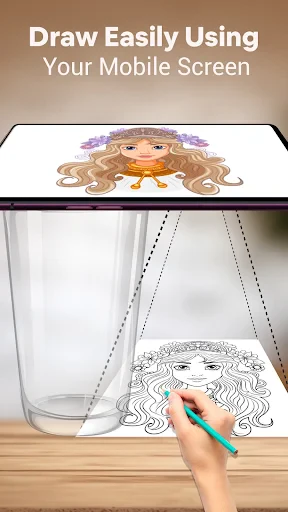
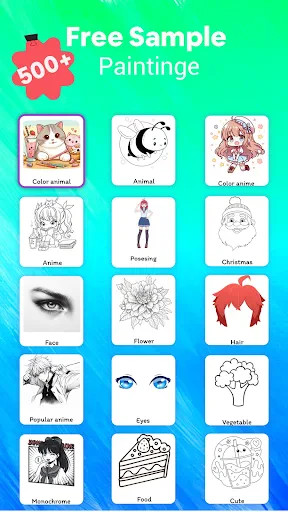
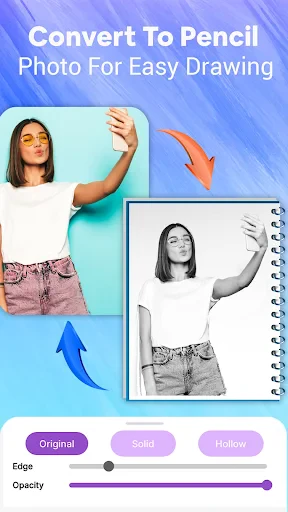
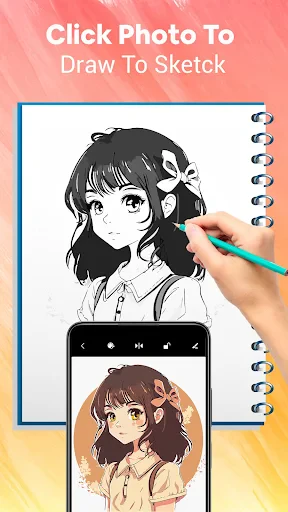
AR Draw Sketch: Paint & Trace - Art Made Simple with Augmented Reality
AR Draw Sketch: Paint & Trace is a mobile application that leverages augmented reality technology to transform the way users create and learn drawing. By overlaying digital images onto real-world surfaces through a device camera, the app enables anyone, regardless of artistic skill level, to trace complex sketches, paint vibrant artworks, or practice calligraphy with ease. It serves as both a creative tool for hobbyists and a practical learning aid for beginners seeking to improve hand-eye coordination and artistic techniques.
Chapter 1: Function
The app’s core functions center on AR-assisted tracing and painting. Users can select a reference image from a built-in library or import their own photos, then activate the camera to project a semi-transparent outline onto a flat surface like paper or canvas. The app automatically aligns the image with the physical space, allowing users to trace the contours precisely with a pencil or brush. Additional features include adjustable opacity, grid alignment, and a mirror mode for complex symmetries. The paint function offers virtual color mixing, brush size control, and layer support, enabling digital coloring over traced outlines. A recording option captures the creation process as a time-lapse video, useful for sharing progress or tutorials.
Chapter 2: Value
The value proposition of AR Draw Sketch lies in its ability to lower the barrier to entry for drawing and painting, making artistic expression accessible to users with no formal training. Unlike traditional tracing methods that require physical stencils or projectors, the app uses a smartphone camera to instantly superimpose any digital image onto a real-world surface, eliminating the need for expensive equipment. This democratization of art education benefits children learning fine motor skills, adults exploring new hobbies, and professionals testing compositions before committing to canvas. The app also saves time by allowing rapid prototyping of designs; users can experiment with different reference images and scales without wasting materials. Another key advantage is portability: everything needed to start drawing is contained within a mobile device, usable anywhere with adequate lighting. Furthermore, the step-by-step tracing process builds muscle memory and confidence, gradually enabling users to draw freehand without assistance. The non-intrusive AR interface ensures that users remain focused on physical hand-eye coordination rather than on complex digital menus, fostering a natural learning curve. By combining low-cost technology with high-utility features, the app represents a practical investment for anyone serious about improving their drawing skills efficiently.
Chapter 3: Scenarios
Primary target user groups include art beginners, children aged 6 to 14, hobbyists seeking relaxing creative activities, and educators teaching basic drawing techniques. Everyday use cases range from a parent helping a child trace animal shapes for a school project to a college student practicing portrait anatomy using reference photos. The app is also popular among DIY crafters who need to transfer designs onto wood or fabric, and among adults in therapeutic settings where tracing promotes mindfulness and reduces stress. For professional illustrators, the app serves as a quick tool to verify proportions or test layout ideas before committing to expensive materials. Additionally, language teachers and travel enthusiasts use the app to trace maps or calligraphy characters, blending cultural learning with artistic practice. In remote areas with limited access to formal art classes, the app provides an autonomous learning environment, enabling users to progress at their own pace with visual guidance.
Advantages
- traces real-world images into line art instantly
- adjustable transparency overlay for accurate hand sketching
- works offline without internet for drawing practice
- supports both live camera and imported photo tracing
- lightweight app with minimal lag on mid-range phones
Disadvantages
- limited brush types compared to dedicated drawing apps
- trace lines may not align perfectly on curved surfaces
- requires steady hand or tripod for consistent camera capture
- no layer management for complex multi-image projects
- export resolution capped at 1080p without upscaling
Frequently Asked Questions
Q: What is AR Draw Sketch used for?
A: AR Draw Sketch converts your device camera into a tracing tool for drawing and painting. It projects a reference image onto your paper through the screen, allowing you to trace outlines and colors easily. No advanced drawing skills are needed, and it supports custom images from your gallery.
Q: Is AR Draw Sketch free to use or are there in-app purchases?
A: The app is free to download and includes basic tracing features with ads. Unlocking advanced tools like custom image import, multiple layers, and ad-free experience requires a one-time in-app purchase or subscription. No additional hardware is needed beyond your device and paper.
Q: Does AR Draw Sketch work on all smartphones and tablets?
A: The app requires a device running iOS 12.0+ or Android 8.0+ with a rear camera. Optimal performance requires devices that support ARKit (iOS) or ARCore (Android). Older or low-end models may experience lag or limited camera alignment accuracy.
Q: How does the image tracing projection actually work?
A: You select or upload an image, place your device on a stand or tripod above your paper, and the app overlays the image onto the live camera feed. The semi-transparent image stays fixed on the paper surface as you move your device, helping you trace lines and colors accurately.
Q: Can AR Draw Sketch save my traced drawings or export them?
A: The app does not digitally capture your physical drawing. It only saves the reference image and camera settings you used. To keep your artwork, you must photograph or scan the paper copy separately. There is no built-in digital export feature for physical sketches.
Technical Information
Recommended for You

Phone Tracker

Paziresh24

IEEE

Tide Charts

Boomplay: Music & Live Stream

ACE Scanner - PDF Scanner App

DRIVE Electric for Tesla
Stick Nodes Pro - Animator

Shutterfly: Prints Cards Gifts

Color by Letter: Sewing game

آگهی فوری

Camera Location: Geotag Photos

Cartoon Photo Editor - ToonAI

10 Minute Language

Guitar Tuner Pro: Music Tuning

Taptap Send: Money Transfer

Secure VPN-Safer Internet

Wasatch Backcountry Skiing Map
Headunit Reloaded Emulator HUR

PolyBuzz: Chat with AI Friends

Survey Junkie

Offline Music Player- Weezer

Video Call
