Video Player - Media Player

Video Player - Media Player
Video Player plays all formats with smooth HD experience for everyone
Screenshots
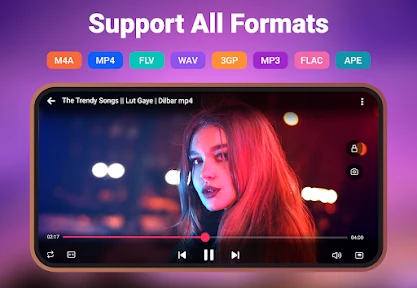
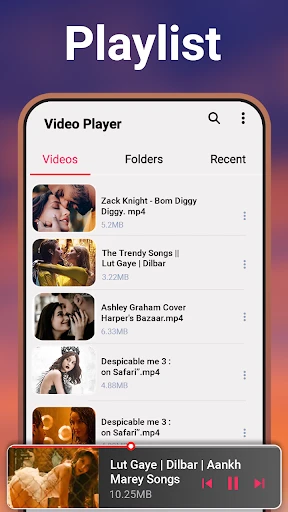
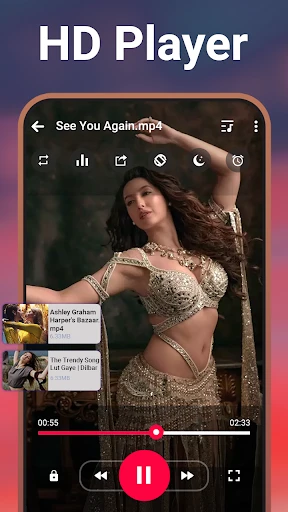
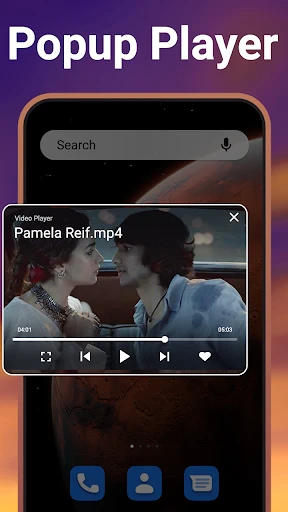
Video Player - Media Player: A Versatile Media Hub for Seamless Playback
Video Player - Media Player is a comprehensive multimedia application designed to deliver smooth, high-quality video and audio playback across a wide range of file formats. The app supports virtually all popular codecs, including MP4, MKV, AVI, MOV, FLV, and more, eliminating the need for additional codec packs. It features a clean, intuitive interface that prioritizes user control, offering tools such as gesture-based volume and brightness adjustments, playback speed control, background audio playback, and hardware acceleration for optimized performance. The app also includes a built-in file manager for easy navigation of local storage, as well as subtitle support for multiple languages. Designed for both casual viewers and power users, Video Player - Media Player aims to be a one-stop solution for all media playback needs on mobile devices.
Chapter 1: Function
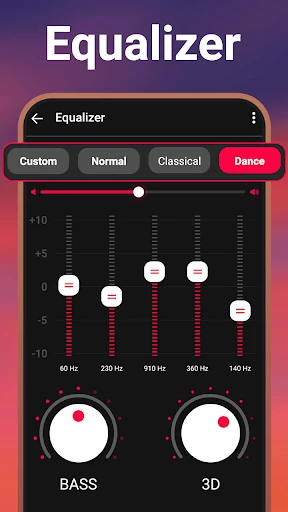
The core function of Video Player - Media Player is to provide a stable, feature-rich environment for playing multimedia files on Android devices. It supports an extensive array of video and audio formats, ensuring compatibility with virtually any standard media file. The app includes a powerful hardware acceleration engine that leverages the device’s GPU to reduce battery consumption and prevent lag during playback of high-resolution content, such as 4K videos. Users can control playback with intuitive gestures: swipe up or down on the left side to adjust brightness, on the right side for volume, and swipe horizontally to seek through the timeline. The app also offers customizable playback speed ranging from 0.5x to 4x, a sleep timer, and background play mode that allows audio to continue when the screen is off or while using other apps. Additionally, the built-in equalizer provides advanced audio adjustments, and the subtitle engine supports SRT, ASS, and SSA formats with options to adjust size, color, and timing.
Chapter 2: Value
The primary value proposition of Video Player - Media Player lies in its combination of universal format support, performance optimization, and user-centric design. Unlike many stock players that fail to play certain codecs, this app eliminates the frustration of incompatible files by supporting over 300 video and audio formats out of the box. Its hardware acceleration technology ensures that even large 4K files play smoothly without excessive battery drain or overheating, which is especially valuable for users with older or mid-range devices. The app’s gesture controls and customizable interface reduce friction during use, allowing for one-handed operation and quick adjustments without interrupting the viewing experience. For users who consume media during commutes or multitasking, the background play function is critical, enabling audio-only listening of lectures, podcasts, or music videos. The sleep timer contributes to better battery management for overnight playback. Furthermore, the detailed subtitle customization is a key advantage for foreign language learners and movie enthusiasts who rely on accurate and legible subtitles. By offering these features at no cost with minimal ads, the app delivers premium functionality accessible to a broad audience.
Chapter 3: Scenarios
Video Player - Media Player caters to a diverse range of users across various everyday situations. The primary target audience includes students and professionals who frequently download educational videos, lecture recordings, or training materials and need reliable playback with speed control for efficient studying. Another major user group consists of movie and TV show enthusiasts who store high-definition films or series on their devices and require robust subtitle support and smooth 4K playback for an immersive home theater experience on the go. Commuters on buses, trains, or flights benefit from the background play feature, allowing them to listen to audio content from videos while the device is locked or when using other apps, saving battery life and data. The app is also well-suited for parents who play cartoons or educational shows for children, as the simple interface and sleep timer make it easy to manage screen time. Additionally, creators and editors who need to preview raw video files in various formats will find the app’s wide codec support invaluable for quick review without converting files.
Advantages
- plays virtually any video format without codec packs
- hardware acceleration reduces battery drain during playback
- gesture controls for brightness and volume on any video
- background audio keeps playing when screen is off
- subtitle sync adjustment with millisecond precision
Disadvantages
- no built-in streaming or network file browser
- playlist management lacks drag-and-drop reorder
- UI feels dated compared to modern design standards
- folder navigation shows no file preview thumbnails
- equalizer presets limited to basic bass and treble
Frequently Asked Questions
Q: What formats does Video Player support?
A: Video Player supports a wide range of formats including MP4, AVI, MKV, MOV, WMV, FLV, and more. It also handles subtitles in SRT and ASS formats. No additional codec downloads are required for standard files.
Q: Is the app free to use with no hidden charges?
A: The app is free to download and use for basic playback. It includes optional in-app purchases for removing ads and unlocking advanced features like gesture controls and background playback. No subscription is required.
Q: Does it work on both iPhone and Android devices?
A: Yes, Video Player is available for both iOS and Android. It requires iOS 12.0 or later and Android 5.0 or later. It is optimized for phones and tablets but not for smart TVs or desktop systems.
Q: How can I play videos from cloud storage or network drives?
A: The app supports direct playback from cloud services like Google Drive and Dropbox, as well as local network drives via SMB protocol. You can access these options from the main menu under 'Network' or 'Cloud' tabs.
Q: Can I set a video as my ringtone or edit it within the app?
A: No, Video Player does not include video editing or ringtone creation features. It focuses solely on playback with options for speed control, subtitles, and brightness adjustment. For editing, you will need a dedicated video editor app.
Technical Information
Recommended for You

Volume Booster - Loud Speaker

CARFAX Car Care App

Walgreens

Magic Fluids

Receipt Scanner: Easy Expense

FaceLab Face Editor App, Aging

Remote for Apple TV

Weather - By Xiaomi

Find My Phone By Clap, Whistle

Nickname Generator: NickName

Video Call

Harbor Freight Tools

Feedly - Smarter News Reader

PragerU

GolfFix: AI Swing Analyzer/Cam

Show Wifi Password: Wifi List

ThemePro - Widget & Wallpaper

Instacart: Earn money to shop

Minecraft Education Preview

GPS Tracker: Geolocation App

Super Funny Ringtones & Sounds

All Document Tools

invideo AI: Video Generator
