GolfFix: AI Swing Analyzer/Cam

GolfFix: AI Swing Analyzer/Cam
AI Golf Coach Analyzes Swing Improves Game For All Golfers
Screenshots
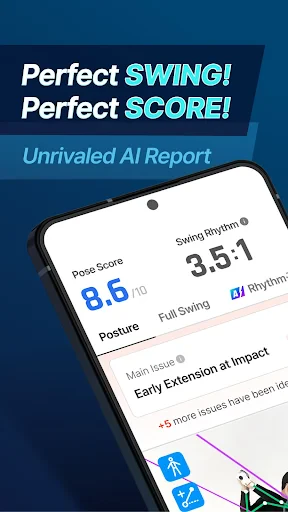

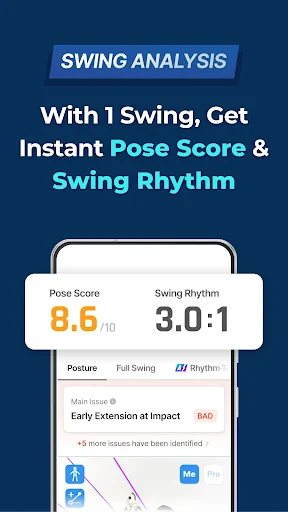


GolfFix: AI Swing Analyzer/Cam – AI-Powered Golf Swing Analysis Tool
GolfFix: AI Swing Analyzer/Cam is a mobile application designed to help golfers of all skill levels improve their swing technique through artificial intelligence. The app uses the smartphone camera to record a user's golf swing and then applies computer vision and machine learning algorithms to analyze key biomechanical elements. It provides instant feedback on posture, club path, hip rotation, and wrist angles, comparing the user's swing against a database of professional swings. The goal is to offer a portable, affordable alternative to traditional coaching, enabling users to practice effectively anywhere.
Chapter 1: Function
GolfFix: AI Swing Analyzer/Cam delivers its core function through a streamlined three-step process: record, analyze, and learn. First, the user simply positions their smartphone on a tripod or flat surface to capture a front-facing or down-the-line video of their swing. The app automatically detects the clubhead and body joints using AI, without requiring manual tagging. Second, the analysis engine processes the video within seconds, generating a side-by-side comparison overlay with a professional reference swing. It highlights specific faults such as sway, early extension, or open clubface, and assigns a numerical score to different swing phases. Third, the app provides corrective drills and visual guides, like angle lines and rotation arcs, directly on the recorded video. Users can save their progress history to track improvement over time. The app requires no additional hardware sensors, relying entirely on the device camera and onboard processing, making it a self-contained training tool for consistent practice.
Chapter 2: Value
The primary value of GolfFix: AI Swing Analyzer/Cam lies in its democratization of high-quality swing analysis. Traditional golf coaching can be expensive and inconvenient, often requiring access to a trained professional and a dedicated indoor facility or driving range. This app eliminates those barriers by placing a virtual coach in the user's pocket. For an amateur golfer, the key advantage is immediate, data-driven feedback that reduces guesswork. Instead of relying on subjective feel or delayed video review, the AI pinpoints specific mechanical errors with quantifiable metrics. This accelerates the learning curve, helping users correct bad habits before they become ingrained. For more advanced players, the app offers precision that can supplement regular coaching, providing a way to self-diagnose between lessons. The consistency of AI analysis also removes human bias, offering the same objective criteria for every swing. Additionally, the app promotes safety by encouraging proper form, which can reduce the risk of injury from repetitive stress on the lower back or wrists. The ability to archive and compare swings over weeks or months offers a motivational feedback loop, as users can visually see their score improving. Ultimately, the app’s value proposition is time and cost efficiency combined with actionable, science-backed coaching, making it a practical tool for both casual players and dedicated competitors who want to lower their handicap without constant professional supervision.
Chapter 3: Scenarios
The primary target user groups for GolfFix: AI Swing Analyzer/Cam are intermediate amateur golfers, high school and college golf team players, and busy professionals who play golf for leisure or networking. For the intermediate amateur, the app is used during solo practice sessions at a driving range or even in a backyard net. They record their swing every few shots, review the AI feedback on their phone screen, and immediately apply the suggested drills to their next attempt. For student athletes, the app serves as a portable practice companion when a coach is not present. They can film their swing during team practice, share the analysis with their coach remotely, or use the data to focus on specific off-season improvements. For the busy professional, the app fits into a tight schedule, allowing them to record a quick session before a business golf outing and receive instant tips without booking a lesson. Everyday use cases include pre-round warm-up analysis to dial in tempo, post-round swing review to understand why a particular shot went wrong, and long-term progress tracking toward a handicap goal. The app also supports group scenarios, such as friends comparing swing metrics during a casual round or a parent recording and analyzing a child’s swing to encourage fundamentals.
Advantages
- records 240fps slow-mo swing without external sensor
- AI draws planar lines and angles on video in real-time
- compares side-by-side swing overlays with pro templates
- works offline once calibration is done on range
- exports annotated clips directly to coach or social
Disadvantages
- requires tripod or stable surface for 240fps capture
- AI line detection fails on dark or backlit driving ranges
- free tier limits to 5 analyzed swings per session
- no ball-flight tracking
- only club and body mechanics
- iPhone only; Android cameras lack high-speed sync
Frequently Asked Questions
Q: What does GolfFix AI Swing Analyzer do?
A: GolfFix uses AI to analyze your golf swing from video recordings. It provides real-time feedback on key metrics like club path, face angle, and hip rotation. The app identifies flaws and suggests drills for improvement. No additional hardware is required beyond your smartphone camera.
Q: Is GolfFix free to use or does it require a subscription?
A: GolfFix offers a free tier with basic swing analysis and limited video storage. Full access to advanced AI metrics, unlimited recordings, and personalized drill recommendations requires a monthly or yearly subscription. No in-app purchases for extra features are available beyond the subscription model.
Q: Does GolfFix work on both iOS and Android devices?
A: GolfFix is available for iOS devices running iOS 14.0 or later and Android devices running Android 9.0 or later. It requires a camera with at least 1080p video recording capability. The app is optimized for smartphones and tablets but does not support smartwatches or desktop computers.
Q: How does GolfFix handle poor lighting or slow-motion recording?
A: GolfFix works best in well-lit outdoor conditions or indoor areas with bright, even lighting. Low light reduces tracking accuracy. The app supports high-speed video recording up to 240fps for detailed swing analysis, but this depends on your device's camera specifications. No manual calibration is needed.
Q: Can I get customer support or a refund for GolfFix subscription?
A: GolfFix provides email support within 24 hours on business days. The app has a built-in FAQ and tutorial section. Subscription refunds are handled per the platform's policy: Apple App Store or Google Play Store manages refund requests. No live chat or phone support is currently available.
Technical Information
Recommended for You

BabyCam - Baby Monitor Camera

Advent Calendar

Reverse Charging Wireless

AR Drawing: Paint & Sketch Art

Customuse: Skins Maker Roblox

Cross Stitch Thread Organizer

SmartRent

HomeWAV

ExtraMile Rewards®

Holy Bible - KJV+Verse

Military Retirement

AI Video Maker: Photo & Music

My Aurora Forecast & Alerts

Zenni - Eyewear for Everyone

JUMIA Online Shopping

DeepSkyCamera Pro

Invitation card Maker, Design

Tesla

KRUU

Real News - Republican News

VSCO: Photo & Video Editor

Bass Pro Shops

World of Hyatt
