Clean Planner
Clean Planner
Clean plans save time for busy families
Screenshots
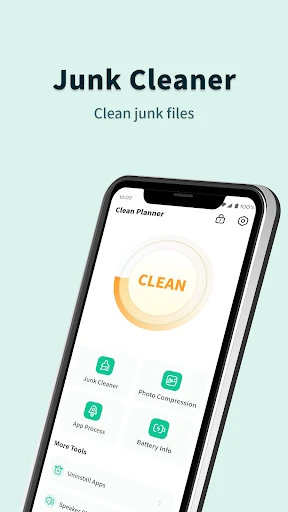
Clean Planner: Simplify Your Cleaning Routine with Smart Scheduling
Clean Planner is a task management app designed exclusively for home cleaning and organization. It replaces messy paper lists and forgotten chores with an intuitive digital system that helps users plan, track, and complete cleaning tasks efficiently. By breaking down the overwhelming concept of keeping a whole home clean into manageable daily, weekly, and monthly actions, the app turns housework from a burden into a structured habit. From deep cleaning schedules to quick daily tidying, Clean Planner adapts to each user’s living space and lifestyle, ensuring that no corner is overlooked and every task feels achievable.
Chapter 1: Function
At its core, Clean Planner offers a flexible scheduling engine that lets users create custom cleaning routines based on rooms, frequencies, and difficulty levels. Users can set up profiles for each room in their home, assign specific tasks such as vacuuming, dusting, or mopping, and decide how often each task repeats automatically. The app provides preset cleaning lists for kitchens, bathrooms, bedrooms, and living areas, but every task is editable, allowing for personalization. A smart notification system sends timely reminders so users never miss a chore, while a progress tracking dashboard shows completion rates and streaks to motivate consistency. The app also includes a timer for focused cleaning sessions and a notes section for recording supplies needed or special instructions. Data syncs across devices, making it easy to share responsibilities with family members or roommates who can also edit and check off tasks from their own accounts.
Chapter 2: Value
The primary value of Clean Planner lies in its ability to eliminate decision fatigue and reduce the mental load associated with household maintenance. Instead of relying on memory or sporadic bursts of motivation, users gain a clear, automated roadmap that tells them exactly what to clean and when. This structured approach helps prevent common pitfalls like skipping hard-to-remember tasks or feeling overwhelmed by a chaotic backlog of chores. For busy individuals, the app’s time-saving features are a major advantage: by breaking large projects into small, scheduled steps, users can maintain a consistently clean home without dedicating entire weekends to deep cleaning. The gamification elements, such as streak tracking and achievement badges, provide positive reinforcement that builds long-term habits. Additionally, the collaborative functionality fosters better communication and fair distribution of work in shared households, reducing conflict over cleanliness standards. For health-conscious users, the app can incorporate seasonal deep-cleaning protocols that target allergens, mold, and bacteria, promoting a safer indoor environment. Over time, the data collected on cleaning frequency and completion helps users identify patterns, optimize their routines, and even save money by reducing waste of cleaning products through better inventory tracking. Clean Planner transforms a tedious obligation into a manageable, rewarding system that directly improves quality of life and peace of mind.
Chapter 3: Scenarios
Clean Planner is designed for three primary user groups. First, busy professionals and working parents who struggle to balance career, family, and housework. For them, the app acts as a virtual assistant that automates reminders and creates bite-sized tasks that fit into tight schedules, such as a five-minute bathroom wipe-down between meetings or a fifteen-minute floor sweep after dinner. Second, the app serves college students and first-time renters who may lack established cleaning habits. The preset guides and step-by-step task breakdowns help them learn proper cleaning techniques and build routines from scratch without feeling judged or confused. Third, shared households including roommates, couples, and multi-generational families benefit from the split-task feature, which assigns chores equally and tracks each person’s contribution transparently. Common everyday use cases include: a parent scheduling a weekly kitchen deep clean while delegating daily dish duty to children; a couple preparing for a guest visit by running a last-minute checklist; or a tenant documenting cleaning completion to secure a security deposit return. The app also supports seasonal scenarios like spring cleaning or post-party tidying, where users can activate special one-time projects. By adapting to diverse living situations and skill levels, Clean Planner ensures that anyone from a chaotic dorm room to a spacious family home can achieve and sustain a clean, orderly environment.
Advantages
- syncs cleaning tasks across all devices in real-time
- generates optimal room-by-room cleaning routes
- tracks cleaning duration with per-task stopwatch
- offline mode works without internet connection
- barcode scanner auto-adds cleaning products to list
Disadvantages
- no integration with smart home devices like robot vacuums
- recurring task setup requires manual date entry each time
- cannot share a single household plan across multiple family accounts
- map-based room editor freezes on large floor plans
- cleaning product expiration reminders only work for scanned items
Frequently Asked Questions
Q: What does Clean Planner do?
A: Clean Planner is a household organization app designed to help users create and manage cleaning schedules. It offers customizable task lists, recurring reminders, and progress tracking. The app uses a simple interface to assign chores by room or frequency, supporting daily, weekly, or monthly plans. No additional equipment is required; it works on iOS and Android devices with standard permissions for notifications and calendar access.
Q: Is Clean Planner free to use?
A: Clean Planner offers a free version with basic schedule creation and limited task categories. Premium features, such as unlimited rooms, advanced sorting, and printable reports, require a one-time in-app purchase. There are no subscription fees or additional hardware needed. All core functionality for single-user planning is accessible without payment.
Q: Which devices are compatible with Clean Planner?
A: Clean Planner is compatible with iOS 14.0 or later and Android 8.0 or later. It runs on smartphones and tablets but does not support desktop or smartwatch versions. The app requires storage permissions for saving schedules and notification permissions for reminders. It supports English, Spanish, and French interfaces.
Q: Can I share cleaning tasks with family members?
A: Clean Planner does not include real-time sharing or multi-user collaboration. Each device operates independently with its own local data. Users can manually export task lists via PDF for sharing, but there is no cloud sync or family account feature. Shared task assignment is only possible through offline printed or emailed schedules.
Q: How do I transfer my data to a new phone?
A: Clean Planner stores all schedules and task history locally on your device. To transfer data, use the app’s export function to create a backup file in PDF or CSV format, then manually import it on the new phone. There is no automatic cloud backup or account system. Ensure both devices have the same app version before transfer.
Technical Information
Recommended for You

SonicNest — Music Player

Pango Comics: cartoon for kids

PDF Reader - All PDF Viewer

AI Art Generator: Photo, Draw

Backbone — Next-Level Play

NDI HX Camera: Easy Streaming

Volvo Cars

iHeartRadio for Google TV

TCL Android TV Remote

Smart Sleep Coach by Pampers™

MyTransit NYC Subway & Bus MTA

Weverse: Connect with Artists

Google Ads
Camera for S23 - Galaxy Camera

DODO - Live Video Chat

Cleaner Antivirus VPN Cleaner

SimplePractice Client Portal

کتابراه: کتاب الکترونیک و صوتی
Samsung Galaxy SmartTag

Maverik Rewards
Site Audit Pro

SuperLive- Live Stream & Chat

MapQuest: Get Directions