ArtFonts: Stylish Text

ArtFonts: Stylish Text
ArtFonts stylish text fonts for bios and posts
Screenshots
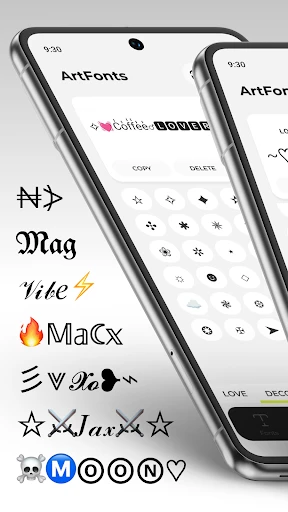
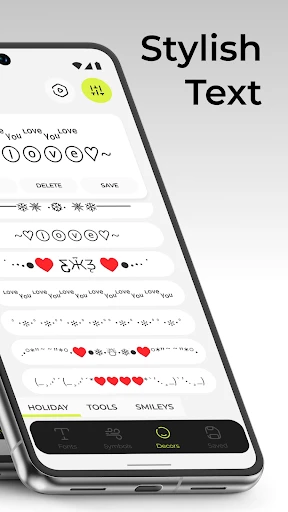
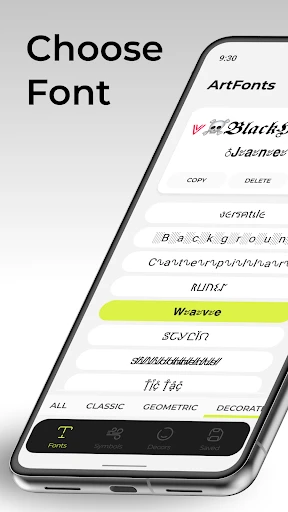
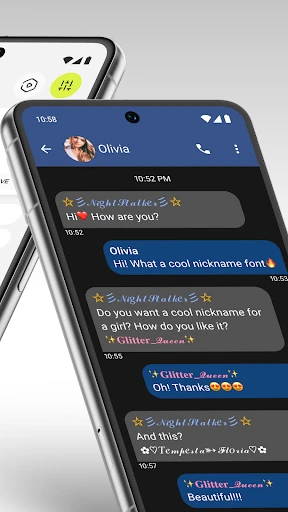
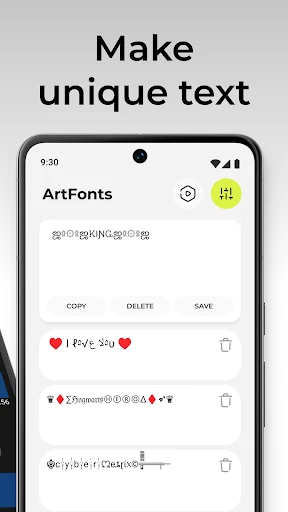
ArtFonts: Stylish Text – Overview of Custom Font Creation and Integration
ArtFonts: Stylish Text is a mobile application designed to enable users to generate, customize, and apply a wide variety of decorative fonts to text content. The app serves as a creative tool for personalizing social media posts, messaging conversations, and other text-based communication. It offers a library of more than 200 font styles, ranging from bold and italic variants to cursive, pixel, and artistic designs. The application operates by converting standard user-inputted text into Unicode-compatible stylized characters, which can then be copied and pasted into any platform that supports standard text input. The core functionality focuses on simplicity: users type or paste text, select a visual style, and instantly generate a transformed version. The app also includes a built-in text editor with basic formatting features, such as adjusting letter spacing and alignment. The interface is organized to allow quick browsing of font categories, including classic, modern, fancy, and thematic styles. No account creation is required for basic use, and the app functions offline after initial download of style packs. ArtFonts: Stylish Text is available on both Android and iOS platforms.
Chapter 1: Function
The core function of ArtFonts: Stylish Text is the transformation of standard alphanumeric text into stylized font variants using Unicode character mapping. The app provides a real-time preview window where users can immediately see how their text appears in different fonts. The functional workflow begins with the user typing or pasting content into a designated input field. A gallery of font styles is displayed in a scrollable grid format, with each style labeled by name, such as Bold Script, Double Struck, or Old English. When a user taps a specific font style, the input text is instantly converted and shown in the preview area. The app supports multiple languages and handles special characters for global usability. Additional functions include a save feature that stores frequently used font styles in a favorites list, a history log of recent conversions, and an option to adjust text size for preview clarity. The application also offers a random style generator for experimental use. All generated text can be copied to the device clipboard with a single button press, enabling seamless integration into external applications like Instagram, WhatsApp, Twitter, and notes apps. The copy function preserves the selected font formatting, allowing the stylized text to appear exactly as designed when pasted into compatible text fields.
Chapter 2: Value
The primary value proposition of ArtFonts: Stylish Text lies in its ability to enhance digital self-expression without requiring any design skills or software expertise. For users who wish to stand out in crowded social media feeds or messaging threads, the app provides instant access to visually distinct text that cannot be achieved through standard keyboard input. This works by leveraging Unicode characters that are already supported by most modern operating systems, so recipients do not need to install any additional software to see the stylized text correctly. The app delivers convenience by eliminating the need to manually search for special characters or memorize character codes. Its lightweight design ensures fast loading times and minimal battery consumption, while the offline functionality means users can generate text without an active internet connection, which is critical for users in low-connectivity regions or those with limited data plans. Another key advantage is the breadth of choice: with over 200 font styles, users can match text aesthetics to specific contexts, such as elegant scripts for formal messages, bold block letters for announcements, or whimsical bubble fonts for casual conversations. The app also provides value through consistency: all fonts are tested for cross-platform compatibility, reducing the risk of broken characters or awkward spacing when pasting into different apps. For content creators, marketers, and social media influencers, this app becomes a productivity tool that accelerates the creation of branded captions, bios, and promotional posts. The absence of intrusive advertisements in the free tier further enhances user satisfaction, as the experience remains focused on the text generation task.
Chapter 3: Scenarios
ArtFonts: Stylish Text targets a broad demographic but is especially valuable for three primary user groups: social media users, students, and content creators. The first group includes individuals who actively post on platforms such as Instagram, Facebook, Twitter, TikTok, and Snapchat. These users apply stylized fonts to write bios, captions, story text, and comments that visually differentiate their content from generic posts. For example, a user might create a bold shadow font for a birthday caption or a delicate cursive font for a motivational quote on their story. The second user group comprises students and young adults who use messaging apps like WhatsApp, Telegram, and Discord. Here, stylized text serves as a tool for emphasis, fun, or personal branding within group chats and social profiles. A student might use a monospace font to simulate code in a tech-oriented chat or a handwritten font to give a personal touch to a status update. The third primary group includes influencers, digital marketers, and small business owners who need to maintain a consistent visual identity across their online presence. These users generate font sets for profile names, tweet headers, YouTube video titles, and email signatures. An everyday use case would be a fashion blogger creating a unique font combination for each new Instagram post caption to attract engagement. Additionally, gamers use the app to customize their in-game names and clan tags in titles with Unicode support. The app also finds niche use in event planning, where it is used to design decorative signs or digital invitations quickly. Overall, the app serves anyone who wants to express personality through text without advanced graphic design tools.
Advantages
- typed text instantly converts to 100+ artistic fonts
- works offline without internet
- preserving privacy
- one-tap copy to clipboard for social apps
- supports Unicode glyphs beyond standard font sets
- lightweight app under 5MB with no ads
Disadvantages
- does not render fonts inside other apps natively
- no preview of text on actual background or image
- limited to copying text
- cannot generate stylized images
- some decorative fonts break on older device systems
- no batch conversion or history log for frequent edits
Frequently Asked Questions
Q: What does ArtFonts do and how does it work?
A: ArtFonts is a text styling app that converts standard text into decorative fonts, symbols, and emoji combinations. Users type or paste any text, select from hundreds of predefined styles like bold, cursive, gothic, or bubble letters, and copy the result to use in social media bios, posts, or messages. It requires no account or special permissions and works entirely offline after initial download.
Q: Is ArtFonts free to use or does it require purchases?
A: ArtFonts is free to download and use for basic font styles. A one-time in-app purchase unlocks the full collection of over 200 premium fonts, including rare symbols and hand-drawn styles. No subscription or additional equipment is needed. All functionality is available within the app without internet access once the premium pack is downloaded.
Q: Does ArtFonts work on both iOS and Android devices?
A: ArtFonts is available on iOS (iPhone and iPad) via the App Store and on Android devices via Google Play. It requires iOS 13.0+ or Android 7.0+. The app is optimized for all screen sizes including tablets. No extra hardware or permissions are needed beyond text input. Compatibility with specific social platforms depends on the platform’s font support, not the app.
Q: Can I use ArtFonts to post on Instagram, Twitter, or WhatsApp?
A: ArtFonts generates Unicode text that works on most apps that support rich characters, including Instagram, Twitter, WhatsApp, Facebook, and TikTok. Some platforms may display certain symbols incorrectly or limit character length. The app does not post directly; users must manually copy the styled text and paste it into the target app. No API or login integration is provided.
Q: How can I get support or restore purchases for ArtFonts?
A: ArtFonts does not include in-app customer support. For purchase issues, users should contact the platform’s customer service (Apple App Store or Google Play). Refunds follow the store’s policy. The app provides a “Restore Purchases” button in settings to re-enable premium fonts on new devices. No email or chat support is listed in the app description.
Technical Information
Recommended for You

Spirit Airlines

Stop Motion Studio Pro

Kangaroo: Simple Home Security

Kismia - Meet Singles Nearby

Liberty Mutual Mobile

Text, Call & Phone number

Nordstrom

Find My Phone By Clap

ConnectNetwork by GTL

Samsung Wallet/Pay (Watch)

Color Wheel

Screen Mirroring Pro for Roku

Propel EBT & SNAP Benefits

Azteca Deportes: EN VIVO

PDG PROmote 2025+

Fotor - AI Photo Editor

Migraine Buddy: Track Headache

Scoreboard - Keep score

Pingo by Findmykids

DSLR HD Camera : 4K HD Camera

FestAI: Ghost Detector App

EveryDollar: Budget Planning

MEATER® Smart Meat Thermometer