Cast to TV - Screen Mirroring

Cast to TV - Screen Mirroring
Cast to TV wirelessly mirror your phone screen for seamless viewing
Screenshots
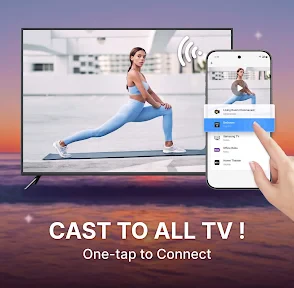
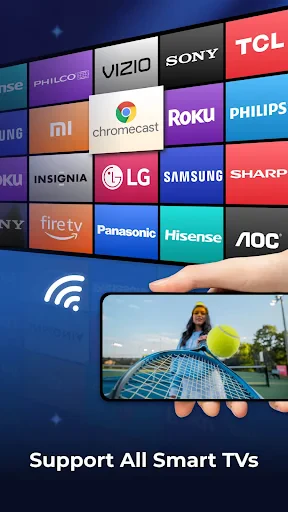
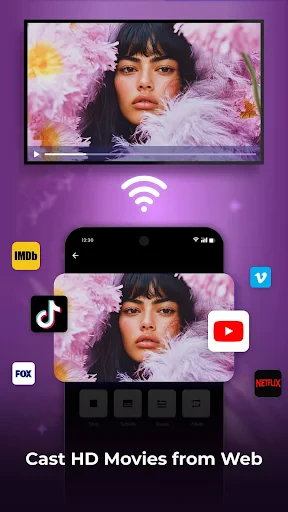
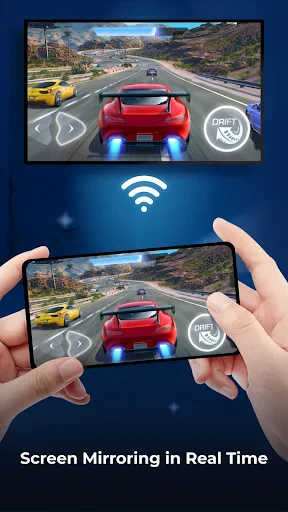
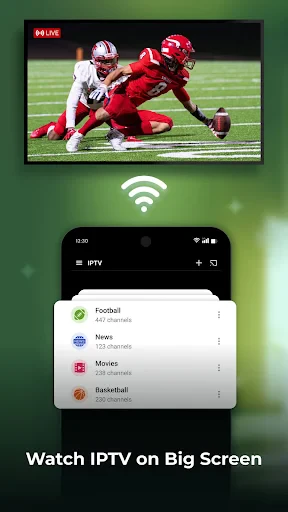
Cast to TV - Screen Mirroring: A Comprehensive Overview, Functions, Value, and Scenarios
Cast to TV - Screen Mirroring is a mobile application designed to wirelessly project a smartphone or tablet screen onto a larger display, such as a smart TV or streaming device. It enables users to mirror their device interface, stream videos, share photos, and present documents in real time, supporting protocols like DLNA, Chromecast, and Miracast. The app simplifies the process of connecting mobile content to television screens without the need for cables or complex setups, making it a versatile tool for entertainment, work, and everyday sharing.
Chapter 1: Function
The core function of Cast to TV - Screen Mirroring is to establish a seamless wireless connection between a mobile device and a compatible TV or monitor. Users can initiate mirroring by selecting their target TV from a list of available devices on the same Wi-Fi network. The app supports screen mirroring for apps, games, and media, as well as local file casting for videos, photos, and music stored on the device. It also offers screen recording and screenshot capabilities during mirroring sessions. Additionally, the app provides a built-in media player for streaming online video links directly to the TV. The interface is intuitive, requiring minimal steps to connect, and includes a search function to quickly locate nearby devices. Compatibility with multiple operating systems and TV brands ensures broad utility, while the app maintains low latency to preserve syncing between audio and video.
Chapter 2: Value
Cast to TV - Screen Mirroring delivers significant value by transforming mobile content consumption and presentation. Its primary advantage lies in eliminating the need for physical cables or dedicated hardware, reducing clutter and setup time. For users, this means instant access to a larger screen for viewing personal media or streaming services without purchasing additional devices like Chromecast dongles. The app enhances the viewing experience by converting a small smartphone screen into a cinematic display, improving visibility and comfort during prolonged use. For professionals, it enables quick presentations from a mobile device in meeting rooms where a smart TV is available, bypassing laptop requirements. The app also supports offline casting from local storage, ensuring functionality even without continuous internet access for media. Another key advantage is its flexibility, working with a wide range of TV brands and models, including older devices with DLNA support. Battery and performance optimization features prevent overheating during extended sessions. Privacy controls allow users to stop mirroring instantly, and the app does not require intrusive permissions beyond network access. Overall, it saves time and cost while offering a reliable, high-quality mirroring solution.
Chapter 3: Scenarios
The primary target user groups for Cast to TV - Screen Mirroring include home entertainment enthusiasts, business professionals, educators, and families. Typical use cases include streaming video content from apps like YouTube or Netflix to a living room TV for group viewing, eliminating the need for a smart TV interface. Families use it to share vacation photos or videos during gatherings, creating a shared experience without passing a phone around. Business users employ the app for impromptu presentations in conference rooms, mirroring slides or spreadsheets from their phone to a display for collaborative discussions. Educators utilize it in classrooms to show educational videos or apps from a tablet to a projector or smartboard, enhancing interactive learning. Travelers benefit from casting to hotel TVs that support mirroring, allowing them to access their media library on a familiar screen. Gamers use it to play mobile games on a larger TV, though latency may vary by network. The app also serves in doctors offices or clinics to display patient information from a tablet to a monitor during consultations.
Advantages
- mirrors phone screen to tv without hdmi cable
- supports both ios and android casting protocols
- works with chromecast
- fire tv
- and roku devices
- low latency for video streaming from local files
- no account registration required to start casting
Disadvantages
- free version shows ads before each casting session
- fails to connect to some older smart tv models
- audio sync drifts noticeably after 30 minutes playback
- does not support drm-protected content like netflix
- requires both devices on same 5ghz wifi network
Frequently Asked Questions
Q: What does Cast to TV - Screen Mirroring do?
A: Cast to TV - Screen Mirroring allows users to mirror their smartphone or tablet screen directly to a television or streaming device. It supports real-time display of photos, videos, games, and apps on a larger screen via Wi-Fi connection. The app works with smart TVs, Chromecast, Roku, Amazon Fire TV, and similar DLNA-compatible devices, requiring no additional cables or adapters for basic functionality.
Q: Is the app free to use or are there in-app purchases?
A: The app offers a free version with basic mirroring capabilities, but advanced features like high-resolution streaming, premium ad removal, and extended session duration require a one-time or subscription-based in-app purchase. There are no hidden costs for initial setup, and the free tier supports standard definition mirroring for up to 15 minutes per session on most devices.
Q: Does it work with iPhone and Android devices?
A: Yes, the app is compatible with both iOS (iPhone and iPad) and Android smartphones and tablets. For iOS devices, it uses AirPlay or mirroring protocols to connect to compatible TVs, while Android devices primarily use Miracast, DLNA, or Google Cast. It requires Android 5.0 or later and iOS 12.0 or later, and both platforms need a stable Wi-Fi network on the same frequency band.
Q: How can I connect if my TV does not support Wi-Fi?
A: If your TV lacks built-in Wi-Fi or casting support, the app requires an external streaming device such as Chromecast, Amazon Fire TV Stick, Roku Stick, or a Miracast adapter plugged into the TV's HDMI port. The app cannot directly connect via Bluetooth or wired HDMI cables, so a compatible receiver device is mandatory for non-smart TVs.
Q: Can I cast streaming apps like Netflix or Disney+?
A: No, Cast to TV - Screen Mirroring does not support screen mirroring of DRM-protected content from major streaming apps like Netflix, Hulu, Disney+, or Amazon Prime Video. These services block mirroring due to copyright restrictions. However, the app can mirror your entire device screen for personal videos, photos, presentations, and non-DRM games. For protected content, use the streaming app's native cast icon.
Technical Information
Recommended for You

Pixel Studio PRO: editor

LotusLamp X

Chat Master: Prank Story

Firehouse Subs

Brainly: AI Homework Helper

Solocator - GPS Field Camera

AirTalk Wireless

TransUnion: Credit Monitoring
AVG Cleaner – Storage Cleaner

Gaia GPS: Offline Trail Maps

Virtual Dyno PRO

Beloud: News & Free Speech

Kawaii Aesthetic Wallpaper
Nice Miner: Bitcoin Miner Hash

Volleyball Rotations

Radar - Speed Camera Detector

Lingual Coach: Learn with AI

NovelBar-Your Reading Haven

Read Chan (Paid), 4chan Reader

theCut: Barbershop Booking

Al Jazeera - الجزيرة

2nd Phone Number - Call & Text

NWS Weather