Virtual Dyno PRO

Virtual Dyno PRO
Virtual Dyno Pro measures car power torque for enthusiasts
Screenshots
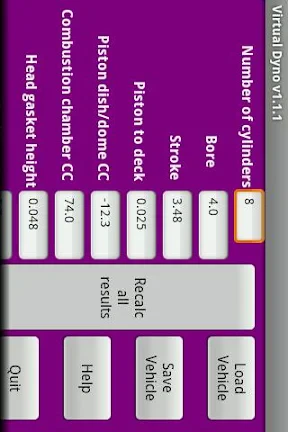
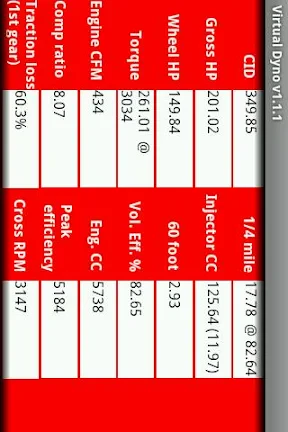
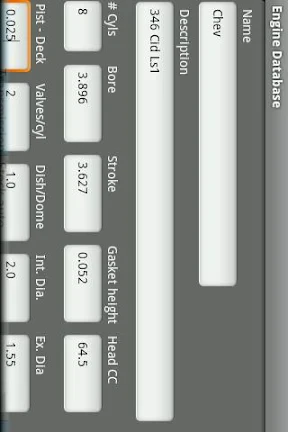
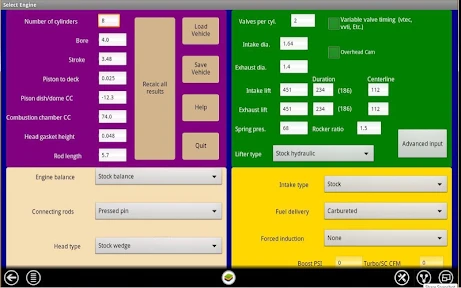

Virtual Dyno PRO: Vehicle Performance Analysis Tool
Virtual Dyno PRO is a mobile application designed to estimate vehicle horsepower and torque using smartphone sensors. It functions as a digital dynamometer alternative for automotive enthusiasts and mechanics. The app calculates performance metrics based on acceleration data from the device's GPS and accelerometer, requiring only vehicle weight input. It provides real-time analysis without physical dyno equipment.
Chapter 1: Function
The core functionality of Virtual Dyno PRO revolves around using smartphone sensors to measure vehicle acceleration. Users input the vehicle's weight, then perform a timed acceleration run. The app captures GPS speed and accelerometer data to compute estimated horsepower and torque curves. It supports automatic detection of gear shifts and calculates peak output values. Results are displayed in standard units and graphs, allowing users to compare performance across runs. The app also logs ambient temperature and barometric pressure for environmental correction factors. Advanced settings enable manual adjustment of drivetrain loss percentages and aerodynamic drag coefficients to refine accuracy. A built-in charting function allows overlay of multiple test runs for performance comparison.
Chapter 2: Value
Virtual Dyno PRO provides significant value by eliminating the cost and inconvenience of physical dynamometer testing. It offers a budget-friendly alternative for performance tuning verification, allowing users to estimate power gains from modifications such as intake, exhaust, or ECU remapping. The app's key advantage is portability; tests can be performed on public roads or tracks with minimal setup. Compared to physical dynos that require professional operation and fees, this tool empowers DIY mechanics and enthusiasts to monitor vehicle performance trends affordably. The inclusion of atmospheric correction factors enhances result consistency across different test conditions. For professional tuners, it serves as a quick verification tool before committing to expensive dyno sessions. The ability to overlay graphs facilitates before-and-after modification comparisons, aiding in data-driven tuning decisions. However, users should understand that accuracy is dependent on sensor quality, road gradient, and traction conditions, making it suitable for relative comparisons rather than absolute certification standards. The app's primary value lies in accessibility and trend analysis rather than laboratory-grade precision.
Chapter 3: Scenarios
The primary target users include car enthusiasts, amateur racers, and DIY tuners who want to monitor vehicle performance without specialized equipment. Automotive hobbyists use it to evaluate the impact of bolt-on modifications like cold air intakes or lightweight wheels. For track day participants, it helps verify consistent power delivery between sessions. Small automotive workshops leverage the app for initial performance assessments before advancing to professional dyno tuning. Common use cases include testing at drag strips where environmental conditions vary, as the app normalizes data based on air density. It also serves as an educational tool for students learning about vehicle dynamics and power measurement. The app is not intended for critical applications like engine safety calibration due to its reliance on smartphone sensors. Best results require flat, straight roads with good traction and minimal wind, making rural roads or abandoned airstrips ideal testing environments. Users must also ensure secure phone mounting to prevent movement during acceleration runs.
Advantages
- real-time torque curve logging via OBD-II
- supports both metric and imperial units seamlessly
- works with gasoline
- diesel
- and hybrid vehicles
- no internet required for on-track logging
- directly estimates wheel hp to crank hp
Disadvantages
- requires external Bluetooth or WiFi OBD-II adapter
- tuning results vary with incorrect vehicle parameters
- no live map overlay for road grade correction
- limited to straight-line runs for accurate data
- steep learning curve for interpreting SAE corrections
Frequently Asked Questions
Q: What does Virtual Dyno PRO do?
A: Virtual Dyno PRO is an automotive performance measurement app that estimates engine horsepower and torque using accelerometer and GPS data. It requires a flat, level road and consistent driving conditions for accurate results. No physical dyno equipment is needed, making it a cost-effective tuning tool for car enthusiasts.
Q: Does Virtual Dyno PRO require in-app purchases?
A: Virtual Dyno PRO is a paid app with a one-time purchase. It does not contain subscriptions or in-app purchases for core features. However, additional data logging or export options may be locked behind optional upgrades. Free trials or demo versions are currently not available.
Q: Is Virtual Dyno PRO compatible with all vehicles?
A: Virtual Dyno PRO works with any vehicle that can be driven on a flat road. It relies on the device's internal sensors, so compatibility depends on iOS/Android device hardware rather than car model. Older devices with less accurate GPS or gyroscopes may produce less reliable data.
Q: How accurate is Virtual Dyno PRO compared to a real dyno?
A: Accuracy varies based on road conditions, device calibration, and proper data correction. Under ideal conditions, results are typically within 5-10% of a chassis dyno. Factors like incline, tire pressure, and environmental temperature can affect readings. It is best used for relative comparisons, not absolute benchmarks.
Q: Can Virtual Dyno PRO work without internet?
A: Yes, core data logging and calculations function offline using the device's built-in sensors. GPS may require initial signal lock but works without active data connection. Map overlays and cloud syncing features require internet. Exporting logs or accessing community comparisons may also need online connectivity.
Technical Information
Recommended for You

TickTock-TikTok Live Wallpaper

Workvivo

GIPHY: GIFs, Stickers & Clips

WNBA - Live Games & Scores

Sunrun

Microsoft Defender: Antivirus

Boomplay: Music & Live Stream

Autolink

GigU

Phone Helper Pro

Mobile Number Locator

6Minutes - Local News & Alerts

Windy.app - Enhanced forecast

LEX18 Storm Tracker Weather

Find my Phone - Family Locator

DraftKings Pick6: Fantasy Game

AR Drawing - Trace Drawing App

ABCmouse – Kids Learning Games

Remote Control for All TV

Joist Invoices for Contractors

AI Home Design: Interior DecAI

Amazon Business: B2B Shopping

GPS Navigation Route Finder
