Satellite Map Live Earth View

Satellite Map Live Earth View
Satellite Map Live Earth View: Real time satellite imagery for explorers seeking precise global views
Screenshots
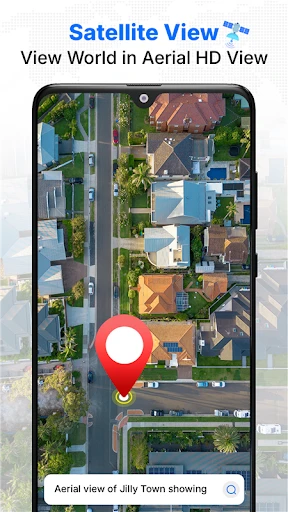
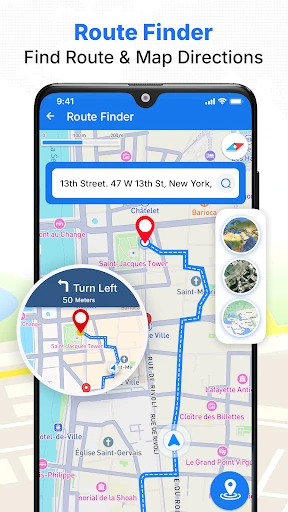
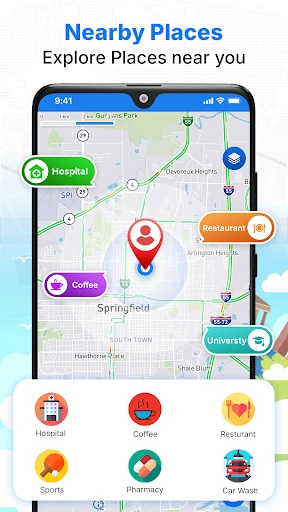
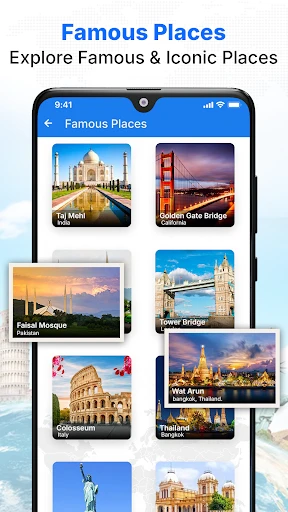
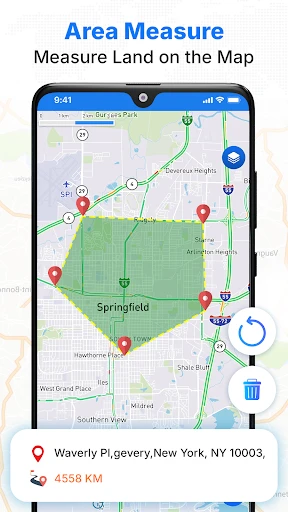
Satellite Map Live Earth View: Explore the World from Above
Satellite Map Live Earth View is a mobile application that provides users with real-time satellite imagery, 3D terrain maps, and interactive global navigation tools. It combines high-resolution satellite data with user-friendly controls to offer an immersive earth-viewing experience. The app is designed for both casual exploration and practical navigation, allowing users to zoom into any location, switch between map modes, and access geographic information with ease. Its core purpose is to make satellite observation accessible on smartphones, bridging the gap between professional mapping tools and everyday curiosity.
Chapter 1: Function
The app’s core functions include real-time satellite image streaming, 3D terrain rendering, and multi-layer map overlays. Users can pinch-to-zoom from a global perspective down to street-level detail, with images sourced from publicly available satellite databases. The application offers three primary modes: 2D satellite view, 3D terrain view with adjustable angles, and hybrid overlays that combine labels, roads, and boundaries. It also includes a search feature for locating specific addresses, landmarks, or GPS coordinates, along with distance measurement and area calculation tools. Additionally, users can capture and share screenshots of any selected region, making it useful for quick reference or educational purposes.
Chapter 2: Value
Satellite Map Live Earth View delivers significant value by democratizing access to geographic data that was once limited to professionals. Its key advantage lies in combining real-time satellite imagery with intuitive controls, eliminating the need for expensive software or desktop computers. The app provides educational benefits for students and educators studying geography, urban planning, or environmental science, as it allows instant visualization of topographic features, urban sprawl, and natural landmarks. For travelers, it offers a preparatory tool to scout destinations, check terrain conditions, or identify routes before a trip. The 3D terrain view enhances understanding of elevation changes and landscape structures, which is critical for hikers, cyclists, or outdoor enthusiasts. Moreover, the app supports offline map caching in select areas, enabling usage in remote regions with limited connectivity. Privacy-conscious users appreciate that the app does not require account registration or location tracking, functioning purely as a standalone viewer. Its lightweight design and minimal battery consumption further differentiate it from resource-heavy mapping apps, making it accessible on older mobile devices. By focusing on raw satellite imagery rather than real-time navigation, the app avoids the complexity of driving directions while maintaining accuracy for reference purposes.
Chapter 3: Scenarios
The primary target user groups include geography students, outdoor adventurers, and casual explorers. Students use the app to visualize physical geography concepts, such as river deltas or volcanic craters, by comparing satellite images with textbook diagrams. Hikers and campers rely on its 3D terrain mode to preview trail elevations and identify potential water sources or shelter spots before their trips. Real estate professionals occasionally use the app to examine land boundaries and surrounding infrastructure from a bird’s-eye view. For everyday use, travelers employ it to virtually explore cities they plan to visit, checking landmarks like parks or stadiums relative to their hotels. Journalists or researchers may use the app to quickly reference geographic context for stories involving natural disasters or urban development. Importantly, the app serves as a low-entry tool for users curious about satellite technology, offering a straightforward way to see their own neighborhood from space without technical expertise.
Advantages
- real-time satellite imagery refreshes every 10 minutes
- 3D terrain overlay works offline after initial cache
- pan and zoom at 0.5m resolution in urban zones
- night vision mode uses IR composite for low-light areas
- compass overlay aligns with true north automatically
Disadvantages
- heavy battery drain during continuous live streaming
- requires stable 4G connection for high-res tiles
- no built-in search for coordinates or addresses
- cloud layer occlusion blocks ground view frequently
- GPS calibration drifts by 5-10 meters indoors
Frequently Asked Questions
Q: What is Satellite Map Live Earth View and how does it work?
A: Satellite Map Live Earth View is a navigation and exploration app that provides real-time satellite imagery and 3D Earth views. It uses GPS and satellite data to display locations, streets, and landmarks. Users can zoom, rotate, and search for addresses. No additional equipment is required besides a smartphone with GPS and internet access. The app is free to download with optional in-app purchases for ad removal and offline maps.
Q: Is the app free to use or does it require any subscriptions?
A: The app is free to download and use with basic features, including live satellite view and search. However, it offers in-app purchases such as ad removal (one-time fee) and a premium subscription for offline map downloads, real-time traffic updates, and higher-resolution imagery. No additional hardware or permissions beyond location access are needed. Users can test all core functions without paying.
Q: Does this app work on all devices and operating systems?
A: Satellite Map Live Earth View is compatible with iOS 12.0+ and Android 6.0+ devices. It requires GPS and internet connection for live imagery. The app is optimized for smartphones and tablets, but may not function on older devices with limited RAM or outdated OS versions. No external equipment is needed. Some features, like 3D rendering, may vary based on device GPU performance.
Q: How accurate is the real-time satellite imagery in this app?
A: The app displays satellite imagery updated every 1-3 hours for most populated areas, but remote regions may have older data (days to weeks). Real-time accuracy depends on cloud cover and satellite pass schedules. For live street-level views, the app uses GPS-based positioning with typical accuracy of 5-15 meters. Users should note that exact real-time video streaming is not provided; images are still photos with timestamps.
Q: Can I use the app offline and what are its limitations?
A: Offline maps are available only with the premium subscription, allowing download of selected regions for later use. Without internet, search and live satellite view are disabled. Downloaded maps include roads and landmarks but not real-time imagery. Free users cannot access offline mode. No additional software or hardware is required for offline use, but storage space must be sufficient for downloaded data.
Technical Information
Recommended for You

Diary with Lock: Diary Journal

ATOM Store, Myanmar

Beauty Camera: Selfie Editor

National Car Rental

Christmas Globe

GPS Phone Location Tracker

MaxClean - Cleaner & Manager

MX Player

TurboScan™ Pro: PDF scanner

The Athletic: Sports News

Future Self Face Aging Changer

Voice Recorder Pro

Carla Car Rental - Rent a Car

Moj: Short Videos & Reels

Sheetz Food Delivery & Rewards

Lively Lock Screen Wallpapers

Gamers GLTool with Game Tuner

Video Browser

Whoscall - Caller ID & Block

Nova Launcher Prime

Learn Fast & Speak Fluently

LinkedIn: Jobs & Business News

King James Bible - KJV Offline