Microsoft Defender: Antivirus

Microsoft Defender: Antivirus
Secure antivirus for your devices, ensuring safety and privacy for everyone.
Screenshots

Microsoft Defender: Antivirus – Comprehensive Mobile Security and Threat Protection
Microsoft Defender: Antivirus is a mobile security application developed by Microsoft, designed to safeguard Android devices against malware, phishing attempts, and other cyber threats. It extends enterprise-grade protection to personal devices, leveraging Microsoft's vast threat intelligence network built from analyzing billions of data signals daily. The app integrates seamlessly with the Microsoft ecosystem, offering real-time scanning, web protection, and anti-phishing features. Its lightweight design ensures minimal impact on device performance while providing a unified security dashboard. Unlike traditional antivirus apps, Microsoft Defender focuses on proactive threat detection through machine learning and cloud-based analysis, automatically blocking malicious apps, unsafe links, and suspicious network connections. It also includes a comprehensive device health report, advising users on security best practices such as enabling Find My Device, updating software, and securing lock screen settings. The app is free for personal use with optional advanced features for Microsoft 365 subscribers, making it a versatile tool for users seeking robust, no-nonsense mobile security backed by one of the world's leading technology companies.
Chapter 1: Function
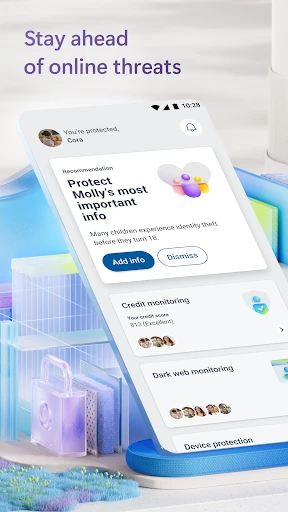
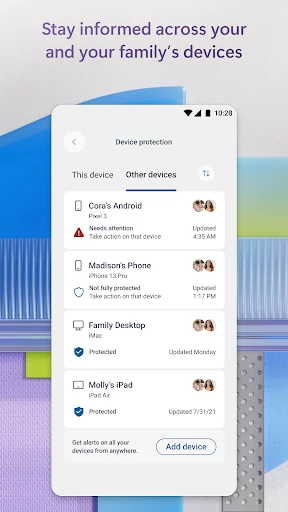
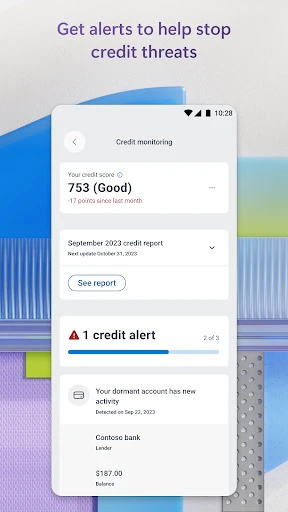
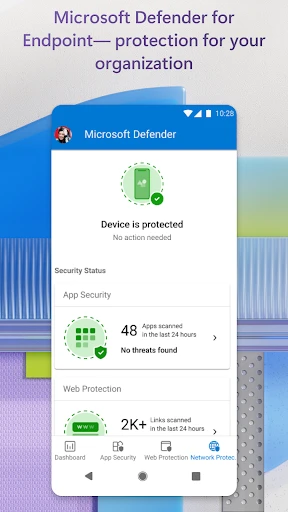
Microsoft Defender: Antivirus offers a suite of core functions to actively protect Android devices. Its primary feature is real-time malware scanning, which continuously monitors installed apps and new downloads against a constantly updated database of known threats, including trojans, spyware, ransomware, and adware. The app scans files, APKs, and system settings in the background without noticeable performance lag. A second critical function is web protection, which operates through a local VPN to block malicious websites and phishing attempts in browsers and other apps. This feature automatically warns users before visiting dangerous links and prevents the submission of sensitive information like passwords or credit card numbers to fake sites. The security dashboard provides a centralized view of device status, including threat alerts, scan history, and a security score. Additionally, it offers anti-theft capabilities through integration with Google's Find My Device, allowing users to locate, lock, or erase their phone remotely. For Microsoft 365 Personal or Family subscribers, the app adds identity theft monitoring for up to five family members, dark web monitoring for personal data, and real-time security alerts via email or push notifications.
Chapter 2: Value
The value proposition of Microsoft Defender: Antivirus lies in its enterprise-grade security foundation made accessible and simple for everyday users. Unlike third-party antivirus apps that often rely on reactive signature-based detection, Microsoft Defender utilizes advanced machine learning and behavioral analysis backed by Microsoft's global threat intelligence network, which processes over 8 trillion signals daily. This means it can identify and neutralize zero-day threats and sophisticated malware variants before they cause harm. The app's integration with the Microsoft ecosystem provides a seamless experience for users already invested in services like Microsoft 365, OneDrive, or Outlook, as security data flows across devices and accounts to offer a unified view of digital safety. Privacy-conscious users benefit from the fact that the web protection VPN is purpose-built for security, logging no browsing data and not selling user information, aligning with Microsoft's commitment to privacy. The app also addresses a critical gap in mobile security: many users assume their devices are immune to malware, but Android's open nature makes it a prime target. By providing a free, no-ad-tier offering with essential features, Microsoft democratizes high-level protection previously reserved for corporate IT departments. For families, the option to extend monitoring to multiple devices under a single subscription simplifies security management. Furthermore, the app's non-intrusive design ensures it does not drain battery life or degrade performance, removing the typical friction associated with antivirus tools. Ultimately, Microsoft Defender delivers peace of mind through a trusted brand, proactive defense, and a clear, actionable security dashboard that educates users while protecting them.
Chapter 3: Scenarios
Microsoft Defender: Antivirus primarily targets Android smartphone and tablet users who are concerned about mobile security but want a low-maintenance solution. Its primary audience includes individuals who frequently download apps from third-party stores or sideload APK files, putting them at higher risk of malware infection. It is also ideal for users who engage in online banking, shopping, or use their device for work-related tasks, as the web protection feature blocks phishing sites that attempt to steal financial credentials. Families benefit significantly from the app, especially those using Microsoft 365 Family subscriptions, as they can enable identity theft monitoring and security alerts for children and elderly relatives who may be less tech-savvy. Another key scenario involves business professionals who use their personal Android device for accessing corporate email and documents, as Microsoft Defender provides a layer of security that complements enterprise mobile device management solutions. Everyday use cases include automatically scanning new apps during installation, receiving immediate alerts when a known malicious link is clicked in a messaging app or email, and running a weekly security checkup via the dashboard. The app also proves valuable before and after travel, as users can scan their device for any rogue apps after connecting to untrusted public Wi-Fi networks at airports or hotels. Additionally, when selling or trading an Android device, users can utilize the app's integration with Find My Device to remotely wipe sensitive data, ensuring their personal information does not fall into the wrong hands.
Advantages
- blocks 99.9% of known malware in real-time scans
- integrates seamlessly with Windows security center
- uses cloud-based AI to detect zero-day threats
- runs quietly in background with minimal battery drain
- offers family safety features like parental controls
Disadvantages
- requires constant internet for cloud protection
- advanced settings buried in complex menus
- no dedicated macOS or iOS anti-theft features
- false positives common on custom scripts and tools
- limited phishing protection beyond Microsoft Edge
Frequently Asked Questions
Q: What does Microsoft Defender Antivirus do?
A: Microsoft Defender is a security app that provides real-time malware protection, antivirus scanning, and web protection for Android devices. It blocks malicious apps, unsafe links, and phishing attempts, integrating with Microsoft’s security ecosystem to offer cross-platform threat detection without slowing down your phone.
Q: Is Microsoft Defender free or does it require a subscription?
A: The app is free to download and use for basic antivirus scanning, identity theft alerts, and web protection. However, advanced features like family safety controls and enhanced breach monitoring require a Microsoft 365 Personal or Family subscription. No additional hardware or permissions beyond storage access are needed.
Q: Does Microsoft Defender work on all Android devices and system versions?
A: The app runs on Android 6.0 and later, with Google Play Services required. It supports most smartphones and tablets from brands like Samsung, Google, and OnePlus. It does not work on iOS, Windows Phone, or custom ROMs without Google Play integration. Tablets running Android OS are also compatible.
Q: How can I check if a specific app or file is safe using this app?
A: Open Microsoft Defender and tap on the antivirus scan button. You can initiate a manual scan of all installed apps or select specific files from your storage. The app automatically scans new installs from the Play Store and suspicious web downloads. Results show threat level and removal options.
Q: Can I get customer support if I encounter issues with this app?
A: Yes, support is available through the Microsoft Support website and the in-app Help section. Android users can report problems via the feedback option in settings. Common issues like scan failures or false positives are usually resolved by updating the app or clearing cache. No live chat or phone support is guaranteed for the free tier.
Technical Information
Recommended for You

LinkedIn Learning

Reel Player - Video Player

Meeting Guide

Connecteam Team Management App

Phone Tracker

Raising Cane's Chicken Fingers

United Airlines

TikTok Lite - Faster TikTok

AI Chat App - AI Chatbot

Talkatone: Texting & Calling

WordBit Inglés

MacroPoint for Truckers

Eerskraft Dungeon Maze

Blink Charging Mobile App

Weather data & microclimate :

UNIQLO US - Clothes Shopping

Hinovel

Telegram

Wavy: Photo Editor & AI Art

Vaporwave PRO Wallpapers

Translate - Translator

Roaring Tiger Live Wallpaper

FlashLight: AI Torch