Medal - Gaming Clips

Medal - Gaming Clips
Medal game clip editor for gamers share epic moments fast
Screenshots

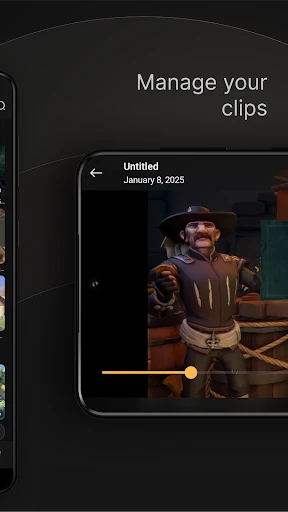
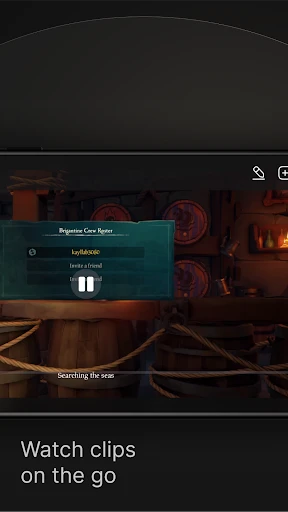
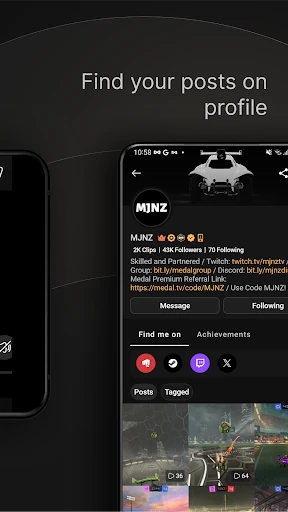

Medal - Gaming Clips: Capture and Share Your Best Moments
Medal is a lightweight, always-on background recording app designed specifically for gamers. It automatically captures your most exciting in-game moments without requiring manual recording, allowing you to instantly save, edit, and share clips with friends and the wider gaming community. The app integrates seamlessly with thousands of PC games, using a smart detection system to record key events like kills, wins, or hilarious fails without impacting game performance. With built-in editing tools, cloud storage, and social features, Medal transforms spontaneous gameplay into shareable content in seconds, making it an essential tool for any gamer who wants to relive or broadcast their achievements.
Chapter 1: Function
Medal's core function is automatic highlight clipping for PC games. It runs in the background with a low performance footprint, detecting significant in-game events using a proprietary algorithm. Instead of recording entire sessions, Medal saves short, high-quality clips of only the moments that matter, triggered by user-set hotkeys or automatic detection. Once captured, the app offers a simple built-in editor for trimming, adding text overlays, or adjusting playback speed. All clips are automatically uploaded to the cloud, providing unlimited storage and easy access from any device. The app also includes a robust social feed where users can share their clips, comment on others' clips, and discover trending gaming moments, effectively combining a recording tool with a gaming-focused social network.
Chapter 2: Value
Medal provides immense value by solving a fundamental problem for gamers: the friction between playing and sharing. Traditional recording methods are clunky, require significant storage, and often miss the best moments. Medal eliminates this entirely by automating the capture process. Its key advantages include zero setup for capture, negligible impact on game performance, and unlimited cloud storage, which frees up local hard drive space. The automatic detection feature ensures users never miss a highlight, while the instant sharing capability allows them to quickly post clips to Discord, Twitter, or TikTok. For content creators, Medal acts as a fast pipeline for raw material without needing complex software like OBS. For casual players, it turns every gaming session into a potential source of fun memories. The social layer also creates a community-driven discovery engine, helping users find new games or strategies through curated clips. By removing technical barriers and focusing on speed and ease of use, Medal empowers all gamers to build a personal highlight reel and connect with others through their shared experiences, transforming passive gameplay into active, social content.
Chapter 3: Scenarios
Medal's primary target users are PC gamers of all skill levels, from casual players to competitive streamers. Everyday use cases are diverse. A casual gamer might use Medal to automatically clip a funny glitch or a surprising win in a battle royale game, then share it directly to a group chat. A competitive esports player relies on Medal to instantly review their own plays after a match, using the clips for self-improvement and analyzing mistakes. Content creators use it as a rapid content sourcing tool, capturing multiple highlights per session that can be compiled into montages without heavy editing. The app is also popular among players of co-op games, where a funny team interaction happens spontaneously and needs to be saved before it is lost. Additionally, Medal serves as a discovery platform; users browse clips from trending games to see what is popular or learn new tricks. Overall, Medal fits seamlessly into any scenario where a gamer wants to preserve, analyze, or broadcast a specific in-game moment quickly and without technical hassle.
Advantages
- one-tap records last 30s of any game without background recording
- exports clips with auto-cropped stats overlay from fps and moba titles
- native integration clips wins from steam
- xbox
- and mobile stores
- ai removes dead air and edits highlights into 15s vertical shorts
- zero performance hit during gameplay due to hardware encoder passthrough
Disadvantages
- requires manual launch before game session
- no persistent background daemon
- upload fails on older android devices lacking vulkan 1.2 support
- clip library lacks manual trim or merge tools for precise edits
- temp clips fill storage rapidly if auto-cleanup is not toggled in settings
- highlights detection only supports english language game ui and commentary
Frequently Asked Questions
Q: What does Medal do for gaming clips?
A: Medal is a free app that automatically captures and edits gaming highlights. It records your gameplay clips without manual saving, supports instant sharing to social platforms, and uses low-resource background recording. No subscription is required, and it works with most PC games.
Q: Does Medal require in-app purchases to use?
A: No. Medal is free to download and use for basic clip recording and sharing. It offers optional premium features like longer clip lengths and cloud storage via a subscription plan, but the core functionality remains accessible without payment.
Q: Can Medal run on both Windows and Mac?
A: Medal is primarily designed for Windows PCs, supporting Windows 10 and later. It does not have a native macOS version. The app requires DirectX 11 or higher and a GPU for hardware encoding. Mobile devices are not supported.
Q: How does Medal handle storage for long clips?
A: Medal automatically manages local storage by limiting clip duration in free mode to 60 seconds. Longer clips require premium. Recorded clips are stored locally, and you can manually delete them or use the app's auto-cleanup feature to free space. Cloud backup is available for premium users.
Q: Is Medal compatible with all PC games?
A: Medal supports most modern PC games that run in DirectX 9 or higher, including popular titles like Valorant, Fortnite, and Call of Duty. It may not capture clips from games using Vulkan or older APIs. Emulated or console games are not supported. Check the official supported game list for specifics.
Technical Information
Recommended for You
Remote Control for TV - All TV

PDF Reader - PDF Editor

CollX: Sports Card Scanner

SPORT xR: Watch face

ABC News: Breaking News Live

Clover: Perks and Order Ahead

Wallpapers HD - Backgrounds 4K

Direct Express® Mobile

Today's Hit Music Ringtones

SnapBridge

Snapseed

Wingstop

Screen Cast - Mirror For TV

Wallpaper 3D Live

KRUU

TCA Plus (TCA 2024)

Koala Sampler

Blinkit: Grocery in 10 minutes

Sonos

Master Wifi - Password Show

MMGuardian Parental Control

Icon Changer

Video Player All Format HD
