Remove Objects - Photo Editor

Remove Objects - Photo Editor
Remove Objects Erase Unwanted Parts Edit Photos
Screenshots


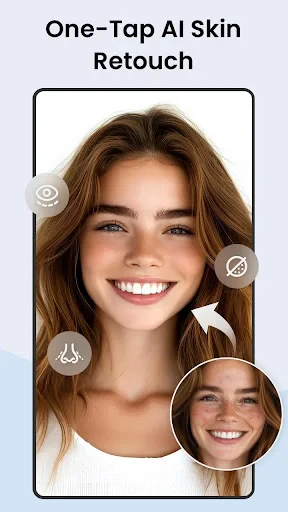
Remove Objects - Photo Editor: Seamless Object Removal for Clean Photos
Remove Objects - Photo Editor is a mobile application designed to effortlessly erase unwanted elements from digital images. Leveraging advanced AI and intuitive touch controls, the app allows users to clean up backgrounds, remove photobombers, or delete distracting objects with a simple brush or tap. It supports high-resolution output and saves user time compared to manual editing in complex desktop software. The app caters to both casual users and social media enthusiasts seeking quick, professional-looking results without specialized skills.
Chapter 1: Function
The core functionality of Remove Objects - Photo Editor revolves around its AI-powered object detection and removal engine. Users begin by importing a photo from their gallery or taking a new one within the app. A brush tool enables precise selection of the target object, with adjustable size and hardness for detailed edges like hair or thin lines. The app then analyzes surrounding textures, lighting, and patterns to generate a natural fill in the selected area. Additional functions include a lasso tool for irregular shapes, an undo button for mistakes, and a zoom feature for pixel-level editing. After processing, users can compare before-and-after views and export the final image in original resolution, supporting both JPG and PNG formats. The interface remains minimal, placing all essential tools on a single screen to streamline the workflow.
Chapter 2: Value
The primary value proposition of Remove Objects - Photo Editor lies in its accessibility and time efficiency. Unlike traditional photo editing software that requires steep learning curves and manual clone-stamping, this app automates the complex reconstruction process through machine learning. A key advantage is its offline processing capability; most object removal tasks are executed on the device, ensuring user privacy without uploading sensitive photos to cloud servers. The app maintains high image quality even after heavy editing, preserving original color accuracy and sharpness. Its affordability, often available as a free basic version with minimal ads or a one-time purchase for full features, undercuts subscription-based competitors. For content creators, this translates to rapid turnaround for social media posts or e-commerce product shots. For everyday users, it removes the frustration of trying to crop out unwanted subjects from otherwise perfect vacation or family photos. The app also values precision, offering a recovery brush to restore erased areas if the AI misinterprets the scene. This combination of speed, quality, privacy, and cost-effectiveness positions it as a practical alternative to both casual mobile filters and professional desktop tools.
Chapter 3: Scenarios
The primary target user groups include casual photographers, social media influencers, e-commerce sellers, and travel enthusiasts. A typical everyday use case is a tourist who captures a scenic view but finds a crowd of strangers in the frame; they can open the app, brush over people in the background, and export a clean landscape within seconds. For small business owners selling products on platforms like Instagram or eBay, the app helps remove price tags, dust specs, or distracting reflections from item photos without reshoot costs. Social media managers use it to clean up event images before posting, deleting stray cables, paper cups, or photobombers that detract from the subject. Another common scenario is editing old or scanned family photos, removing wrinkles, creases, or background clutter to preserve memories. The app also serves students or professionals creating clean visual presentations, where technical markers or watermarks need swift deletion. Its simple design makes it suitable for age groups from teenagers to seniors, requiring no prior editing experience. The app runs on both Android and iOS, covering the majority of smartphone users globally.
Advantages
- one-tap removes unwanted objects with AI precision
- works offline without internet connection needed
- native iOS optimization for real-time previews
- batch processing for multiple photo edits at once
- supports both full erase and object cloning modes
Disadvantages
- struggles with complex backgrounds like hair or trees
- no manual brush size adjustment for fine details
- only supports photo input
- not video frames
- high battery drain during heavy AI processing sessions
- limited export resolution options below 4K
Frequently Asked Questions
Q: What does Remove Objects - Photo Editor do?
A: Remove Objects - Photo Editor is a utility app for iOS and Android that lets users erase unwanted elements from photos, such as people, text, or blemishes. It uses AI-driven object detection and content-aware fill to reconstruct backgrounds seamlessly. Basic usage involves selecting an area to remove via brush or lasso tools. No additional equipment is required beyond a smartphone or tablet.
Q: Is the app free or does it require in-app purchases?
A: The app offers a free version with limited functionality, such as basic object removal and standard export resolution. Full access to advanced features like high-resolution export, batch processing, and no watermark requires a subscription or one-time in-app purchase. No additional hardware or permissions beyond camera roll access are needed for normal use.
Q: Does the app work on all iOS and Android devices?
A: Remove Objects - Photo Editor supports iOS 12.0 and later, and Android 8.0 and later. It is optimized for modern devices with at least 2GB RAM for smooth AI processing. Older devices may experience slower performance or crashes. It is not available on desktop or web platforms. The app requires storage space for photo editing and saving results.
Q: How accurate is the object removal on complex backgrounds?
A: The removal accuracy depends on the complexity of the background and object edges. On uniform or simple backgrounds, results are typically clean with minimal artifacts. On intricate backgrounds like hair or overlapping objects, manual edge refinement or retouching may be needed. The AI handles most common scenarios well but struggles with transparent or reflective elements.
Q: Can I undo an edit or recover the original photo after saving?
A: The app provides an undo function during the editing session, allowing reversal of the last removal step. Once the edited photo is exported and saved to the device gallery, the original file is overwritten only if the user chooses to save with the same filename. To preserve originals, users should manually back up or use the app's built-in save-as-new option. No cloud recovery is offered.
Technical Information
Recommended for You

NOAA Weather Unofficial (Pro)

Pydroid repository plugin

Desygner: Graphic Design Maker

Grindr - Gay Dating & Chat

Hole19 Golf GPS & Range Finder

Libby, the Library App

Play Disney Parks

QR & Barcode Reader

Binance.US: Buy BTC, DOGE, XRP

AdventHealth

Video Call

BabySparks - Development Activ

Telemundo Puerto Rico

My Best Colors

All-In-One Offline Maps

Capital One Mobile

Sweet Editor Camera Lite

Offline Music Player- Weezer

Resume Builder - CV Maker

Moon Calendar Watch

Yandex Go: Taxi Food Delivery

Wells Fargo Mobile®

ZArchiver