Songsterr Guitar Tabs & Chords

Songsterr Guitar Tabs & Chords
Learn and play guitar with accurate tabs chords for musicians
Screenshots


Songsterr Guitar Tabs and Chords: Ultimate Practice Companion
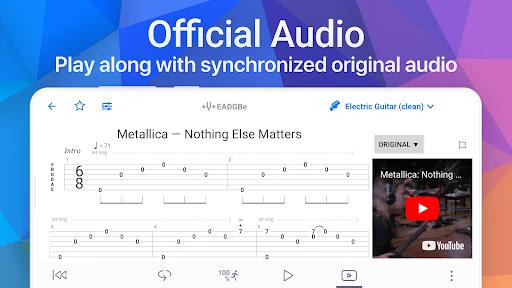
Songsterr Guitar Tabs and Chords is a mobile application designed to help guitarists, bassists, and other string instrument players learn and practice music. It provides an extensive library of user-contributed and professionally curated tabs with synchronized audio playback. The app covers songs from virtually every genre, offering accurate chord diagrams, fretboard positions, and notation for guitar, bass, ukulele, and more. Its core appeal lies in combining tablature with real-time sound, allowing users to hear exactly how a part should be played, adjust tempo, loop sections, and mute individual tracks. This makes it a practical tool for both beginners and advanced players looking to improve their skills, learn new songs, or refine specific techniques.
Chapter 1: Function
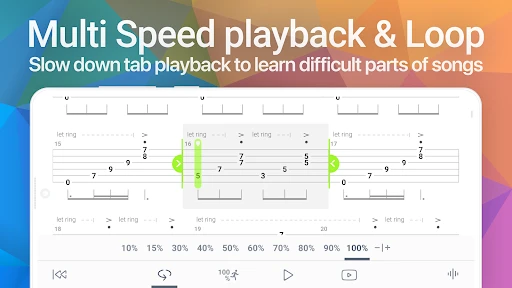
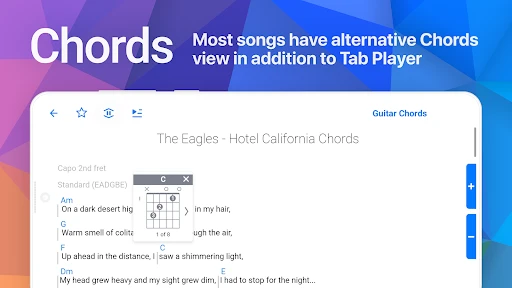
Songsterr functions primarily as an interactive tab player. Users can search for any song and instantly access its guitar or bass tab. Each tab features a synchronized audio playback engine that highlights the current note or chord in real time. Core functions include adjustable playback speed without changing pitch, looping of selected measures, soloing or muting specific instrument tracks, and switching between standard tuning variations. The app also displays chord diagrams and allows users to transpose songs into different keys. A built-in metronome aids timing practice. Offline mode enables downloading tabs for use without an internet connection. The interface supports both portrait and landscape orientations, with clear notation that scrolls automatically during playback. Songsterr also offers a practice mode with progress tracking and difficulty ratings for many songs.
Chapter 2: Value
Songsterr delivers exceptional value through its combination of accuracy, interactivity, and ease of use. Its key advantage is the synchronized audio function, which sets it apart from static tab websites. Players can hear exactly how a riff should sound, reducing guesswork and accelerating learning. The ability to slow down complex passages without distorting pitch empowers users to master difficult sections at their own pace. Looping and track muting allow focused practice on specific parts, such as a bass line or lead guitar. The extensive library covers both popular hits and niche tracks, updated regularly with community contributions. For beginners, chord diagrams and transposition features simplify learning. For advanced players, the app supports diverse tunings and intricate arrangements. Offline access ensures uninterrupted practice anywhere. Compared to video tutorials, Songsterr provides a more direct, notation-focused experience that reinforces music reading skills. The app’s clean design and minimal ads further enhance usability. Songsterr effectively replaces physical sheet music and expensive tab books at a fraction of the cost, making it a long-term investment in musical development.
Chapter 3: Scenarios
Songsterr primarily targets guitar, bass, and ukulele players of all skill levels who want a reliable tool for learning songs. Beginners use it to practice basic chords and strumming patterns, following the visual cues and audio to build confidence. Intermediate players rely on it to learn solos and riffs accurately, adjusting tempo to master speed. Advanced musicians use the app to explore complex jazz, metal, or classical arrangements, benefiting from track isolation and transposition. Teachers integrate Songsterr into lessons to demonstrate techniques or assign practice material. Band members use it to prepare for rehearsals by learning their specific parts. Daily use scenarios include practicing during commute via offline downloads, warming up with the metronome feature, or jamming along with backing tracks. Cover artists rely on it to recreate songs note-for-note for performances or recordings. The app also serves as a quick reference for chords and scales when composing original music. Songsterr fits seamlessly into both structured practice sessions and casual play, making it a versatile companion for any guitarist.
Advantages
- real-time playback syncs tab scrolling with audio
- library covers 800k+ user-contributed songs
- mute or solo individual instrument tracks on the fly
- speed control loop for slow practice of tricky passages
- works offline after caching selected tabs
Disadvantages
- free version limits daily tab downloads to five
- no built-in tuner or metronome for practice
- official tab accuracy varies by uploader expertise
- subscription required for full screen notation view
- catalogue lacks many newer pop and indie releases
Frequently Asked Questions
Q: What is the core function of Songsterr?
A: Songsterr provides a searchable library of guitar, bass, and drum tabs with synchronized playback. Users can view chord diagrams, slow down audio, loop sections, and transpose keys. The app focuses on accurate user-submitted tabs for popular and niche songs across genres. No lesson videos or original recordings are included; playback is MIDI-based.
Q: Is Songsterr free to use or does it require a subscription?
A: The app offers free access with limited daily tab views and no offline use. A paid subscription removes view limits, enables offline mode, and unlocks tempo adjustment and loop features. The subscription is auto-renewing and covers all content. No additional equipment beyond a smartphone or tablet and internet connection is required.
Q: Which devices and operating systems does Songsterr support?
A: Songsterr is available on iOS (iPhone and iPad) and Android devices. It requires iOS 12.0 or later and Android 5.0 or higher. The app also has a web version accessible on desktop browsers but not as a native desktop app. Compatibility with smartwatches, smart TVs, or gaming consoles is not supported.
Q: Can I use Songsterr offline after subscribing?
A: Yes, with an active subscription, you can download tabs for offline viewing and playback. Downloaded tabs remain accessible without an internet connection as long as the subscription is valid. If the subscription expires, offline tabs become locked. Free users cannot access tabs offline and must stream content when online.
Q: How does Songsterr handle incorrect or incomplete tabs?
A: User-submitted tabs are not fact-checked by Songsterr for accuracy. The app provides a reporting system for users to flag incorrect tabs, but corrections depend on community updates. Tabs with low ratings may be removed. No official customer support is available for individual tab errors; users should verify tabs against original recordings.
Technical Information
Recommended for You

3D Fish Tank Live Wallpaper

Thrift Savings Plan

Shazam: Find Music & Concerts

Realtor.com Real Estate & Rent

Purebond - Fun chat & dating

PDF Pro-View PDF

TheGrint | Golf Handicap & GPS

mySugr - Diabetes Tracker Log

Dabble - DFS & Player Props

Pixel 4D™ Live Wallpapers

Ti.Live-Chill & Stream

Marathon ARCO Rewards

Camera Location: Geotag Photos

FishAngler - Fishing App

Video to MP3 - Video to Audio

Sephora: Buy Makeup & Skincare

SPORT xR: Watch face

FL STUDIO MOBILE

MapleStory Worlds

Staffmark WorkNOW

Hot Topic: Pop Culture Fashion

Cricbuzz - Live Cricket Scores

Soundcore