Ovibox - Spirit Box & ITC Tool

Ovibox - Spirit Box & ITC Tool
Ovibox Spirit Tool for ghost hunters and EVP seekers
Screenshots
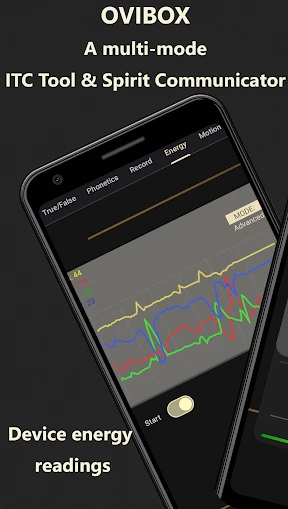
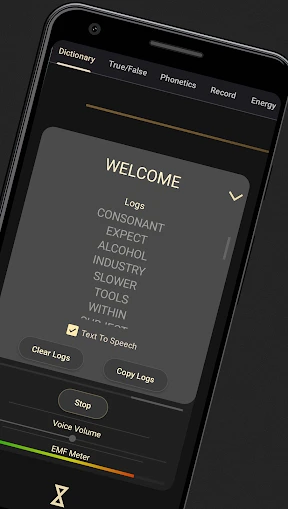
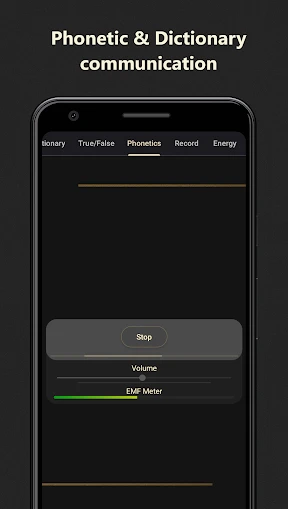
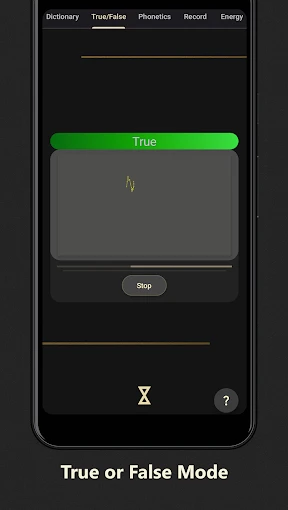
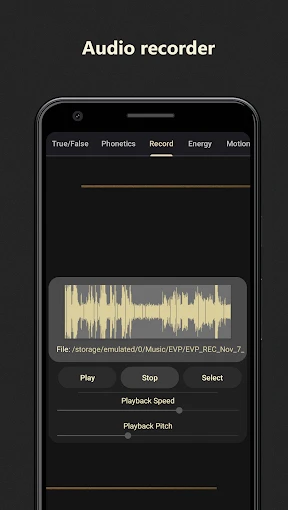
Ovibox - Spirit Box & ITC Tool Overview
Ovibox is a specialized mobile application designed for paranormal investigation and exploration, offering a digital spirit box and Instrumental Trans-Communication (ITC) toolset. It simulates the functionality of traditional physical spirit boxes by rapidly scanning through radio frequencies or generating random audio snippets, allowing users to potentially capture real-time responses from spiritual entities. The app provides a portable, accessible, and customizable alternative to expensive hardware, making paranormal research more approachable for enthusiasts and professionals alike.
Chapter 1: Function
Ovibox's core functions focus on digital approximation of paranormal communication devices. The primary feature is the Spirit Box mode, which sweeps through FM and AM radio frequencies at adjustable speeds, creating a white noise canvas where alleged spirit voices may form. The ITC Tool employs a voice synthesizer or random word generator to produce phonetic sounds and short phrases, which users can analyze for anomalous responses. Additional functions include adjustable scan ranges, sensitivity controls, audio recording for later EVP (Electronic Voice Phenomenon) review, and a visual signal meter to indicate potential activity. The app also offers multiple voice banks and frequency presets to suit different investigation methodologies.
Chapter 2: Value
The value proposition of Ovibox lies in its affordability, portability, and scientific accessibility. Traditional physical spirit boxes are often large, expensive, and require batteries or AC power, limiting their use to dedicated field investigations. Ovibox eliminates these barriers by converting a smartphone into a fully functional paranormal research tool, requiring no additional hardware. This democratization of ITC technology allows beginners to explore the field without substantial financial investment. For experienced investigators, the app's customizable parameters like sweep speed, audio filters, and recording integration streamline data collection. Unlike some competitors, Ovibox focuses on raw frequency manipulation rather than pre-recorded clips, reducing accusations of confirmation bias. Its key advantage is providing a controlled, reproducible environment for testing communication theories, while the built-in recording ensures every session is documented. The app also benefits from regular updates based on user feedback, maintaining relevance in a niche but passionate community.
Chapter 3: Scenarios
Ovibox primarily targets paranormal investigation teams, ghost hunting enthusiasts, and curiosity-driven skeptics. Common use cases include residential investigations where users sweep empty rooms or basements for intelligent responses, cemetery explorations during quiet hours to minimize ambient interference, and historical sites where alleged residual hauntings occur. The app also serves academic parapsychology students conducting controlled experiments in low-EMF environments. Everyday uses include personal curiosity sessions at home, quick checks of reportedly haunted locations during travel, and group investigations where multiple users coordinate with different device settings. The ITC tool is particularly popular during live streaming events, where viewers can suggest words for the synthesizer to test for real-time correlation with surrounding phenomena. For those new to the field, the app provides a safe entry point to learn frequency scanning methodologies without the intimidation of complex hardware.
Advantages
- real-time evp capture with voiceover layering
- customizable frequency sweep for spirit communication
- offline operation without cellular data
- direct audio output via 3.5mm jack for recording
- low battery consumption for extended sessions
Disadvantages
- limited preloaded voice banks for scanning
- no bluetooth speaker pairing option
- steep learning curve for manual frequency tuning
- static noise reduction filter cuts subtle responses
- no export function for raw audio logs
Frequently Asked Questions
Q: What is Ovibox and what does it do?
A: Ovibox is a spirit communication tool designed for paranormal investigation. It functions as an electronic voice phenomenon (EVP) recorder and spirit box, scanning radio frequencies in real-time to generate random words or sounds that users interpret as responses from spirits. It includes ITC (Instrumental Transcommunication) features like audio recording and playback for later analysis. No scientific evidence supports its paranormal claims; it is strictly for entertainment and experimental use.
Q: Is Ovibox free to use or are there in-app purchases?
A: Ovibox is a paid app with a one-time purchase price. There are no in-app purchases or subscriptions required after initial download. However, users should verify current pricing on their app store, as costs may vary by region or platform. No additional equipment is needed beyond a compatible smartphone or tablet, and it functions without external devices like radios or microphones beyond the device's built-in hardware.
Q: What devices and systems are compatible with Ovibox?
A: Ovibox is compatible with iOS devices running iOS 12.0 or later, including iPhone, iPad, and iPod touch. It is optimized for iPhone X and newer models for best performance. Android support is not available. The app requires microphone and speaker permissions for audio recording and playback. No information is provided about compatibility with older iOS versions or non-Apple devices.
Q: Does Ovibox have any limitations on its core features?
A: Ovibox's core features are limited to scanning preset radio frequencies and recording audio for EVP analysis. It does not filter or interpret sounds automatically; users must manually review recordings for potential spirit responses. The app may produce static or unclear audio, and results depend on user interpretation. No real-time translation or AI-based analysis is included. Functionality may be limited in low-signal areas or without internet connectivity.
Q: How can I get support or troubleshoot common issues with Ovibox?
A: Ovibox offers basic in-app support through a settings menu, but no dedicated customer service hotline or live chat is provided. For troubleshooting common issues like app crashes or audio glitches, users should first ensure the app is updated to the latest version and that device permissions are enabled. No detailed after-sales maintenance or refund policy is specified; contact the app store's support for purchase-related issues.
Technical Information
Recommended for You

Safeway Deals & Delivery

PDF Document - Viewer & Editor

Anime tv - Anime Tv Online HD

Play Disney Parks

Microsoft Family Safety

Jurassic World Play

فیلتر شکن قوی پرسرعت نور

YouTube Music

StyleKorean

Tumile - Live Video Chat

Cleaner Goal

Phone Number Location Tracker

Ringtone Maker:create ringtone

Ralph Lauren: Luxury Shopping

The NBC App - Stream TV Shows

HairApp: Hair Styler App, Bald

Betway - NJ & PA Casino Online

PhotoScan by Google Photos

VSCO: Photo & Video Editor

Garage Ringtones

Hopper: Hotels, Flights & Cars

PrinterShare Premium Key

زخرفة الكتابة بكل انواع الخطوط