Famio: Connect With Family

Famio: Connect With Family
Family connection app sharing moments delightfully for all ages
Screenshots
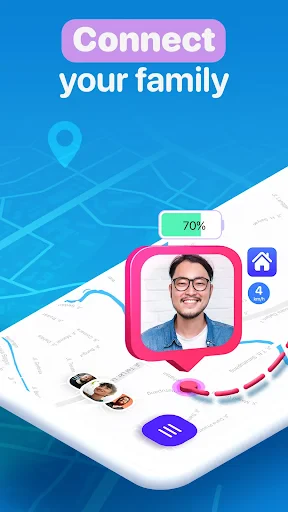
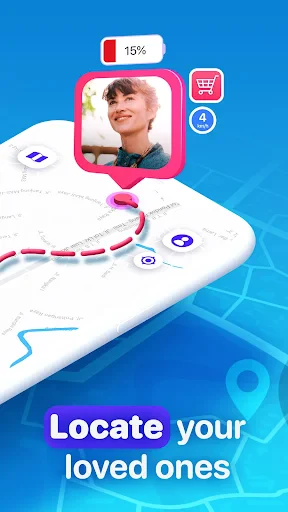
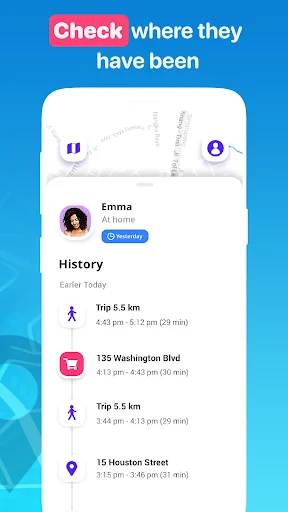
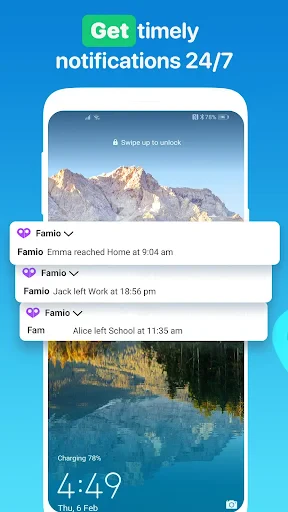
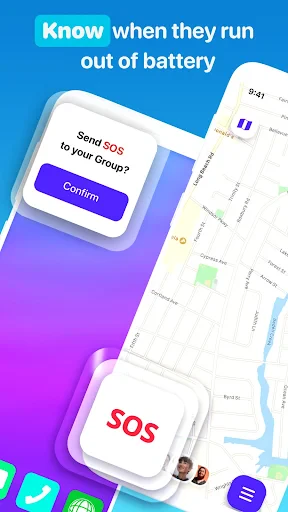
Famio: Connect With Family – Stay Close, No Matter the Distance
Famio is a private social platform designed exclusively for family members. It moves beyond public feeds and algorithm-driven timelines to create a secure space where only your relatives can share updates, photos, events, and messages. The app focuses on simplicity and privacy, ensuring that every interaction stays within your family circle. By combining a shared calendar, a private timeline, and a dedicated communication hub, Famio helps families maintain meaningful connections without the noise and distractions of mainstream social media.
Chapter 1: Function
Famio’s core function is to unify family communication in a single, private application. It offers a shared family timeline where members can post text updates, photos, and videos exclusively visible to invited relatives. A built-in family calendar allows users to add events such as birthdays, anniversaries, or doctor appointments, with automatic reminders for all members. The app also features a private chat system for direct or group conversations, separate from public messaging platforms. Additionally, Famio includes a photo album feature that organizes shared images by event or date, making it easy to revisit memories. All data is encrypted and access is controlled by an invitation system, ensuring no outsider can view family content. These functions replace the need for multiple apps—like separate group chats, shared calendars, or photo sharing services—by delivering them in one cohesive interface.
Chapter 2: Value
Famio’s value proposition centers on preserving authentic family bonds in an increasingly fragmented digital world. Its primary advantage is privacy: unlike Facebook or Instagram, where family posts compete with ads and public content, Famio guarantees that every shared moment is seen only by chosen relatives. This eliminates concerns about oversharing or unwanted audiences, making it safe for parents to post children’s photos or for seniors to engage without digital literacy barriers. The platform’s simplicity also reduces friction; there are no algorithms, trending topics, or friend requests—just a straightforward feed of family life. Another key benefit is organization: the integrated calendar helps busy families coordinate schedules, from school pickups to holiday dinners, while the chat feature keeps conversations centered on family matters. For distant relatives, Famio bridges geographical gaps by providing a constant, low-effort way to stay updated. It strengthens emotional closeness through shared rituals like daily check-ins or weekly photo dumps, fostering a sense of belonging across generations. Unlike generic social tools, Famio’s design intentionally resists features that encourage screen addiction, focusing instead on meaningful, intentional interaction. Ultimately, it saves time, reduces digital clutter, and preserves the intimacy of family connections in a secure, ad-free environment.
Chapter 3: Scenarios
Famio’s primary target users are families with members spread across different locations, income levels, or age groups who struggle to maintain regular contact. Typical use cases include a multi-generational family where grandparents live in another state: the grandparents receive daily photo updates of grandchildren, join event planning for reunions via the shared calendar, and participate in group chats about family news without needing separate email threads or third-party apps. Another scenario involves a working parent with teenagers: the parent uses the calendar to coordinate sports practices and doctor appointments, while teenagers share school achievements privately without embarrassment on public platforms. For adult siblings living in different time zones, Famio serves as a central hub for coordinating elderly parents’ care schedules, sharing medical updates, and celebrating milestones together. The app is also valuable for blended families, where children from previous relationships and new partners need a neutral, secure space to communicate and share memories without tension from public social media. Additionally, families with elderly members who are not tech-savvy benefit from Famio’s minimal interface, which reduces confusion compared to general-purpose apps. Other use cases include planning surprise parties, sharing vacation itineraries, and archiving family history through organized photo albums.
Advantages
- battery-saving Bluetooth mesh works without internet
- one-tap check-in sends GPS location to family group
- offline indoor positioning via custom Bluetooth beacons
- silent panic alert triggers emergency SMS to contacts
- family circle supports up to 50 members with role labels
Disadvantages
- requires all members to carry a dedicated beacon dongle
- Bluetooth range limited to about 30 meters indoors
- no iOS app yet
- only Android and standalone devices
- setup process needs scanning each beacon’s QR code
- no cloud backup for location history beyond 7 days
Frequently Asked Questions
Q: What does Famio do for family communication?
A: Famio is a family-focused communication app that enables private groups for sharing updates, photos, and events. It offers a clutter-free space without public feeds or ads, relying on invite-only groups. Basic usage includes posting text, images, and calendar entries. No technical specs beyond standard messaging protocols are disclosed; it prioritizes privacy and simplicity over advanced features.
Q: Is Famio free to use with no hidden costs?
A: Famio requires a free download with optional in-app purchases for premium features like extended media storage or custom themes. No additional equipment is needed beyond a smartphone. Permissions include camera, microphone, and storage for sending photos or voice messages. The core group messaging and calendar functions remain free; premium tiers are clearly labeled.
Q: Does Famio work on both iOS and Android devices?
A: Famio supports iOS 13+ and Android 8+ smartphones and tablets. It is not available on desktop or web browsers. The app syncs across devices via account login but does not support smartwatches or other wearables. Cross-platform group consistency is maintained, though some animation effects differ slightly between systems. No special hardware is required.
Q: How can I add non-tech-savvy family members to a group?
A: Famio sends a unique invite link via text or email. Recipients download the app and tap the link to join without creating a separate account if they accept the invite. No QR codes or manual ID entry are needed. The invite expires after 48 hours for security. For users without smartphones, Famio currently offers no workaround; a phone number is required.
Q: Can Famio replace regular phone calls or video chats?
A: Famio does not include live voice or video calling features. It focuses on asynchronous updates, shared albums, and event planning. For real-time conversations, users must rely on separate apps or carrier services. The app sends push notifications for new posts or comments but does not support two-way live communication. All content is text, photo, or scheduled events only.
Technical Information
Recommended for You

Surveillance Camera: Visory

Antistress Relax Relief Games

Volaris

Veo Live

PDF Viewer Pro

Quran Pro: Read the Holy Quran

Depop - Buy & Sell Clothes App

thredUP: Online Thrift Store

Speedtest by Ookla

Daily Bible Study: Audio, Plan

Globoplay: BBB 25, novelas e +

Vivid Seats | Event Tickets

Poseit

MoonPay: Buy Crypto & Bitcoin

Google Ads

Udemy - Online Courses

Women's Bible-Daily Pray

Microsoft Word: Edit Documents

The Voice Official App on NBC

Addons for Minecraft Mods

POLITICO

NovelUP — Novel Downloader

Inkitt: Books, Novels, Stories