Compose Material Catalog

Compose Material Catalog
Compose Material Catalog UI demo for developers
Screenshots
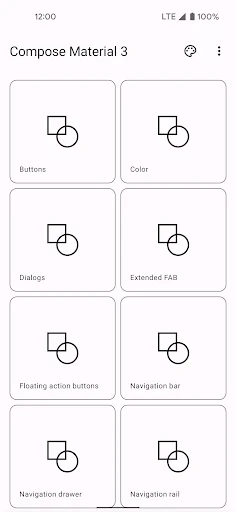

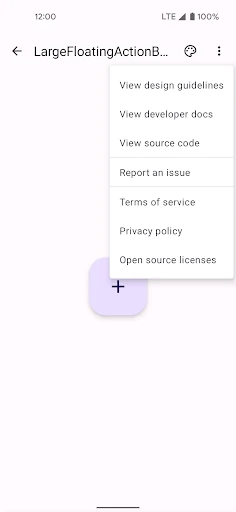
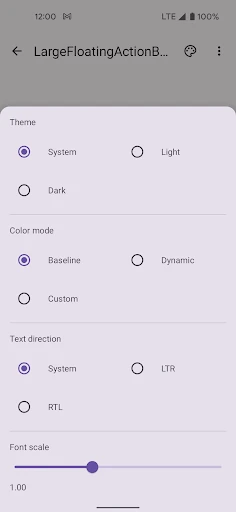

Compose Material Catalog Design Exploration Tool
Compose Material Catalog is a reference and learning application for Android developers using Jetpack Compose. It serves as an interactive showcase of all Material Design 3 components, style tokens, and layout patterns. Instead of reading static documentation, users can see live code snippets alongside rendered UI elements, enabling immediate understanding of how each component behaves under different configurations, themes, and system settings.
Chapter 1: Function
The core function of Compose Material Catalog is to provide an exhaustive, interactive gallery of Material Design 3 UI components built with Jetpack Compose. Users can browse through categories such as buttons, dialogs, navigation bars, text fields, sliders, and cards. Each component features adjustable properties like colors, shapes, sizes, and elevation. The app also includes a live preview of Material You dynamic color adaptation, dark mode toggling, and edge-to-edge display settings. A built-in code viewer displays the exact Compose function call and modifier chain needed to reproduce each component, making the application a dual-purpose tool: both a design system reference and a practical code snippet library.
Chapter 2: Value
The primary value of Compose Material Catalog lies in accelerating the development workflow and reducing design-implementation gaps. For developers, it eliminates the need to switch between documentation websites, Figma community files, and the IDE. All three are consolidated into one live environment where changes reflect instantly. This immediacy helps teams quickly validate whether a specific component meets design expectations across different themes and accessibility settings. Another key advantage is its role in education: junior developers can learn proper Compose patterns by interacting with real components rather than abstract theory. The app also supports decision-making when selecting components for a project, as it demonstrates edge cases, overflow behavior, and layout constraints. Furthermore, because it stays updated with the latest Material Design guidelines and Compose API changes, it serves as a continuous integration resource that prevents teams from relying on outdated examples. Its offline-first nature ensures reliability during meetings or demos without internet dependency.
Chapter 3: Scenarios
The app primarily targets Android developers and UI engineers who work with Jetpack Compose in professional environments. Typical use cases include: a developer preparing for a sprint planning session by exploring which dialog variant best fits the new user flow; a junior engineer learning how to implement a top app bar with scroll behavior by copying and testing the code within the catalog; a designer-developer pair conducting a handoff review where they adjust component properties together to match the latest design specs; and a team lead evaluating whether to adopt a new Material 3 component across the app, checking its accessibility compliance and customizability firsthand. It is also used during hackathons or prototyping phases as a fast-starting point for UI layout experiments, allowing builders to focus on business logic rather than remembering Compose API names and parameters.
Advantages
- explores all Material3 components in one scrollable catalog
- live preview of compose code with instant theme switching
- dark/light mode toggle works per component for quick testing
- adaptive layouts demo for foldables and tablets natively
- stateful sample code snippets exportable via clipboard
Disadvantages
- no search filter for dense component list across versions
- lacks real device rotation simulation for responsive checks
- only supports Android platform
- ignores multiplatform compose
- component stability tied to compose nightly builds
- no accessibility tree viewer for a11y testing inline
Frequently Asked Questions
Q: What is Compose Material Catalog?
A: Compose Material Catalog is a reference app that demonstrates all Material Design 3 components implemented in Jetpack Compose. It provides interactive examples of buttons, dialogs, navigation bars, text fields, and more. The app is designed to help developers preview component behavior, inspect code snippets, and test them in real-time without building a separate project. It is not a UI builder or production tool.
Q: Is Compose Material Catalog free to use?
A: Yes, Compose Material Catalog is completely free to download and use. It does not contain in-app purchases, ads, or subscription fees. The app is an open-source reference tool provided by Google as part of the Android Developers resources. All features and components are accessible without any payment or additional unlock.
Q: Does it work on tablets or foldable devices?
A: Compose Material Catalog runs on any Android device running Android 5.0 (API 21) or higher, including tablets and foldables. It adapts to different screen sizes and orientations thanks to Jetpack Compose's responsive layout support. The app does not require additional hardware permissions or special equipment beyond a standard Android phone or tablet.
Q: How can I copy code from the app?
A: You can copy code snippets by selecting a component from the catalog, then tapping the code icon in the top-right corner of the preview screen. The source code for each Material 3 component is displayed in read-only format. Currently, there is no one-tap copy button, so you need to manually select and copy the text. Code is not editable within the app.
Q: Can I test dark mode in this app?
A: Yes, Compose Material Catalog supports dark mode. You can toggle between light and dark themes by accessing the app's settings or using the system-wide dark mode setting on your device. All component previews automatically reflect the selected theme, showing how each Material 3 element behaves under both lighting conditions for accurate design review.
Technical Information
Recommended for You

Key Collector Comics

ComiQuest - Comic Reader

AstroLink Proxy

Pingo by Findmykids

Pregnancy + | Tracker App

HeritCoin: AI Identify Coins

All Video Downloader App

Cartoon Photo Editor - ToonAI

2nd Line+ Phone Number & eSIM

Cleaner Elite

Street View Live 3D GPS Map

pixivコミック - みんなのマンガアプリ

GPS Navigation - Route Planner

Giant Eagle

Scratch

Gemini: Bitcoin Credit Card

Microsoft Outlook Lite: Email

VK: music, video, messenger

Wehear - Audiobooks & Stories

Language Learning | Pimsleur

Gaming Mode - Game Booster PRO

InfinitePay Tap Conta Pix e IA

Holiday Calendar