Prank Call - Fake Call Video

Prank Call - Fake Call Video
Fake call video app simulates prank calls for fun entertainment
Screenshots
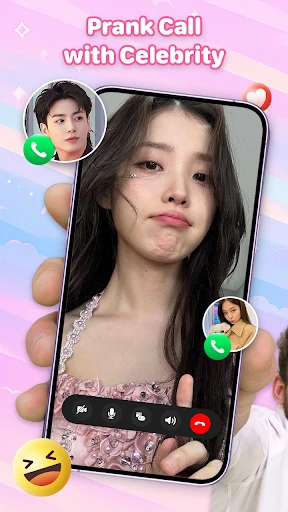
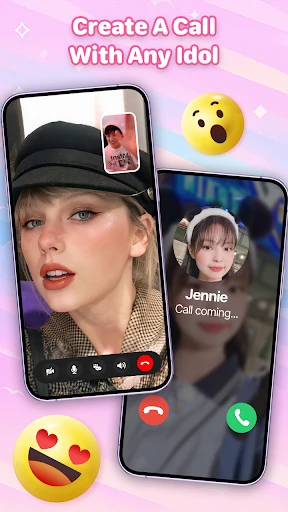
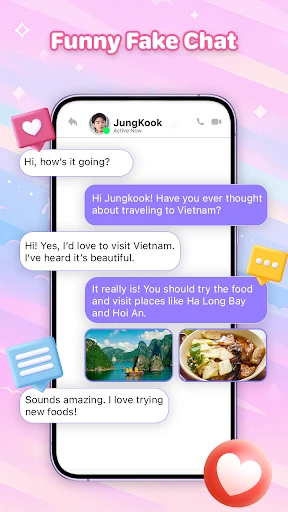
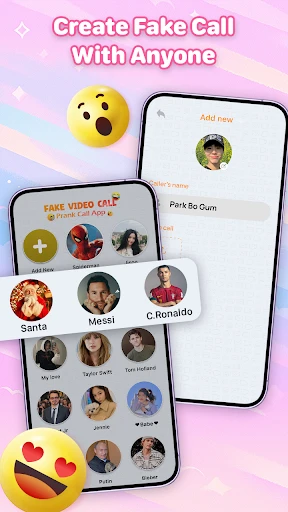
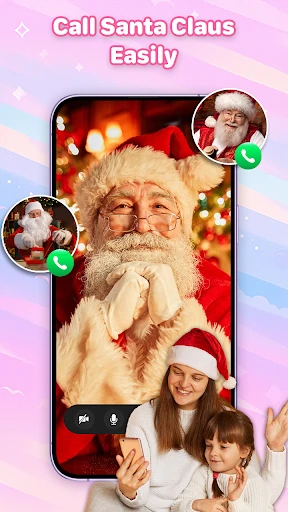
Prank Call - Fake Call Video: Realistic Fake Incoming Calls for Social Situations
Prank Call - Fake Call Video is a mobile utility application designed to simulate realistic incoming call and video call scenarios. The app allows users to pre-schedule or instantly trigger fake call or video call screens to help them exit uncomfortable social, professional, or personal situations. It features customizable caller names, profile photos, ringtones, and video call animations, creating a convincing interface that mimics real smartphone call behavior. The app leverages device sensors and random vibration patterns to enhance authenticity. It operates entirely offline, requiring no actual network connection to function, ensuring privacy and reliability. The core purpose is to provide a discreet and instant escape mechanism, not for prolonged pranks on others, but for users seeking a polite exit from conversations, meetings, or dates.
Chapter 1: Function
The app’s primary function is to generate a counterfeit incoming call or video call interface on the user’s phone screen at a preset time or upon manual trigger. Users can configure the caller’s display name, choose a contact photo, select from a library of pre-recorded ringtones or use custom audio, and set the call type to either voice or video. For video calls, the app displays a simulated video feed with a static or looping animated image. It also mimics real call behavior, including a swipe-to-answer or decline gesture, an active call timer, and an end-call screen. The app can schedule calls minutes or hours in advance, or activate immediately with a single tap. Additional settings include random ring delay and vibration patterns to avoid detection as a faked screen. The interface is simple, with no account creation required, ensuring immediate functionality.
Chapter 2: Value
The primary value of Prank Call - Fake Call Video lies in its ability to empower users with a socially graceful exit strategy in awkward or prolonged interactions. In professional settings, it allows a user to excuse themselves from a boring meeting or an overly chatty colleague without causing offense, as the fake call appears legitimate. In social situations, such as a frustrating date or a party where one feels uncomfortable, a simulated emergency call provides a non-confrontational reason to leave immediately. Parents may use it to teach children about phone etiquette or to create a controlled distraction. The app’s key advantages include complete offline operation, eliminating data privacy risks or reliance on network connectivity. The highly customizable profiles enable repeated use without repetition, as users can change caller details per event. The realistic interface, including swipe gestures and call timers, ensures the fake call withstands casual observation. Unlike simple alarm or timer apps, this tool is purpose-built for real-time social navigation, saving users from awkward explanations or white lies. It respects user privacy by storing all data locally.
Chapter 3: Scenarios
The primary target user groups include introverts, professionals in client-facing roles, frequent online daters, and parents of young children. A typical use case involves a user on a first date that is not going well; they can pre-schedule a ‘work emergency’ call for 30 minutes into the date, giving them a clear and believable exit. Another scenario is a salesperson stuck in a long meeting who activates a fake video call from a ‘key client,’ allowing them to leave politely for an urgent matter. Students may use it to escape a boring lecture or avoid a group project discussion. Parents can simulate a call from their child’s school to interrupt a tedious phone conversation. The app is also useful for individuals who feel anxious in crowded social events, providing a psychological safety net that they can leave at any moment without social stigma. It serves as a digital tool for asserting personal boundaries in a socially acceptable way, reducing stress in unpredictable social environments.
Advantages
- disguises as real video call with full interface mimicry
- pre-records fake caller response videos for realistic scripts
- works offline after downloading prank packs
- supports custom contact names and profile photos
- triggers fake incoming calls via timer or tap
Disadvantages
- video loops are obvious after a few seconds
- fake caller voice sync can be off with lip movements
- no live AI-generated responses
- only pre-recorded
- requires storage for video files
- not cloud-streamed
- prank library limited to basic scenarios
Frequently Asked Questions
Q: What is the core function of Prank Call - Fake Call Video?
A:
Technical Information
Recommended for You

MobiOffice: Word, Sheets, PDF

Little Nightmares Comics

Music Recognition - Find Songs

Pregnancy Calculator: Due Date

Valvoline Instant Oil Change

LumaFusion: Pro Video Editing

Docx Reader - Office Viewer

GIANT

The Regrid Property App

Lowe's

Sweet Beauty Camera Filter

Microsoft Translator

Daily Bible Devotion & Prayer

My Aurora Forecast & Alerts

Verizon Family

realestate.com.au - Property

YouTube Studio

Weather Live Wallpapers

File Miner

Hindi News by Dainik Bhaskar

Mods&Skins for Melon

Call Color Themes: Call Dialer

7-Eleven: Rewards & Shopping
