Kahoot! Play & Create Quizzes

Kahoot! Play & Create Quizzes
Learning games quizzes for school work and fun
Screenshots
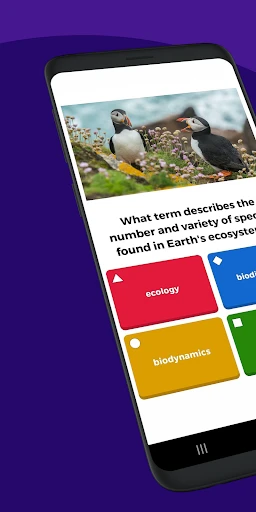

Kahoot! Play & Create Quizzes – Interactive Learning and Fun
Kahoot! is a game-based learning platform that allows users to create, play, and share interactive quizzes, surveys, and discussions. Designed for classrooms, workplaces, and social gatherings, it transforms traditional knowledge checks into engaging, competitive experiences. Users can access millions of ready-made quizzes or craft their own on any topic, making learning dynamic and accessible across devices.
Chapter 1: Function
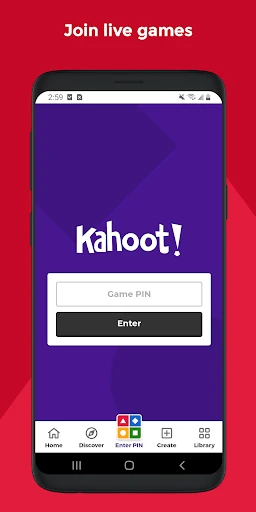
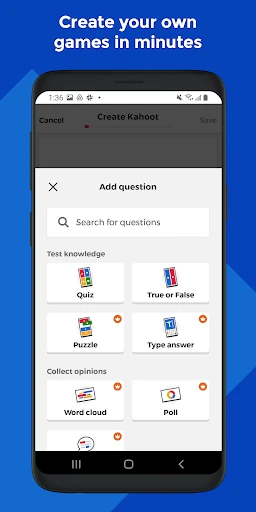
Kahoot! core functions center on quiz creation and participation. Users can design custom quizzes, called kahoots, by adding multiple-choice questions, images, and videos. The app supports live gameplay where participants join via a unique PIN on their devices, answering in real-time with scores displayed on a leaderboard. It also offers a self-paced mode for individual study, allowing users to practice at their own speed. Additionally, Kahoot! includes features for assigning homework, importing questions from spreadsheets, and integrating with platforms like Zoom or Microsoft Teams for remote sessions. The library contains over 100 million public kahoots across subjects from math to history, enabling instant access to prebuilt content.
Chapter 2: Value
Kahoot! delivers significant value through its ability to boost engagement and knowledge retention. Its gamified approach turns passive learning into active participation, with points, streaks, and podium animations motivating users to stay focused. For educators, it simplifies formative assessment by providing instant feedback on class performance, identifying areas where students struggle. The platform is time-efficient: teachers can create a kahoot in minutes or use community content, reducing lesson preparation. For corporate trainers, it makes onboarding and compliance training interactive, improving information recall compared to traditional presentations. Socially, it breaks the ice at parties or family gatherings by turning trivia into a competitive game. Kahoot! also supports inclusivity through non-competitive modes like Team Mode or Ghost Mode, where players compete against their own past scores. Its cross-platform accessibility—available on iOS, Android, and web browsers—ensures anyone with a smartphone can join. The free tier offers robust functionality, while premium plans unlock advanced reporting, question randomization, and collaboration tools. Overall, it bridges the gap between education and entertainment, making learning a shared, enjoyable experience.
Chapter 3: Scenarios
Kahoot! primary target users include teachers, students, corporate trainers, and social hosts. In classrooms, teachers use it to review lesson material, conduct quizzes before exams, or host subject-based tournaments. Students engage in peer learning by creating kahoots for group projects. In corporate settings, HR teams deploy it for new-hire orientation, compliance refreshers, and team-building events to foster collaboration. Socially, friends use Kahoot! at parties to test knowledge of movies, music, or pop culture, or during family game nights for multigenerational fun. Remote teams also rely on it for virtual coffee breaks or end-of-week trivia to combat isolation. Everyday use cases include quick five-minute warm-ups for morning classes, lunchtime challenges among coworkers, or evening study sessions for exam preparation. The app’s flexibility also suits informal learning, such as language practice or hobby knowledge testing, making it relevant for lifelong learners.
Advantages
- host live quizzes with real-time leaderboards and music
- create custom quizzes using images
- videos
- and timers
- joins games via PIN without account registration
- supports up to 10
- 000 simultaneous players per session
- offers pre-made library covering academic and trivia topics
Disadvantages
- requires strong internet connection for smooth gameplay
- free version limits question types and report export
- competitive scoring can pressure slower learners
- no offline mode for solo practice or review
- interface cluttered with ads in free tier
Frequently Asked Questions
Q: What is Kahoot! primarily used for?
A: Kahoot! is a game-based learning platform designed for creating, sharing, and playing interactive quizzes, surveys, and discussions. It is used in classrooms, corporate training, and social events to engage participants through live or self-paced trivia-style games. The app supports multiple question types, timers, and scoring systems.
Q: Is Kahoot! free to use or does it require a subscription?
A: Kahoot! offers a free tier that allows users to create and host basic quizzes with limited question types and player counts. Advanced features like custom images, detailed reports, team mode, and larger group hosting require a paid subscription plan (e.g., Kahoot!+ or Pro plans). No additional equipment is needed beyond a device with internet access.
Q: Does Kahoot! work offline or require a constant internet connection?
A: Kahoot! requires an active internet connection for both the host and participants during live games because questions and answers are synced in real time via the server. However, the app supports self-paced challenges that can be assigned and completed later, though an internet connection is still needed to submit results and download content.
Q: How can I share a quiz I created with other users?
A: You can share a created quiz by generating a unique game PIN for live sessions, or by sending the quiz link via email or messaging apps. Kahoot! also allows you to publish quizzes to its public library where other users can search and play them. For private sharing, you can make a quiz unlisted and share a direct link.
Q: Can I play Kahoot! on a smart TV or tablet?
A: Yes, Kahoot! is compatible with smartphones, tablets, laptops, and desktop computers via its mobile app or web browser. It also supports smart TVs and projectors through screen mirroring or the Kahoot! app available on some smart TV platforms. However, precise touch controls are better on tablets or phones for in-game answers.
Technical Information
Recommended for You

Dairy Queen® Food & Treats

Meetup: Social Events & Groups

ShopBack: Cashback & Rewards

Football Live TV HD

Talkatone: Texting & Calling

Shopify Point of Sale (POS)

Bitcoin mining - Crypto Miner

FaceApp: Perfect Face Editor

Careem: Rides, Food & more

Kiwi Browser - Fast & Quiet

Poppo Live- Live Stream

Dynamic Drive

NWS Weather

Autolist: Used Car Marketplace

Notepad, Notes, Easy Notebook

Linky AI: Chat, Play, Connect

PrinterShare Mobile Print

Micro SD Card formatter

Lightroom Photo & Video Editor

Dog Scanner: Breed Recognition

WebMD: Symptom Checker

SketchPad - Doodle On The Go

Cheri: Meet & Chat