Photomath

Photomath
Math solver with step by step explanations for students
Screenshots


Photomath: Your AI-Powered Math Tutor
Photomath is a mobile application that solves mathematical problems using a smartphone camera. Developed by Google, it provides instant solutions with step-by-step explanations, covering arithmetic, algebra, calculus, and more. The app turns a device into a learning tool, making math accessible to students, parents, and educators worldwide.
Chapter 1: Function
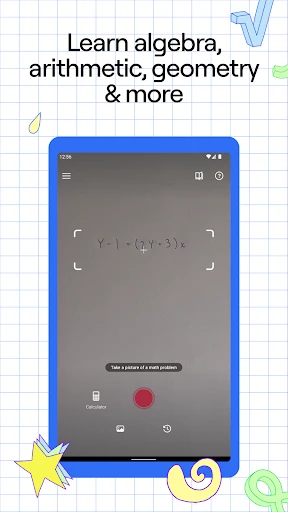
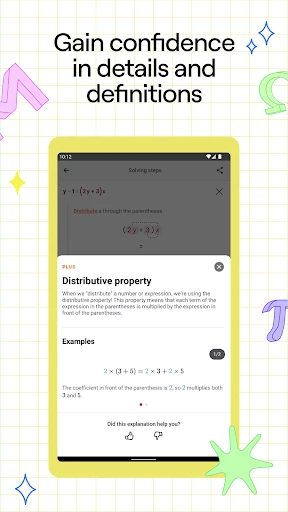
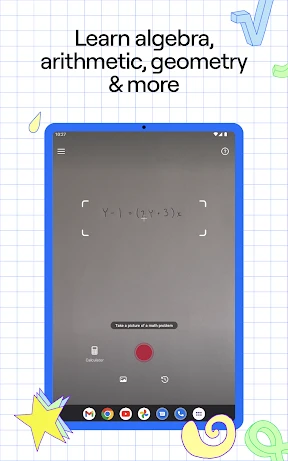
Photomath core functionality revolves around optical character recognition and artificial intelligence. Users point their phone camera at a printed or handwritten math problem, and the app scans, interprets, and solves it in seconds. It covers a broad range of topics, including basic operations, equations, trigonometry, integrals, and word problems. Beyond scanning, the app offers a smart calculator for manual input and a graphing tool for visualizing functions. Each solution includes a detailed step-by-step breakdown, allowing users to understand the logic behind the answer. The app also supports multiple solving methods for the same problem, catering to different learning styles. Interactive graphs adjust in real time, and the app highlights key concepts like variables, operations, and constants. Photomath works offline for scanned problems, reducing reliance on internet connectivity. Regular updates add new features such as annotated steps and custom quizzes, making it a comprehensive math companion for daily study.
Chapter 2: Value
Photomath value proposition centers on transforming math from a frustrating subject into an approachable skill. Its primary advantage is accessibility: it removes the barrier of needing a human tutor for every problem, offering immediate help anytime and anywhere. The step-by-step explanations teach problem-solving logic rather than just delivering answers, fostering independent learning. For students struggling with homework, it provides a safety net that reduces anxiety and saves time. Parents who lack math confidence can use Photomath to assist children without embarrassment, bridging educational gaps. Teachers benefit from the app as a supplementary tool, allowing them to demonstrate solution methods in class or assign practice problems with automated checks. The app also supports multiple languages, making it useful for non-native speakers learning math in a different linguistic context. Crucially, Photomath promotes deeper comprehension: users can toggle between solution methods, compare approaches, and revisit steps to reinforce concepts. The graphing capability helps visualize abstract ideas like derivatives and integrals, turning theory into concrete images. For advanced learners, the app covers college-level calculus and linear algebra, extending beyond basic school curricula. Photomath respects privacy by not storing personal data from scanned images, and its offline mode ensures consistent performance without data costs. These advantages collectively make it a trusted resource for millions, from elementary students to adults revisiting math for career growth. The app also releases regular content updates based on user feedback, maintaining relevance in a rapidly evolving educational landscape. By combining speed, accuracy, and pedagogical value, Photomath stands as a leader in the EdTech space, reducing math anxiety one problem at a time.
Chapter 3: Scenarios
Photomath primary users include K-12 students, college undergraduates, parents, and educators. Typical use cases span daily homework sessions, exam preparation, and classroom instruction. A high school student struggling with quadratic equations can scan a problem, view each algebraic step, and then attempt similar problems to master the concept. College students studying calculus can use the app to check derivative calculations or graph complex functions for visual understanding. Parents helping elementary children with long division can rely on Photomath to verify answers and explain steps in simple terms, reducing household stress. Teachers integrate Photomath into lesson plans by projecting solution steps during lectures, allowing students to follow along without fear of error. The app also serves lifelong learners: an adult returning to education for a technical certification might scan geometry problems to refresh memory. In library or study groups, users can compare multiple solving methods, fostering collaborative learning. Photomath is especially valuable for students with limited access to tutoring services, offering a free alternative for problem solving. Evening homework sessions benefit from the offline mode, ensuring help is available even without Wi-Fi. The app also helps non-native speakers by displaying math in their language, supporting international students in English-speaking classrooms. Overall, Photomath fits seamlessly into any scenario where instant, reliable math assistance is needed, from quiet self-study to active classroom discussion.
Advantages
- solves handwritten math problems via camera
- shows step-by-step solving process
- works offline after downloading topics
- covers algebra to calculus levels
- smart OCR reads both print and cursive
Disadvantages
- struggles with complex 3D graphs or diagrams
- requires clear lighting for accurate scanning
- paid subscription needed for advanced explanations
- limited support for word problem interpretation
- no native integration with major textbooks
Frequently Asked Questions
Q: What is Photomath and how does it work?
A: Photomath is a mobile app that uses your device's camera to scan and solve math problems instantly. It covers arithmetic, algebra, trigonometry, calculus, and more. The app provides step-by-step explanations for each solution, helping users understand the underlying concepts. It supports handwritten and printed problems, and works offline for core features.
Q: Is Photomath free to use or does it require a subscription?
A: Photomath offers a free version with basic scanning and step-by-step solutions. A paid subscription, Photomath Plus, unlocks additional features like expert-verified explanations, animated tutorials, custom problem creation, and advanced math topics. No additional equipment is needed beyond a smartphone camera. No in-app purchases are required for core functionality.
Q: Does Photomath work on all devices and operating systems?
A: Photomath is available for iOS 13.0 or later and Android 6.0 or later. It works on most smartphones and tablets with a rear camera. The app requires camera permission for scanning problems. It does not support desktop or web versions. Performance may vary on older devices with lower processing power.
Q: How accurate is Photomath for solving complex calculus problems?
A: Photomath accurately solves most calculus problems, including derivatives, integrals, limits, and series. However, it may struggle with extremely advanced or non-standard notation. Handwriting recognition can misinterpret messy writing. The app provides multiple solving methods when available. Users should verify results for specialized or unconventional problems.
Q: Can Photomath be used to cheat on math homework or exams?
A: Photomath is designed as a learning tool, not a cheating aid. It shows step-by-step solutions to help users understand problem-solving processes. Many schools prohibit its use during exams. The app does not save or share solved problems externally. Users are encouraged to attempt problems first before using the app for guidance.
Technical Information
Recommended for You

Garmin Golf

Planner 5D: Home Design, Decor

SAP Concur

Snapchat

The New York Times: Live News

Dropbox: Secure Cloud Storage

S4U Assen - Hybrid watch face

Sketch Pro: Draw & Create Art

Daniel Tiger: Play at Home

LEGO® DUPLO® Marvel

Viator Tours & Attractions

Apkgw - Mod Menu Game and Apps

Minute Money

Addons for Melon

RhymeZone Rhyming Dictionary

Room Temperature Thermometer

Voice Changer & Sound Effects

Jewelry Women Jewellery Photo

Car Launcher

OfficeSuite Pro + PDF

Nanit

The Bible in pictures

All Video Downloader - Browser