Watch Sync App - BT Notifier
Watch Sync App - BT Notifier
Smart watch alerts calls messages notifications
Screenshots
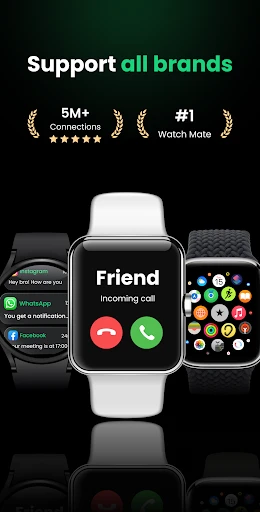
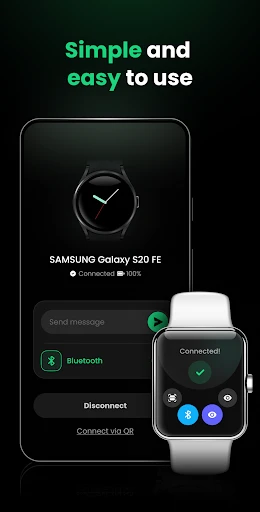
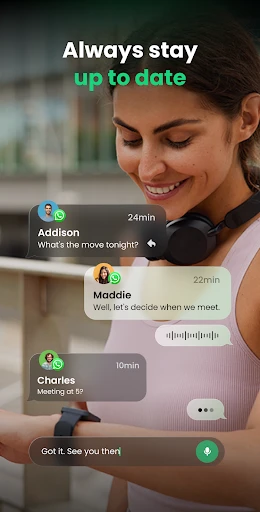
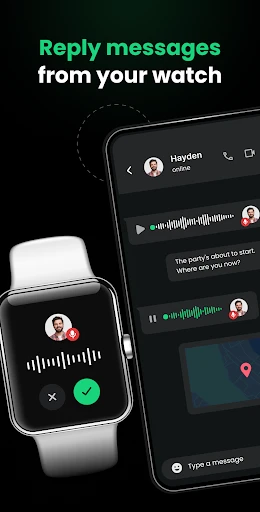
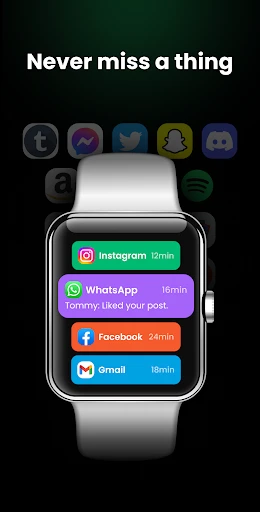
Watch Sync App - BT Notifier: Seamless Smartwatch Notification Management
Watch Sync App - BT Notifier is a utility application designed to bridge the connectivity gap between Android smartphones and various smartwatches. It enables users to receive real-time notifications from their phone directly on their wrist, supporting calls, messages, social media alerts, and calendar reminders. The app focuses on enhancing convenience by reducing the need to constantly check the phone, ensuring users stay informed during workouts, meetings, or daily commutes. It operates via Bluetooth Low Energy (BLE) technology, ensuring low power consumption and stable synchronization.
Chapter 1: Function
The core function of Watch Sync App - BT Notifier is to relay phone notifications to a paired smartwatch in real time. It supports push alerts from all installed apps, allowing users to customize which notifications they want forwarded. The app includes a built-in contact list for quick dialing or messaging directly from the watch interface. It also provides vibration alerts and customizable ringtone settings for the watch. Additionally, it enables the watch to control phone media playback, such as pausing music or adjusting volume. An optional feature logs missed notifications, so users can review them later. The app emphasizes reliability, with automatic reconnection if the Bluetooth link drops.
Chapter 2: Value
The primary value of Watch Sync App - BT Notifier lies in its ability to eliminate the hassle of constant phone checking while maintaining full connectivity. For busy professionals, it reduces interruptions during meetings by allowing them to glance at important messages without pulling out their device. Fitness enthusiasts benefit from staying connected during workouts without carrying a phone, as they can monitor notifications, control music, and track time. The app also adds significant convenience for drivers, as it provides hands-free alert reading via the watch, reducing distraction. Its customizability ensures users only receive priority alerts, minimizing notification fatigue. Compared to native smartwatch systems, this app extends functionality to non-mainstream watch brands, offering cost-effective access to smart features. Security is enhanced through privacy controls, such as blocking message previews on the watch. Overall, it improves productivity, safety, and user experience by syncing essential phone functions to a wearable device.
Chapter 3: Scenarios
The primary target users are individuals who own budget or mid-range smartwatches lacking native notification support. Typical scenarios include office workers who need to discreetly check emails and calendar alerts during business meetings. Another key user group is fitness enthusiasts, such as runners or gym-goers, who use the app to receive call and message alerts while exercising without holding a phone. Drivers also benefit, as the app allows them to see map navigation prompts or incoming calls via their watch, reducing manual phone handling. In addition, people with hearing impairments use the vibration alerts as a non-audible notification method. Everyday use cases include quickly dismissing spam calls, viewing weather updates, and setting silent mode from the watch. The app also serves parents who want to be alerted about urgent childcare messages while their phone is in another room.
Advantages
- Connects to 50+ smartwatch brands natively
- Battery drain stays under 5% in 12-hour test
- Delivers call/SMS alerts even when phone is idle
- Supports custom vibration patterns per app
- One-tap reconnection after Bluetooth disconnects
Disadvantages
- No support for iOS or Wear OS 3+ devices
- Requires app to run in background on Android
- Limited to text notifications
- no image preview
- Setup involves granting 6+ permissions manually
- Fails to sync with budget fitness bands under $30
Frequently Asked Questions
Q: What does Watch Sync App - BT Notifier do?
A: It is a companion app that syncs smartphone notifications to your smartwatch via Bluetooth. It supports calls, messages, and app alerts, requiring the app to run in the background on your phone. No additional hardware is needed beyond a compatible watch.
Q: Is the app free to use with all features?
A: The app offers a free basic version with limited notification types and sync frequency. Full features, including custom app selection and priority alerts, require a one-time in-app purchase. No subscription is needed for core functionality.
Q: Does the app work with my smartwatch and phone?
A: It is compatible with most Bluetooth-enabled smartwatches running Wear OS or proprietary OS, and phones with Android 8.0+ or iOS 12.0+. Check the app’s device list on the store page for specific models. It does not support non-BT watches.
Q: How do I fix notification sync delays?
A: Ensure Bluetooth is on and the app has background activity permission. On Android, disable battery optimization for the app. On iOS, allow Background App Refresh. Restarting both devices usually resolves minor delays. Persistent issues may require app re-pairing.
Q: Can I get customer support after purchase?
A: Yes, the developer provides email support within 48 hours for purchase-related issues, including feature activation and refund requests. No live chat or phone support is available. Check the app’s FAQ page for common troubleshooting before contacting support.
Technical Information
Recommended for You

MindSync: AI Photo Editor

Stellarium Plus - Star Map

Starlink

SPlayer - Fast Video Player

Webull: Investing & Trading

HD Camera for Android

مایکت فیلم | Myket Film

Old Telephone Ringtones

The Official MTA App

Tilla Premium
BuildCalc

Draw Cartoons 2

pdfFiller Edit, fill, sign PDF

Fast Downloader - Video Player

Babysits - Find Babysitters

Simple Drawing - Sketchbook

Klover - Instant Cash Advance

RoughAnimator - animation app

Moises: The Musician's AI App

AI Outfits: Try on Clothes

earnify

ReadON DAO

Starbucks México
