Messenger SMS & MMS

Messenger SMS & MMS
Messenger SMS and MMS for fast simple chat with contacts
Screenshots
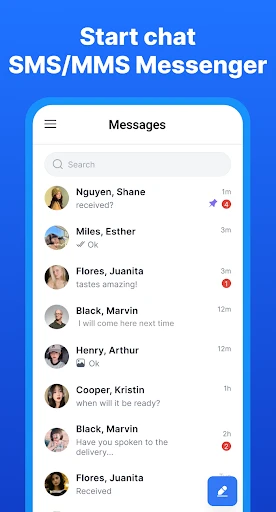
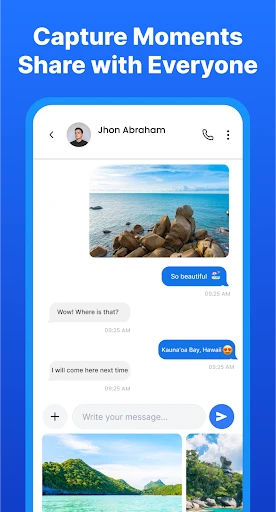


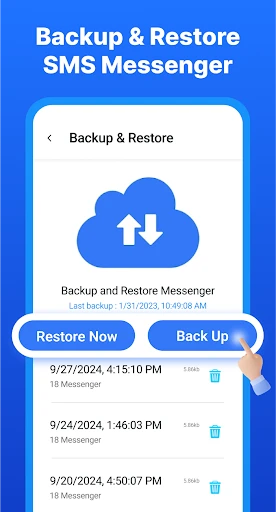
Messenger SMS & MMS: Streamlined Texting and Media Sharing
Messenger SMS & MMS is a versatile messaging application designed to replace your device's default texting interface with a feature-rich, customizable, and efficient communication tool. It provides a unified platform for sending and receiving traditional Short Message Service (SMS) text messages and Multimedia Messaging Service (MMS) messages, including photos, videos, and audio clips. The app emphasizes speed, reliability, and user control, offering a clean user interface that prioritizes conversation management. It integrates modern functionalities such as message scheduling, automatic message deletion, and conversation locking without compromising the core simplicity of standard text messaging.
Chapter 1: Function
The core function of Messenger SMS & MMS is to serve as a complete replacement for the native SMS and MMS client on Android devices. It facilitates the sending and receiving of text-based messages over cellular networks. Beyond basic texting, the app supports the exchange of multimedia content through MMS, allowing users to attach and send images, videos, and audio recordings directly within the conversation thread. It also manages the organization of these conversations, offering features like conversation pinning for quick access, spam message filtering to block unwanted communications, and a unified inbox that merges messages from multiple SIM cards into a single view. The application further enhances functionality with message scheduling, enabling users to compose a text and set a specific date and time for it to be sent automatically.
Chapter 2: Value
The primary value proposition of Messenger SMS & MMS is the significant enhancement of user control and privacy over standard texting. Unlike many modern messaging apps that rely on internet connections, this app works seamlessly using the cellular network, ensuring messages are delivered even in areas with poor data connectivity. Its key advantages include robust privacy features, such as the ability to lock individual conversations with a password or fingerprint, and a confidential chat mode that allows users to hide specific conversations from the main inbox. The app provides extensive customization, allowing users to alter the visual theme, font style, and bubble colors for individual contacts. Another distinct advantage is the scheduled messaging function, which is absent from most default texting apps, providing utility for sending reminders or birthday messages. Furthermore, the automatic cleanup feature, which deletes old messages after a configurable period, helps users manage storage space and maintain a clutter-free inbox. These combined elements offer a superior, personalized, and private texting experience that adapts to diverse user needs.
Chapter 3: Scenarios
The primary target user groups for Messenger SMS & MMS are individuals who prefer or require reliable, carrier-based text messaging over internet-dependent apps. This includes business professionals who need a dependable communication channel for appointment reminders or one-time passwords that often arrive via SMS. Another key group is users with limited or inconsistent internet access, such as people in rural areas or those on restricted data plans, who need a messaging tool that works on basic cellular signal. Everyday use cases include coordinating logistics, such as sending a quick text to confirm a meeting time or a shipping update. Parents may use the conversation lock feature to secure private family chats, while students can utilize the scheduling function to set reminders for assignment deadlines. The app also serves users who value organization, using the spam filter to block promotional texts and the automatic deletion feature to keep their inbox clean and focused on active conversations only.
Advantages
- sends texts over wifi to avoid cellular charges
- supports high-res image and video sharing via MMS
- works without internet for basic SMS fallback
- syncs messages across linked devices seamlessly
- encrypts messages end-to-end for privacy
Disadvantages
- requires active data plan for MMS delivery
- no desktop client for cross-platform use
- limited group chat features compared to rivals
- message history not recoverable after app reinstall
- carries carrier-specific bloatware on some devices
Frequently Asked Questions
Q: What core functions does Messenger SMS & MMS provide?
A: Messenger SMS & MMS is a text messaging app that replaces the default SMS/MMS client. It supports sending and receiving standard SMS and MMS messages, including group chats, media sharing (photos, videos, audio), and message scheduling. It requires an active cellular plan with SMS/MMS capability and does not use internet-based messaging unless the device supports RCS.
Q: Is the app free to use with no hidden costs?
A: The app is free to download and use for basic SMS/MMS functions. It may include optional in-app purchases for premium features like ad removal, custom themes, or advanced scheduling. Standard carrier message and data rates apply, as all messages are sent through your mobile network. No subscription is required for core messaging.
Q: What devices and systems are compatible with this app?
A: Messenger SMS & MMS is compatible with Android devices running OS version 5.0 (Lollipop) or newer. It requires a SIM card with an active SMS plan. The app is not available on iOS or other platforms. It may not support all features on tablets or Wi-Fi-only devices due to cellular network dependency.
Q: null
A: Yes, the app allows sending standard SMS and MMS to international numbers, but this is dependent on your carrier's international messaging rates and support. The app does not add additional fees for international texts; it only uses your carrier's standard charges. Check with your provider for coverage and costs before sending.
Q: null
A: Messages are stored locally on your device and not synced to a cloud server. To restore messages after reinstallation, you must manually back up your SMS/MMS data using a third-party backup tool or the Android backup feature before uninstalling. The app itself does not include built-in backup or restore functionality.
Technical Information
Recommended for You

maxim — order a taxi & food

PhoneFixer-Memory Cleaner

ATM: Get Cash, Earn Rewards

Flip: Watch, Create, Shop

Screen Recorder: Facecam Audio

Breeze Airways

Daily Weather Launcher - Radar

Linky AI: Chat, Play, Connect

Kiddopia - Kids Learning Games

Alison: Online Education App

LED Keyboard: Colorful Backlit

Animal Sounds and Ringtones

Papa Johns Pizza & Delivery

NBC Connecticut News & Weather

Bible Launcher-KJV & Prayer

BandLab – Music Making Studio

myVCA

OurFamilyWizard Co-Parent App

Morph&Mob Mod for MinecraftPE

Friday: AI E-mail Assistant

HealthEquity Mobile

Tagofy - Geotag Map Camera

Spam Call Blocker for Android