Cartoon Video & Gif Maker
Cartoon Video & Gif Maker
Cartoon Video and Gif Maker for fun creative storytelling
Screenshots
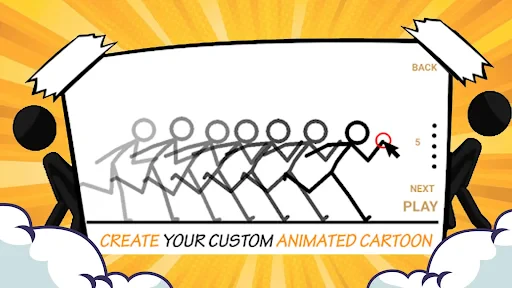
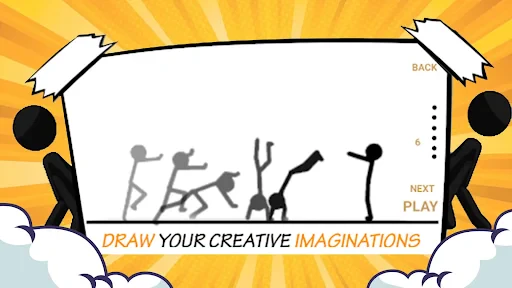
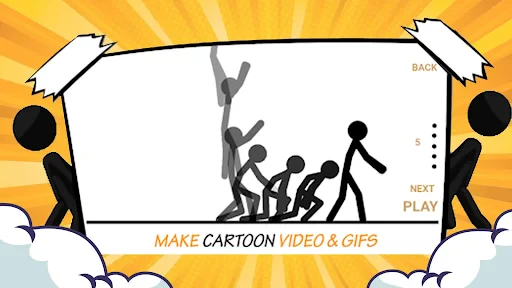

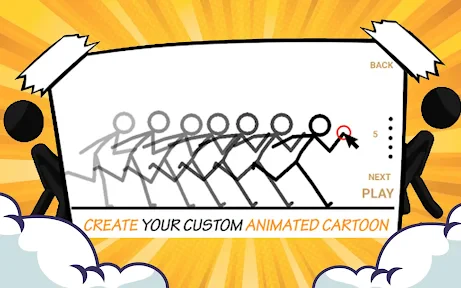
Cartoon Video & Gif Maker: Transform Moments into Animated Art
Cartoon Video & Gif Maker is a mobile application designed to convert ordinary photos, videos, and live captures into cartoon-style animations and GIFs. It leverages artificial intelligence and image processing algorithms to apply artistic filters, enabling users to create whimsical, hand-drawn-style content without advanced editing skills. The app supports direct capture from the camera or import from the device gallery, offering a seamless creative workflow.
Chapter 1: Function
The core functions of Cartoon Video & Gif Maker include real-time cartoonization of video footage and still images, with dedicated tools for generating looping GIFs. Users can record a short video or select existing clips, then apply a range of cartoon effects that mimic watercolor, oil painting, or comic styles. The app also provides frame-by-frame editing, speed adjustment (slow motion or fast forward), and length trimming. Additionally, it offers a built-in GIF maker that extracts frames from videos or combines multiple photos into animated sequences, with options to add text captions or stickers. The output formats are optimized for social media sharing, supporting high-resolution exports without watermarks in the premium version.
Chapter 2: Value
The app delivers significant value by democratizing animation creation, allowing anyone to produce engaging, shareable content without requiring technical expertise or expensive software. Its key advantages include time efficiency: a 10-second video becomes a polished cartoon within seconds, compared to hours of manual animation work. The AI-driven filters maintain high visual fidelity while ensuring stylistic consistency across different clips. For content creators, the app offers a unique differentiator to boost engagement on platforms like TikTok, Instagram, and YouTube, where cartoon-style content often achieves higher retention rates. Small businesses and educators can leverage it for eye-catching promotional videos or instructional materials. The GIF maker adds further utility, enabling quick, virus-ready loops for memes, reaction videos, or product highlights. Personalized options like text overlays help maintain branding or creative control. Free access to core features lowers the adoption barrier, while the affordable pro tier unlocks unlimited exports, HD resolutions, and removal of stamps, providing a cost-effective alternative to desktop software. The app also respects privacy by processing files locally on the device, ensuring user data remains secure.
Chapter 3: Scenarios
Primary target users include social media influencers, casual content creators, and parents seeking to create playful animations of family moments. Everyday use cases involve transforming birthday party footage into cartoon GIFs for group chats, converting travel vlogs into animated travel journals for Instagram stories, or turning pet videos into comedic loops for TikTok. Marketing professionals use it to quickly produce branded cartoon ads for limited-time campaigns. Teachers and educators apply the app to convert lesson explanations into animated sequences, making abstract concepts more accessible for students. Event planners also utilize it to compile highlight reels from weddings or corporate events into shareable cartoon clips, enhancing post-event engagement. The app’s simplicity makes it a go-to tool for spontaneous creativity during daily commutes or breaks, allowing users to repurpose mundane recordings into entertainment with just a few taps.
Advantages
- one-tap cartoonization of real video clips
- exports both gif and mp4 with alpha channel
- AI preserves original motion curves
- no frame drops
- batch processing up to 10 videos simultaneously
- works offline
- no upload delay or privacy risk
Disadvantages
- limited to 10-second output per clip
- no manual keyframe editing for fine control
- heavy GPU load drains battery on older devices
- only supports 720p resolution maximum
- no direct social sharing
- requires manual download
Frequently Asked Questions
Q: What is Cartoon Video & Gif Maker used for?
A: Cartoon Video & Gif Maker is a mobile app that allows users to create cartoon-style videos and animated GIFs from photos, drawings, or existing clips. It provides editing tools like frame-by-frame animation, filters, stickers, and voiceover recording. No design skills are required, and the output can be shared directly to social media. The app is primarily designed for casual content creation and short-form animation projects.
Q: Is the app free to use or does it require in-app purchases?
A: The app is free to download and includes basic features like video trimming, GIF export with watermark, and standard filters. Advanced tools such as premium sticker packs, high-resolution export, removal of watermarks, and ad-free editing require a subscription or one-time in-app purchase. Pricing details vary by region and are listed in the app store listing. No additional hardware or sensors are needed beyond a standard smartphone camera.
Q: Does the app work on both iOS and Android devices?
A: Yes, Cartoon Video & Gif Maker is available for both iOS (version 11.0 or later) and Android (version 5.0 or later). It is optimized for touchscreen operation and supports most modern smartphones and tablets. Compatibility with older models may be limited due to performance requirements for real-time rendering. The app does not support desktop or tablet-only operating systems like iPadOS without iPhone app compatibility.
Q: How can I export a video without a watermark?
A: To export a video without a watermark, you must purchase a premium subscription or a one-time removal option within the app. After subscribing, the watermark is automatically removed from all exported files. Free users will see a small app logo overlay on exported videos and GIFs. There is no workaround via third-party tools, as the watermark is embedded during rendering on the app server.
Q: Can I save my project and edit it later?
A: Yes, you can save unfinished projects as draft files within the app's local storage. Drafts remain accessible for editing until you manually delete them or uninstall the app. Projects are stored locally, not on cloud servers, so they cannot be transferred between devices. For backup, you can export the current project as a video file, but re-editing that exported video is not supported.
Technical Information
Recommended for You
Android Ringtones 2024

SmartHQ

AutoZen-Car Dashboard&Launcher

Chat Online: Talkie Live
Break Speed
Roaring Tiger Live Wallpaper

AirTalk Wireless

Busuu: Learn & Speak Languages

CollX: Sports Card Scanner

Target

Booktime

Malwarebytes Mobile Security

Car-Part.com Used Auto Parts

Cast to TV+ Chromecast Roku TV

INKR — Comics, Manga, Webtoons

myStop® Mobile

My SafeLink

PBS: Watch Live TV Shows

Stickman: draw animation maker

Color Wheel

Cleaner Junk & Photo Recovery

UAV Forecast for Drone Pilots

Freecash: Earn Money & Rewards
