CamCard-Digital business card

CamCard-Digital business card
Digital business cards for professional networking with smart scanning
Screenshots


CamCard-Digital business card: Smart Networking Management Tool
CamCard is a mobile application designed to digitize, organize, and manage business cards with high efficiency. By using the device's camera, users can capture a business card image, and the app's OCR technology automatically extracts contact details, storing them in a structured digital address book. The app supports multiple languages, cloud sync, and integration with CRM systems, transforming paper business cards into a searchable, shareable digital database. It serves professionals who handle high volumes of networking contacts, aiming to eliminate manual data entry and lost cards.
Chapter 1: Function
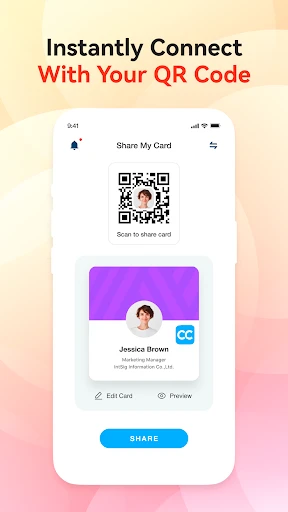
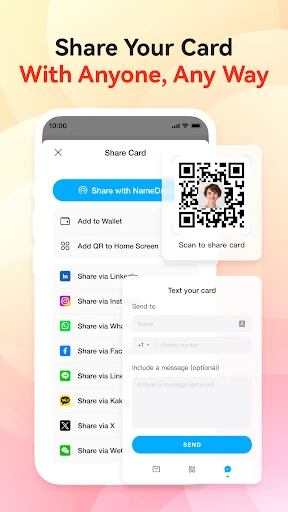
CamCard's core function revolves around automated business card recognition and contact management. The app uses optical character recognition to scan a business card's text, including name, company, title, phone number, email, and address, and accurately populates these fields into a contact entry. It supports batch scanning, allowing users to capture multiple cards in quick succession. The app also provides a digital business card feature, enabling users to create and share their own virtual card via QR code or link. Additionally, it offers contact grouping, notes, reminders for follow-ups, and direct calling or emailing from within the app. Cloud backup ensures data is never lost across device changes, while integration with platforms like Salesforce, Outlook, and Gmail streamlines workflows for sales professionals.
Chapter 2: Value
The value proposition of CamCard lies in its ability to save time, reduce errors, and enhance networking efficiency. For professionals who attend conferences, meetings, or trade shows, manually entering dozens of business card details is tedious and prone to mistakes. CamCard eliminates this bottleneck by converting a 5-minute manual entry task into a 3-second scan. Its high-accuracy OCR reduces the risk of incorrect contact information, which can lead to missed opportunities. The app also acts as a centralized contact repository, allowing users to search for any contact by name, company, or keyword instantly, eliminating the need to flip through physical card stacks. For sales teams, the CRM integration syncs captured leads directly into pipeline management tools, ensuring no prospect is overlooked. The digital business card feature modernizes first impressions, as sharing a virtual card via QR code feels professional and eliminates paper waste. Over time, CamCard becomes a personal network database that grows with the user, preserving networking investments and enabling strategic follow-ups. The cross-platform sync ensures access on phone, tablet, and PC, making it a versatile tool for remote and hybrid workers. By streamlining contact management, CamCard helps professionals maintain organized relationships, leading to better client retention and business growth.
Chapter 3: Scenarios
CamCard primarily targets business professionals, sales representatives, entrepreneurs, and corporate executives who engage in frequent networking. For a sales representative attending a week-long industry conference, they can scan 50-100 business cards daily, automatically categorizing leads by account size or interest level. The app's follow-up reminder feature helps them schedule callbacks or emails, ensuring timely engagement. For entrepreneurs and small business owners, CamCard serves as a lightweight CRM, storing partner contacts, supplier details, and investor information in one place. Corporate executives benefit from the app's ability to sync contacts across company devices, enabling team members to share and access unified client databases. Another key use case is for international professionals who encounter multilingual cards; CamCard supports over 20 languages, breaking down language barriers in data extraction. Event organizers use the app to scan attendee cards and export data for event follow-up campaigns. Even in everyday office settings, a manager can scan a visiting consultant's card and directly link it to an Outlook contact database. The app is also valuable for remote workers who receive digital cards via email or messaging; they can import these from screenshots, maintaining a consistent contact workflow without physical cards. By addressing the chaos of paper business cards and digital contact fragmentation, CamCard becomes an essential tool for anyone who values efficient professional networking.
Advantages
- scans business cards in 0.5s with OCR
- syncs contacts to cloud across devices instantly
- supports 18 languages for multilingual cards
- auto-fills CRM fields from card text
- exports to Salesforce or HubSpot directly
Disadvantages
- fails on glossy or low-contrast cards
- requires internet for cloud sync
- free tier limits monthly scans to 10
- no offline editing after initial scan
- OCR accuracy drops on handwritten details
Frequently Asked Questions
Q: What core features does CamCard offer for business cards?
A: CamCard primarily scans and digitizes paper business cards using OCR technology. It extracts contact details, organizes them into a digital address book, and supports sharing via QR codes or links. Features include multi-language recognition, cloud backup, and integration with CRM systems like Salesforce. No additional hardware is needed beyond a smartphone camera.
Q: Is CamCard free to use with in-app purchases?
A: CamCard offers a free version with basic scanning and limited storage. Advanced features like batch scanning, CRM sync, team management, and ad-free experience require a paid subscription (monthly or yearly). No additional equipment is necessary, but a stable internet connection is recommended for cloud features.
Q: Does CamCard work on both iOS and Android devices?
A: CamCard is available for iOS and Android smartphones and tablets. It requires iOS 12.0+ or Android 6.0+. The app is optimized for recent device cameras but works on older models with decent resolution. No desktop version is offered.
Q: How accurate is CamCard’s OCR for different languages?
A: CamCard supports text recognition in over 20 languages, including English, Chinese, Japanese, and Arabic. Accuracy generally exceeds 90% for clear, well-lit cards with standard fonts. Handwritten or heavily stylized text may reduce accuracy. Users can manually edit scanned fields. No offline mode limitation applies to basic scanning.
Q: Can I transfer my CamCard contacts to another phone or service?
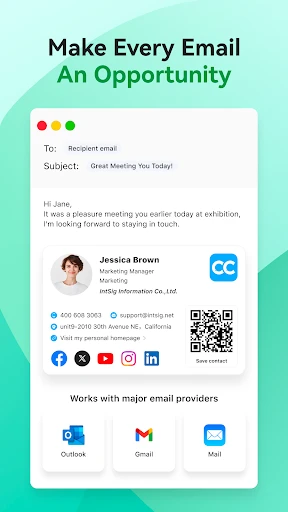
A: Yes, CamCard allows exporting contacts as vCard, CSV, or directly to your phone’s native contacts app. Cloud sync via account login enables transfer across devices. Integration with services like Outlook, Gmail, and Salesforce is supported. No proprietary format lock-in; data can be deleted from their servers upon account closure.
Technical Information
Recommended for You

Pi Video Player - Media Player

Cookie Cutters

Vimu Media Player for TV

TikTok Lite - Faster TikTok

Receipt Scanner: Easy Expense

IEEE

ABC 7 New York

Houzz - Home Design & Remodel

AI Chat・Ask Chatbot Assistant

Security Camera App

Realtor.com Real Estate & Rent

Acima Leasing

PlantIn Plant Identifier, Care

Draw Animation - Anim Creator

Google Messages

VITA - Video Editor & Maker

Daily Forecast: Weather&Radar

Camera iphone 15 - OS16 Camera

Find who's spying my phone

Time Clock: Easy Tracker

TanTan - Asian Dating App

FUT 25 Card Creator

PhotoScan by Google Photos
