Invoice Simple: Invoice Maker

Invoice Simple: Invoice Maker
Invoice maker for freelancers quick billing simple
Screenshots
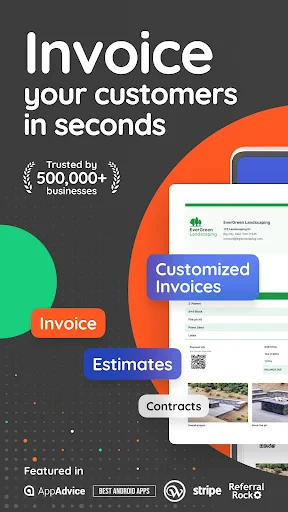
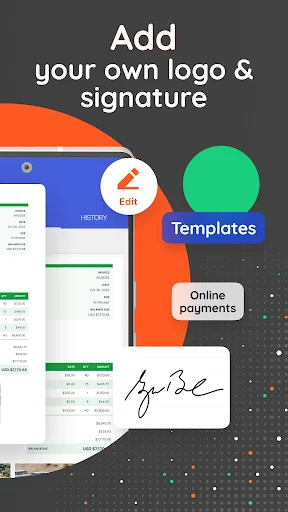
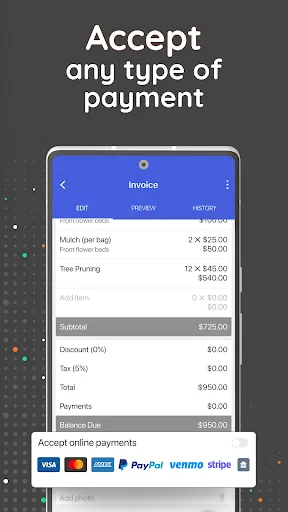
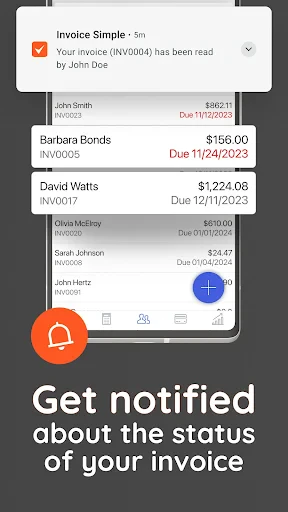
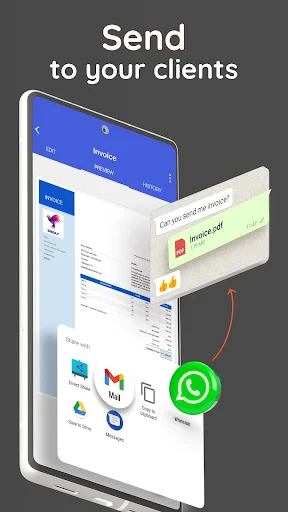
Invoice Simple: Invoice Maker - Streamlined Invoicing for Small Business Efficiency
Invoice Simple is a dedicated mobile application designed to simplify and accelerate the invoicing process for freelancers, contractors, and small business owners. Available on both Android and iOS platforms, the app transforms a smartphone or tablet into a professional billing tool. It allows users to create, customize, send, and manage invoices directly from their mobile device, eliminating the need for complex desktop accounting software. The core focus of Invoice Simple is on speed and ease of use, enabling users to generate a polished invoice in seconds. Key features include pre-built templates, client management, tax calculation, expense tracking, and the ability to accept credit card payments. The app also supports estimates and recurring invoices, making it a comprehensive solution for service-based businesses that require quick and professional billing on the go. It caters primarily to solopreneurs and small teams who need a straightforward, no-frills approach to getting paid faster.
Chapter 1: Function
Invoice Simple provides a suite of core functions centered around mobile-first billing. Its primary function is rapid invoice creation, allowing users to select a professional template, populate it with client details, and add line items for products or services with automatic calculations for subtotals, taxes, and discounts. The app maintains a searchable client database, storing contact information and payment history for quick reuse. Beyond invoicing, it includes expense logging functionality, enabling users to track costs and generate basic profit reports. For payment collection, the app integrates credit card processing through third-party services, allowing clients to pay directly through the invoice link. Additionally, it supports the creation of estimates, which can be converted to invoices upon client approval. Recurring invoices can be automated for retainer clients or subscription services. Finally, the app offers basic reporting dashboards to track paid, overdue, and draft invoices, giving users a clear financial snapshot. All data is typically synchronized to the cloud for backup and access across devices.
Chapter 2: Value
The primary value proposition of Invoice Simple lies in its unparalleled convenience and time efficiency for mobile-centric business owners. Unlike traditional accounting software that requires a desktop or extensive training, Invoice Simple is built for immediate use. Its key advantage is reducing the administrative burden of billing. Users can create and send an invoice while standing at a job site, meeting a client, or immediately after completing a service, drastically shortening the time between work done and payment requested. This speed directly improves cash flow. The app’s professional templates, while simple, ensure that even a sole proprietor appears credible and established. Another critical value is the reduction of errors; automatic calculations eliminate manual math mistakes on taxes and totals. For businesses that frequently invoice the same clients, the customer database and recurring invoice features save hours of repetitive data entry. The expense tracking function provides basic profit insight without needing a separate tool. Furthermore, the integration with payment gateways reduces friction for clients, encouraging faster payment via digital methods. The app offers tiered pricing, including a free version with basic capabilities and paid plans for unlimited invoices and premium features. This makes it accessible for very small budgets while scaling with the user’s needs. Ultimately, the app’s greatest advantage is freeing up the user’s time from administrative work to focus on their core business activities.
Chapter 3: Scenarios
Invoice Simple is primarily targeted at service-based solopreneurs and small business owners who work outside a traditional office. The primary user group includes freelancers such as graphic designers, writers, and consultants who need to bill multiple clients monthly. Another core demographic is tradespeople, including plumbers, electricians, painters, and landscapers, who complete on-site work and need to generate an invoice immediately before leaving a job. Home service providers such as cleaners, pet sitters, and tutors also find the app ideal for simple, on-the-spot billing. Everyday use cases involve creating an invoice from a job site: a contractor finishes a repair, opens the app, selects the client, adds the labor and parts, inputs any discount, and emails the invoice before packing up their tools. For a freelancer, the scenario might be sending a recurring monthly retainer invoice with a single tap after setting up the template. A common use case is converting an approved estimate into an invoice, streamlining the workflow from proposal to payment. The app is also used for expense tracking on the go, where a user photographs a receipt for materials and categorizes it for later tax reporting. These scenarios highlight the app’s role as a practical, instant, and mobile-centric billing solution for professionals who prioritize speed and simplicity over complex financial features.
Advantages
- generates pdf invoices in under 30 seconds
- supports recurring billing with automatic email delivery
- works fully offline without internet connection
- includes time tracking linked directly to line items
- exports data to quickbooks for tax filing
Disadvantages
- free version limits to three draft invoices only
- no built-in inventory or stock management feature
- customer list import only via csv
- no api sync
- reports lack project profitability breakdown by job
- cannot customize invoice numbering beyond sequential
Frequently Asked Questions
Q: What is Invoice Simple and who is it for?
A: Invoice Simple is an invoice creation app for freelancers, small business owners, and contractors. It allows users to generate, customize, and send professional invoices, estimates, and receipts directly from a mobile device. No accounting background is required, and it supports basic tax calculations and client management.
Q: Is Invoice Simple free to use or does it require payment?
A: Invoice Simple offers a free tier with limited features, such as a set number of invoices and basic templates. Full access to unlimited invoices, custom branding, multiple payment gateways, and PDF export requires a paid subscription. No additional hardware or special permissions are needed beyond standard device access.
Q: Does Invoice Simple work on both iOS and Android devices?
A: Yes, Invoice Simple is available for both iOS and Android smartphones and tablets. It requires iOS 12.0 or later for Apple devices and Android 5.0 or higher for Android devices. The app is optimized for mobile screens and does not have a dedicated desktop version.
Q: How can I send invoices to clients using this app?
A: Invoices can be sent directly from the app via email, SMS, or shared as a PDF link. You can also print invoices or save them to your device. Integration with payment processors like PayPal and Stripe allows clients to pay online, though setup requires an active account with those services.
Q: What should I do if I encounter a bug or need help with the app?
A: For technical issues or questions, you can access the in-app help center or visit the official support website. Invoice Simple provides email support and a knowledge base with tutorials. There is no live chat or phone support currently available. Updates are released regularly to fix bugs and add features.
Technical Information
Recommended for You

PaperColor

Mercado Libre: Compras online

LumaFusion: Pro Video Editing

Taimi - LGBTQ+ Dating & Chat

Font Keyboard: Text Fonts+

IHG Hotels & Rewards

Moon Calendar Watch

BambooHR

Photo Video Maker with Music

DubStep Music & Beat Creator

BlazeTV

Ling - Learn Languages Now

Marketplace: Tradet Buy & Sell

FlickReels - Short Drama & TV

Boat Trader

XBrowser - Mini & Super fast

Stitch Photos: Long Screenshot

Tinybeans Private Family Album

Wanderlog - Trip Planner App

Norton360 Antivirus & Security

Paycom

180Score Football Predictions

iDraw
