O’Reilly First Call VIN Scan

O’Reilly First Call VIN Scan
OReillys VIN scan for parts lookup by auto professionals
Screenshots
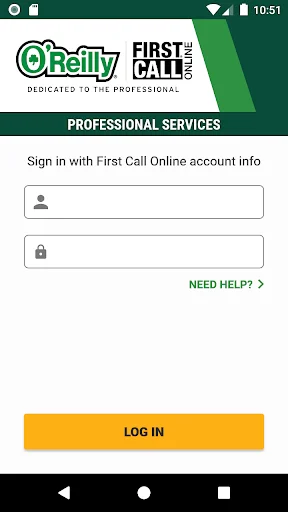
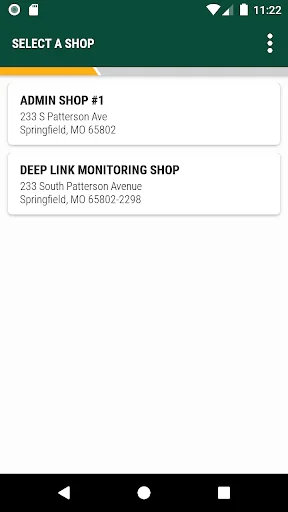
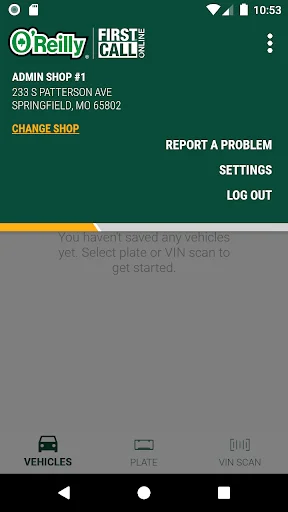
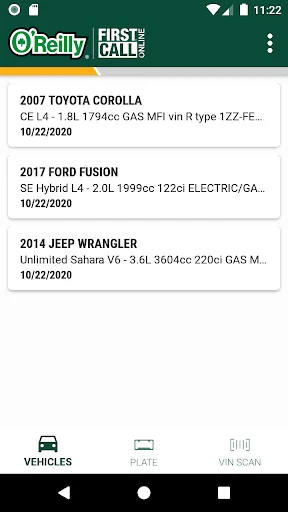
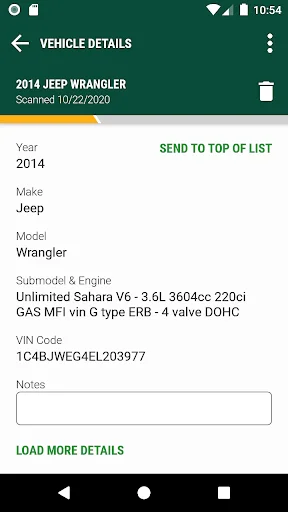
O’Reilly First Call VIN Scan – Streamlined Vehicle Identification for Professional Use
O’Reilly First Call VIN Scan is a mobile application designed for automotive professionals, particularly those in the independent repair and parts supply industry. Developed by O’Reilly Auto Parts, the app focuses on simplifying the process of vehicle identification through rapid barcode scanning. By leveraging the smartphone camera, it allows users to instantly decode a Vehicle Identification Number (VIN) from a vehicle windshield or document. The app then retrieves detailed vehicle specs, including year, make, model, engine type, and driveline configuration. This eliminates manual data entry errors and speeds up parts lookup, ordering, and work order creation. The tool integrates seamlessly with the broader O’Reilly First Call platform, which serves as a direct communication channel between repair shops and their preferred parts suppliers. The app is free to use for qualified professionals and supports both iOS and Android devices, requiring only a stable internet connection and camera access to function.
Chapter 1: Function
Chapter 1: Function – The app’s primary function is to convert any physical or digital 17-character VIN into a structured, scannable data set within seconds. It utilizes the device’s built-in camera or accepts manual text input for cases where the VIN is damaged or illegible. Once scanned, the application cross-references the code against O’Reilly’s extensive database to return precise vehicle identification details. This includes standard attributes such as the engine displacement, transmission type, brake system, and even optional features like trim level or body style. Beyond simple decoding, the app also provides links to relevant parts from the O’Reilly catalog, allowing users to immediately verify availability, pricing, and store location stock. The interface is minimalist, focusing on a single scan button and a results screen that highlights key data points. It also stores a history of recent scans for quick reference, enabling users to recall a previously identified vehicle without rescanning.
Chapter 2: Value
Chapter 2: Value – The core value of O’Reilly First Call VIN Scan lies in its ability to drastically reduce time wasted on manual VIN lookups, an activity that commonly introduces typing errors and requires multiple steps. In a fast-paced shop environment, a technician can scan a VIN in under three seconds versus entering it character by character, which takes an average of 30 to 60 seconds with a higher error rate. Each mistake—such as confusing a 0 with an O or an 8 with a B—can lead to incorrect parts being ordered, causing warranty issues, wasted labor, and customer dissatisfaction. The app mitigates these risks by automating the data capture process entirely. Additionally, it creates a direct link between vehicle identification and the order placement system. After decoding, the user can instantly check stock and pricing without needing to switch between apps or browser tabs. This integration is particularly valuable during peak hours when parts counter wait times are longer. The app also supports offline access to previously scanned vehicles, ensuring continuity in areas with poor cellular reception. For shop owners, the tool translates into fewer returns, faster turnaround times on repairs, and a higher rate of first-call fix completions, which directly improves shop profitability. By reducing friction in the parts procurement chain, it reinforces customer loyalty and operational efficiency.
Chapter 3: Scenarios
Chapter 3: Scenarios – The primary target users are automotive service technicians, shop foremen, and parts store counter staff who interact with multiple vehicles daily. Everyday use cases include a technician walking through a service bay and scanning a vehicle’s windshield VIN before raising the car on a lift. This provides immediate access to the correct oil filter, brake pad size, or belt part number without leaving the work area. Another common scenario occurs at the parts counter: a customer provides a registration card or insurance slip with a VIN printed on it. The staff member opens the app, scans the code from the document, and quickly determines if the requested part is compatible with that specific year and engine variant. Additionally, the app serves fleet mechanics who must identify various truck models in a single lot. They can scan multiple VINs in sequence, storing results for later parts ordering or service record creation. Even in administrative functions, the app aids in VIN verification during vehicle check-in, ensuring the vehicle profile in the shop management system matches the physical vehicle. This prevents billing and invoicing errors. The app is also used by mobile repair units working in the field where desktop lookup tools are unavailable, enabling them to confirm part availability at the nearest O’Reilly store before driving to pick it up.
Advantages
- reads VIN barcodes instantly from device camera
- auto-populates vehicle details into service workflow
- integrates with O'Reilly's parts catalog for quick lookup
- works offline after initial database sync
- reduces manual typing errors in shop environments
Disadvantages
- limited to O'Reilly ecosystem; no third-party shop system sync
- requires consistent lighting to scan damaged or dirty VINs
- older vehicle VIN decoding may return incomplete specs
- app crashes occasionally on low-end Android devices
- no batch scan support for multi-vehicle inventory intake
Frequently Asked Questions
Q: What does O’Reilly First Call VIN Scan do?
A: This app scans vehicle VIN barcodes to instantly retrieve O’Reilly auto parts catalog data, cross-reference part numbers, and check inventory availability. It is designed for professional automotive technicians and counter staff to streamline parts lookup and ordering within O’Reilly’s ecosystem.
Q: Is the app free to use with full features?
A: Yes, the app is free to download and use for all O’Reilly First Call account holders. There are no in-app purchases or hidden fees. However, a valid O’Reilly Commercial account login is required to access inventory and ordering functions.
Q: Does the app work on all mobile devices?
A: The app requires iOS 14.0 or later or Android 8.0 (Oreo) and above. It is fully optimized for smartphones with autofocus cameras capable of scanning VIN barcodes. Tablets are supported but not all scanning features are guaranteed on non-phone form factors.
Q: How accurately does the VIN scanner handle damaged barcodes?
A: The scanner is designed for clean, undamaged VIN barcodes typically found on modern vehicle doorjamb stickers or dashboard plates. Severely scratched, faded, or partially obstructed barcodes may fail to scan, requiring manual VIN entry as a fallback.
Q: Can I place a parts order directly through the app?
A: Yes, after scanning a VIN and selecting a part, you can add it to a cart and submit the order to your preferred O’Reilly store for same-day pickup or delivery. The app also displays real-time stock levels and alternative store locations if the item is out of stock.
Technical Information
Recommended for You

Amazon Seller

Kids police - for parents

Acima Leasing

Fotorama - AI Photo Generator

KY3 Weather

JCPenney – Shopping & Deals

Weather Kitty - App & Widget

Podcast Go

MSN

Locate Mobile by Number

Brickit

NotanIzer

Skyscanner Flights Hotels Cars

MeetChat

Everand: Ebooks and audiobooks

Credit Sesame: Grow your score

Christmas Icon Pack

MaxClean - Cleaner & Manager

Caller ID Name, Location & SMS

SoulChill - Voice Chat & Party

Photoleap: AI Photo Generator

ShortMax - Watch Dramas & Show

Photomath
