Animation Creator: Flipbook 2D
Animation Creator: Flipbook 2D
Animation Creator for making fun flipbook 2D animations
Screenshots
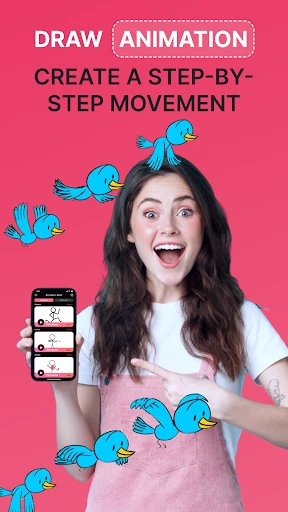

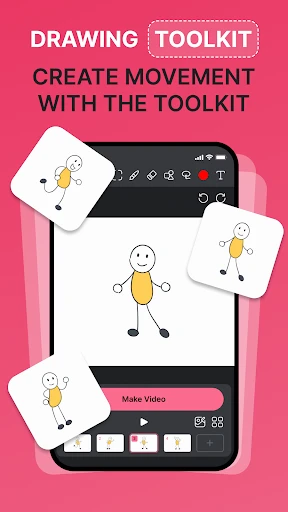
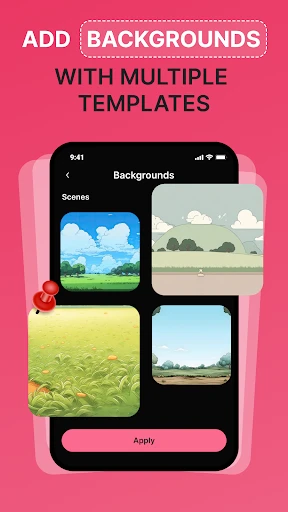
Animation Creator: Flipbook 2D - Simplified Hand-Drawn Animation Tool
Animation Creator: Flipbook 2D is a mobile application designed for creating traditional hand-drawn animations. It emulates the classic flipbook technique in a digital environment, allowing users to draw each frame sequentially and play them back as a continuous animation. The app focuses on simplicity and accessibility, making 2D animation creation available to beginners and hobbyists without requiring complex software or professional skills. It provides a straightforward interface for sketching, coloring, and timing animations on smartphones and tablets.
Chapter 1: Function
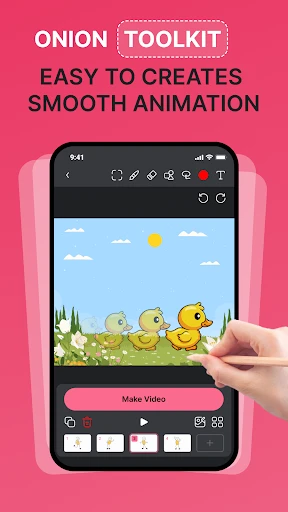
The core function of Animation Creator: Flipbook 2D is to enable users to produce frame-by-frame 2D animations directly on their mobile devices. The app provides a digital canvas with a set of basic drawing tools, including multiple brush sizes, colors, and an eraser. Users can create a sequence of frames by drawing each one individually, with the ability to use a lightbox feature that displays a faint overlay of the previous frame to guide consistent motion. The timeline interface allows adding, deleting, reordering, and duplicating frames. Playback controls let users preview their animation at variable speeds, typically ranging from 1 to 24 frames per second. Additional functions include exporting the finished animation as a video file or a GIF, and sharing it directly to social media or saving it to the device gallery.
Chapter 2: Value
Animation Creator: Flipbook 2D holds significant value as an entry-level animation tool that lowers the barrier to creating moving images. Its primary advantage is extreme simplicity: there are no layers, keyframes, or complex timelines that intimidate newcomers. This makes it an ideal educational aid for teaching the fundamental principles of animation, such as squash-and-stretch, timing, and motion arcs. For children and young learners, it provides a safe, non-commercial digital environment to explore creativity without advertising or in-app purchase pressure in its basic version. For adult hobbyists or artists who wish to quickly prototype ideas or create short loops, the app offers a distraction-free workspace. The low resource requirement ensures it runs smoothly on older or budget smartphones, expanding access. Its value also lies in immediate feedback: drawing five frames and pressing play shows an instant result, reinforcing the learning process. Compared to professional software like Toon Boom or Adobe Animate, this app sacrifices depth for speed and accessibility, making animation a casual, everyday activity rather than a specialized task.
Chapter 3: Scenarios
The primary target user groups for Animation Creator: Flipbook 2D are children aged 6 to 15 exploring animation for the first time, hobbyists who enjoy doodling and want to see their drawings come to life, and educators teaching basic art concepts. Common use cases include classroom projects where students create short narratives or scientific visualizations, such as the water cycle or plant growth. Individual users may use the app to animate simple stories, create reaction GIFs for messaging, or design short loops for social media posts. Another scenario is quick storyboarding: a filmmaker or illustrator can rapidly sketch out shots and timing before moving to more advanced software. The app is also frequently used for relaxation, as the repetitive process of drawing small changes across frames can be meditative. In community settings, it serves as a low-stakes group activity where friends take turns adding frames to a shared animation. The export-to-GIF feature particularly suits meme creation and sharing on platforms like Twitter or Tumblr.
Advantages
- one-finger flipbook drawing with instant onion skin preview
- exports high-res PNG sequences for professional compositing
- vector-based strokes remain crisp at any zoom level
- audio waveform sync for precise lip-sync animation
- offline operation with no cloud dependency
Disadvantages
- no bone rigging system for complex character animation
- maximum 60fps playback locked to project start
- single undo step per stroke
- not per action
- no automatic in-betweening or tween functions
- limited brush engine without pressure sensitivity settings
Frequently Asked Questions
Q: What is Animation Creator Flipbook 2D used for?
A: This app is designed for creating hand-drawn 2D flipbook animations directly on your device. Its core function is frame-by-frame drawing, allowing you to produce short animated clips. It requires no external equipment beyond a touchscreen, supports layers and onion skinning for precision, and outputs standard video or GIF files. There is no indication of professional-grade rendering or 3D capabilities.
Q: Is the app free to use or requires payment?
A: The app is free to download with basic features included. It offers in-app purchases to unlock advanced tools like additional layers, higher export resolution, or removal of watermarks. No subscription is mandatory, but core workflow improvements require payment. There are no hidden fees or rental models; it follows a one-time unlock structure for premium content.
Q: Does it work on both iPhone and iPad?
A: Yes, the app is compatible with both iPhone and iPad running iOS 14.0 or later, but the experience is optimized for iPad due to larger canvas area. It does not support macOS, Android, or web browsers. Stylus support is available on compatible devices, though finger drawing works as well. No Apple Pencil is required for basic use.
Q: Can I export animations with transparent background?
A: Exporting with a transparent background is not available in the free version. This feature is locked behind an in-app purchase. Even after purchase, the export format restricts transparency to PNG sequence or MOV with alpha channel; MP4 and GIF do not support transparency. The paid feature does not include background editing of already-saved exports.
Q: How do I recover my project if the app crashes?
A: The app does not have cloud-based autosave. Projects are stored locally on the device. Manual saving is required frequently. If a crash occurs, only data saved before the last manual save point is recoverable. There is no external restore service or undo history for crashes. Reinstalling the app will delete all local data unless backed up via iTunes file sharing or similar device backup method.
Technical Information
Recommended for You

Yandex Go: Taxi Food Delivery

Live Football Tv : Live Score

PDF File Reader

Manus AI
Calls Blacklist PRO - Blocker
Keyboard Maker: Keyboard Theme

WellSky Personal Care
Sad ringtones phone 2024

Universal Orlando Resort

Happy Birthday songs & wishes

Box Tops for Education™

Impact Ballistics

Super Funny Ringtones & Sounds

Plantum - Plant Identifier

USAA DriveSafe

The Guardian - Live World News

MoneyGram® Money Transfers App

Burmese TV Pro

K-LOVE

EVENTIM DE: Tickets for Events

Beat Tune - Offline Music

Bobby Approved

My crochet designer
