Draw Anime: AR Drawing Sketch

Draw Anime: AR Drawing Sketch
A fun AR drawing tool for anime fans to trace and create art easily.
Screenshots
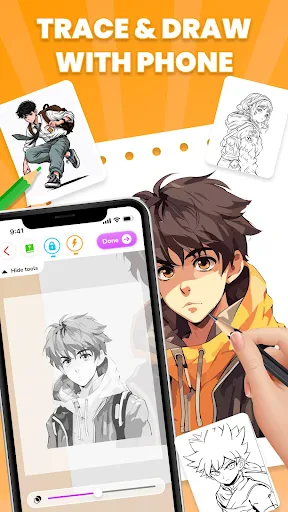
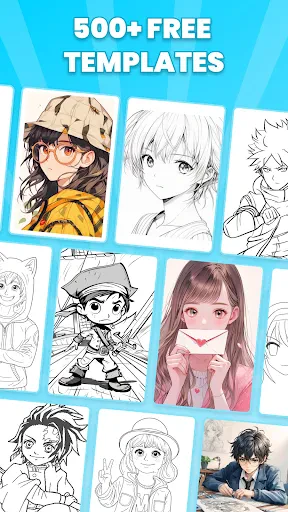
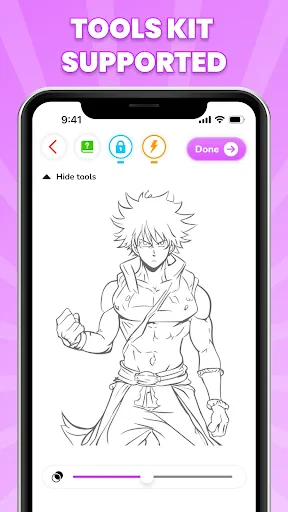
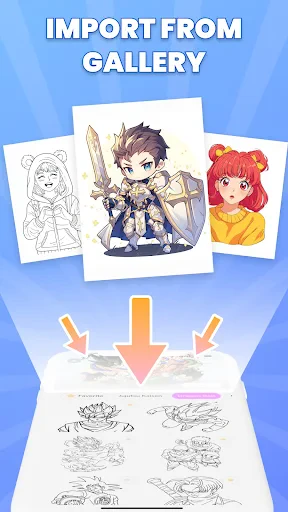
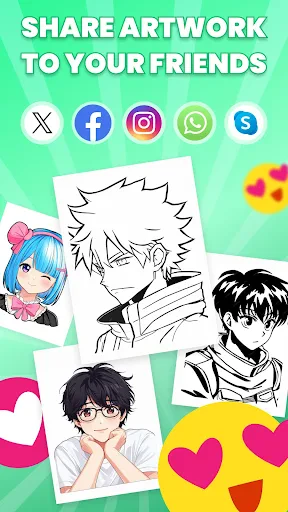
Draw Anime: AR Drawing Sketch – Augmented Reality Art Tool
Draw Anime: AR Drawing Sketch is a mobile application that leverages augmented reality technology to assist users in creating anime-style drawings. The app uses the device camera to overlay a digital reference image onto a real-world surface, allowing users to trace outlines, proportions, and details directly onto paper or a digital canvas. It combines traditional drawing techniques with modern AR precision, targeting both beginners and experienced artists seeking to improve their anime illustration skills.
Chapter 1: Function
The core function of Draw Anime: AR Drawing Sketch is to provide an AR-based tracing system that simplifies the process of drawing anime characters. Users select a reference image from the app library or import their own, then activate the AR mode. The app projects the image onto the camera viewfinder, which can be superimposed onto a physical drawing surface. Users can adjust brightness, contrast, and opacity of the overlay to see their pencil lines clearly. The app also includes a grid overlay feature to maintain scale and symmetry, a sketching guide that breaks down complex characters into basic shapes, and a photo capture tool to save the final artwork. Additionally, it offers a collection of pre-loaded anime templates, from faces to full-body poses, enabling step-by-step practice without requiring internet access for the base functions.
Chapter 2: Value
The primary value of Draw Anime: AR Drawing Sketch lies in its ability to lower the barrier to entry for anime drawing while enhancing accuracy for experienced artists. For beginners, the AR tracing function removes the intimidation of freehand drawing by providing a clear visual guide, building muscle memory and understanding of proportions. This accelerates the learning curve, as users can practice repeatedly with consistent references. For intermediate and advanced artists, the app serves as a time-saving tool for complex poses or perspective-heavy scenes, allowing them to focus on line quality and shading rather than struggling with initial sketches. The app’s key advantages include portability, as it works with any flat surface and standard drawing materials, and minimal setup, requiring only paper and a pencil. Compared to traditional lightbox tracing, the AR approach eliminates the need for physical printouts or a separate light source, making it accessible anywhere. The no-cost, offline-ready template library also adds value by offering diverse practice material without subscription fees. Moreover, the app supports skill transfer: users who trace regularly develop the ability to draw without assistance, as the app inherently teaches structural drawing habits.
Chapter 3: Scenarios
Draw Anime: AR Drawing Sketch is designed for a broad range of users from hobbyists to art students. Primary target groups include teenagers and young adults who are fans of anime and manga and want to learn drawing quickly without formal training. It also serves busy professionals who wish to unwind with a guided creative activity. Common everyday use cases include practicing at home using a tablet or phone propped against a stand, creating fan art of favorite characters, or completing drawing challenges that require accurate depiction of dynamic poses. Art teachers can incorporate the app into classroom exercises to demonstrate proportion techniques without time-consuming setup. Additionally, the app is useful for digital artists who want a fast way to generate base sketches before moving to digital coloring software. Parents may also use it as a low-cost, non-messy way to introduce children to structured drawing, as the app provides instant feedback through the visible overlay.
Advantages
- real-time camera overlay keeps proportions accurate
- step-by-step line guidance reduces beginner frustration
- ar tracking works without requiring a tripod
- export layers preserve original sketch resolution
- lightweight engine runs on mid-range devices smoothly
Disadvantages
- ar calibration fails in dim or textured lighting
- limited to frontal view; no 3d model rotation
- drawing stroke lag appears on older android versions
- no cloud sync for multi-device project continuity
- stencil library lacks non-humanoid subjects like mecha
Frequently Asked Questions
Q: What is the core function of Draw Anime: AR Drawing Sketch?
A: Draw Anime: AR Drawing Sketch uses augmented reality to project anime images onto paper or surfaces, allowing users to trace and sketch characters. It includes a library of anime templates, adjustable image settings, and a drawing guide. No advanced skills are needed, as the AR overlay simplifies proportions and details. The app is designed for learning and practicing anime art, focusing on tracing and replication.
Q: Is the app free or does it require in-app purchases?
A: The app is free to download with basic features, but it includes in-app purchases for premium templates, additional filters, and unlocking the full AR library. There is no mandatory subscription, but advanced tools like custom image uploads and ad removal require payment. No extra equipment is needed beyond a compatible device with a camera.
Q: What devices and systems are compatible with Draw Anime: AR Drawing Sketch?
A: The app supports iOS 14.0+ and Android 9.0+ devices with a rear camera and ARCore (Android) or ARKit (iOS) support. It is optimized for smartphones and tablets; not compatible with older models lacking AR sensors. Users need a stable surface to project images and sufficient lighting for best tracking performance.
Q: Does the app allow drawing without an internet connection?
A: Yes, the core AR tracing feature works offline once templates are downloaded. However, browsing the template library, purchasing premium content, and syncing progress require an internet connection. Offline mode limits access to new updates and cloud saving. The app is stable for basic use without constant connectivity.
Q: How can I fix common AR tracking issues or calibration problems?
A: Ensure the device camera is clean and the surface is flat with good lighting. Restart the app and recalibrate by scanning the area. If tracking drifts, adjust the template opacity or lock the image position. For persistent issues, update the app and system. No after-sales repair is available, but user guides and email support are provided for troubleshooting.
Technical Information
Recommended for You

TurboTax: File Your Tax Return

Forya - Video Chat & Meet

Smartsheet: Projects & Teams

Screen Mirroring TV & Miracast

Formula 1®

Kroger

Méliuz: Cashback e Cartão

RadarOmega

AR Tracer: Trace Drawing

File Miner

HD Camera

DogTok - Dog Translator Pro

Cabify

Pocket Novel

Pedi STAT EMS
![[KNA008] COMBINE](https://apk.ericdress.com/wp-content/uploads/2026/07/image731308511660044049.webp)
[KNA008] COMBINE

Poppo Live- Live Stream

Quora: the knowledge platform

Kwikpic - Smart Photo Sharing

GoFundMe

Freelancer: Hire & Find Jobs

Pampers Rewards

7-Eleven: Rewards & Shopping