RollerCoaster Tycoon® Classic

RollerCoaster Tycoon® Classic
Design thrill seekers run iconic parks with classic tycoon fun
Screenshots
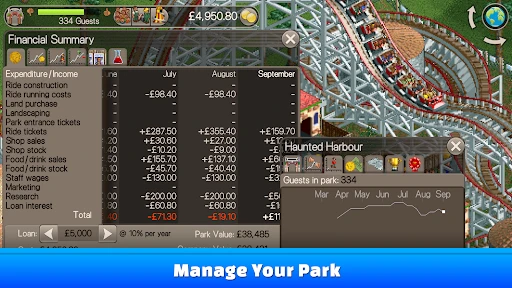
RollerCoaster Tycoon Classic Overview and Gameplay Guide
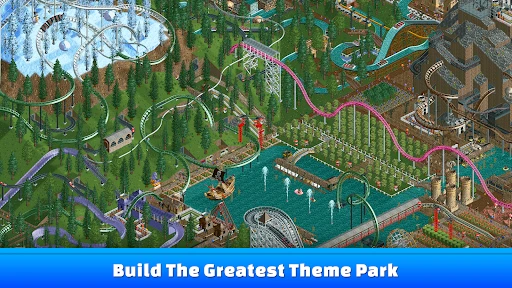
RollerCoaster Tycoon Classic is a mobile port of the beloved PC simulation game that combines the core mechanics of RollerCoaster Tycoon 1 and 2. Developed by Atari, it allows players to design, build, and manage their own amusement parks. The app retains the classic isometric graphics, detailed simulation systems, and sandbox-style creativity that defined the original titles. It includes over 95 pre-built scenarios, a toolkit for custom roller coasters, and a full park management system covering finances, staff, and guest satisfaction. The interface is adapted for touchscreens, offering both landscape and portrait modes, with options for zoom and smooth scrolling. Players can also unlock additional content via in-app purchases, such as the Wacky Worlds and Time Twister expansion packs. The app is available on both iOS and Android, with a one-time purchase model and no subscription fees.
Chapter 1: Function
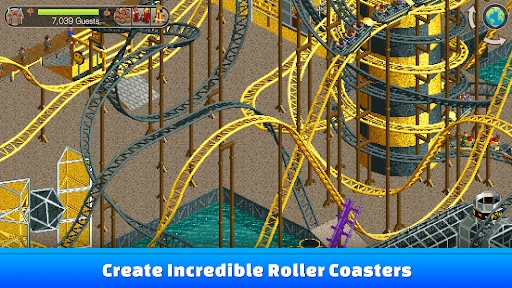
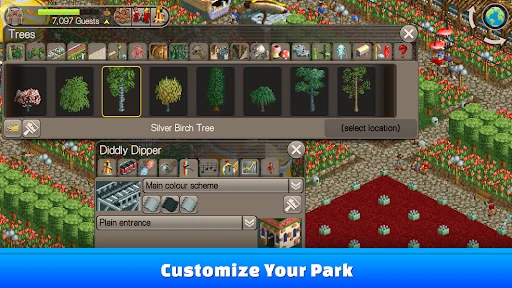
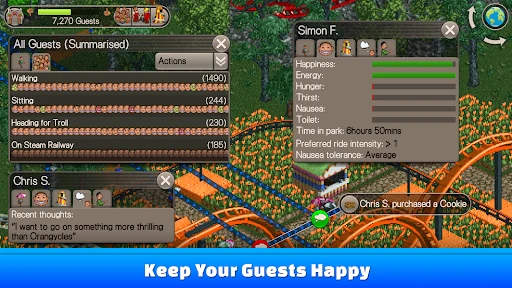
The core functions of RollerCoaster Tycoon Classic revolve around park creation, management, and simulation. Players start by selecting a scenario from a list of challenging parks with specific goals, such as achieving a certain number of guests or park value. The primary tools include a terrain editor for shaping land and water, a building menu for constructing shops, stalls, flat rides, and roller coasters, and a path system for connecting attractions. The ride designer is central, allowing users to build custom roller coasters by placing individual track pieces, adjusting height, speed, and loops. The simulation engine tracks guest behavior, including their mood, ride preferences, and spending habits. Players adjust ticket prices, hire staff like mechanics and entertainers, manage advertising campaigns, and research new ride technologies. The app also provides detailed statistics panels showing park income, expenses, guest count, and ride ratings, enabling real-time adjustments to optimize performance.
Chapter 2: Value
The value proposition of RollerCoaster Tycoon Classic lies in its faithful recreation of a classic simulation experience on mobile devices. Unlike many modern mobile games that rely on microtransactions or energy systems, this app offers a full, self-contained game with no pay-to-win mechanics. It provides deep strategic depth, requiring players to balance creative freedom with financial discipline. Key advantages include the sheer volume of content: over 95 scenarios that can take dozens of hours each to complete, plus the ability to play indefinitely in sandbox mode. The game teaches resource management and economic planning as players must budget for construction, upkeep, and loan repayments while maintaining guest happiness. The custom coaster builder is a unique selling point, offering endless replayability through engineering challenges. Because the original game code was designed for desktop, the simulation is robust, with complex guest AI that responds to park layout and ride excitement. For nostalgia-driven users, the app evokes the exact look and feel of the late 1990s original, with pixel art and sound effects intact. For new players, it serves as an accessible entry point into management sims without the complexity of modern sandbox games.
Chapter 3: Scenarios
The primary target user groups for RollerCoaster Tycoon Classic include fans of retro simulation games aged 25 to 45 who grew up with the original PC titles, as well as younger players interested in strategy and building games. In everyday use, a typical scenario involves a player commuting on public transport, using the app to fine-tune their park layout, adjust ride queues, or complete a challenging scenario step by step. Another common use case is during short breaks at work or school, where users can check guest satisfaction levels, assign staff, or plan new coaster lines. At home, players may spend longer sessions designing intricate custom roller coasters with multiple inversions and high excitement ratings, or experimenting with park layouts that maximize land usage. The sandbox mode is frequently used by creative players who want to build freely without budget or time constraints, constructing themed areas or recreations of real-world parks. Parents may also use the app as an educational tool to introduce children to basic economic concepts like profit and loss, supply and demand, and resource allocation. The app is equally suited for casual 10-minute check-ins and immersive multi-hour play sessions.
Advantages
- unlocks both RCT1 and 2 campaigns in one app
- touch controls map well to classic park-building precision
- includes all original scenarios and expansion packs
- offline play works without any internet connection
- faithful recreation of the original simulation engine
Disadvantages
- no multiplayer or online park sharing features
- UI scaling issues on larger tablet screens
- some users report random crashes on recent OS versions
- limited custom scenery options compared to PC mods
- purchased content does not sync between devices
Frequently Asked Questions
Q: What is the core gameplay of RollerCoaster Tycoon Classic?
A: RollerCoaster Tycoon Classic combines the original RollerCoaster Tycoon and its sequel into one mobile-optimized experience. Players build and manage amusement parks, design custom roller coasters using a grid-based editor, handle finances, hire staff, and maintain guest satisfaction across over 95 pre-built scenarios and sandbox mode.
Q: Is the app free to download with in-app purchases?
A: No, RollerCoaster Tycoon Classic is a paid app with a one-time purchase price. It includes all base content from both original games. There are no recurring subscriptions or additional in-app purchases beyond the initial download. All features and scenarios are fully accessible once purchased.
Q: Which devices and OS versions are supported?
A: The app is designed for iOS and Android devices. On iOS, it requires version 12.0 or later, compatible with iPhone, iPad, and iPod touch. On Android, it requires OS 5.0 or later and is optimized for tablets and phones with at least 1GB RAM. No external controllers or additional equipment are needed.
Q: Can I design custom roller coasters with real physics?
A: Yes, the coaster editor uses a realistic physics simulation including g-forces, speed, and track physics. Coasters must meet minimum safety and excitement ratings to operate. Poorly designed coasters with excessive g-forces or crashes will be marked as unsafe and cannot open until redesigned.
Q: Does the app support saving progress across sessions?
A: Yes, the app automatically saves your park progress to local device storage at regular intervals. Manual save options are also available via the pause menu. However, there is no cloud save or cross-device sync feature. Uninstalling the app will erase all local saves unless backed up manually.
Technical Information
Recommended for You

My Puppy Daycare Salon

Magic Research 2

Steering Wheel Evolution

Puppetman Off-Road

Zero to Hero: Pixel Saga

Sonic Dash 2: Sonic Boom Run

Hide in The Backrooms: Horror

Horror Beats: Phase 3

Hitman Sniper

Gin Rummy Plus: Fun Card Game

CubeCrafter

Ragdoll Break: Let's destroy!

I, The One — Fun Fighting Game

Satisroom: Perfectly Organize

Rider Worlds - Neon Bike Races

Hollywood Crush: Match3 puzzle

Top Heroes: Kingdom Saga

Putt-Putt® Saves the Zoo

Idle Weapon Shop

Rush Royale: Tower Defense TD

Temple Run

Chess - Clash of Kings

All in Hole
