Beats Playground
Screenshots
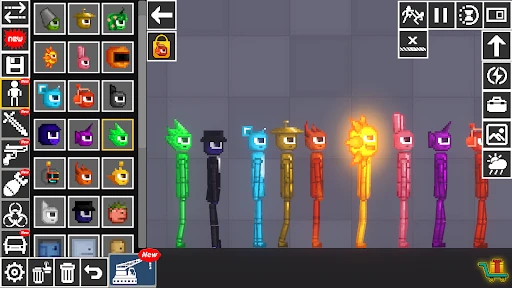
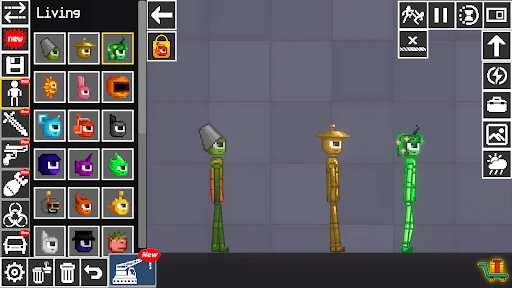
Beats Playground: Interactive Music Creation and Learning Platform
Beats Playground is a mobile application designed to make music production accessible and enjoyable for everyone, regardless of prior experience. It combines a user-friendly interface with powerful beat-making tools, allowing users to create, mix, and share original music tracks directly from their smartphones. The app serves as both a creative outlet and an educational tool, offering a playground for musical exploration without the complexity of traditional digital audio workstations.
Chapter 1: Function
The core functionality of Beats Playground revolves around an intuitive step sequencer and a library of high-quality sound packs. Users can construct rhythmic patterns by tapping on a grid, assigning different drum sounds, melodies, and basslines to individual beats. The app features real-time playback, allowing for immediate auditioning of changes. Additional core functions include a mixer for adjusting volume and panning of individual tracks, a library of over 200 pre-recorded loops and one-shot samples across various genres, and a simple recording module for capturing vocals or external sounds directly into a project. Users can also apply basic audio effects like reverb and delay to enhance their creations. The application saves projects automatically and allows for easy export of final tracks as audio files for offline listening or sharing.
Chapter 2: Value
The primary value proposition of Beats Playground lies in lowering the barrier to entry for music creation. Traditional music production software can be intimidating and expensive, but Beats Playground offers a streamlined, touch-centric experience that prioritizes fun and immediate results. This accessibility provides several key advantages. First, it serves as an excellent educational tool for children and beginners, teaching fundamental concepts of rhythm, structure, and sound layering through interactive play rather than theoretical lessons. Second, for experienced musicians, the app functions as a portable sketchpad for capturing and developing musical ideas on the go, without the need for a laptop or studio equipment. Third, its social sharing features cultivate a community of creators, allowing users to discover new sounds, remix each other's works, and gain inspiration. The app also offers regular content updates with fresh sound packs and themed challenges, ensuring that users always have new material to explore. By eliminating the steep learning curve and focusing on instant creative gratification, Beats Playground empowers users to express their musicality in minutes, not months.
Chapter 3: Scenarios
Beats Playground is designed for a diverse range of users and everyday situations. Its primary target user groups include hobbyist musicians who lack access to studio equipment, parents seeking educational and entertaining digital activities for their children aged 8 and up, and professional music producers looking for a rapid ideation tool. Common use cases are varied. A teenager might use the app on a school bus to craft a beat for a friend's rap project. A parent could introduce a child to musical concepts during a car ride, using the app's simple grid interface to teach rhythm patterns. A DJ might use it backstage to quickly sketch a new transition loop or groove before a performance. Additionally, content creators on platforms like Instagram or TikTok frequently use Beats Playground to generate unique background music or sound effects for their videos without worrying about copyright issues, as all in-app sounds are royalty-free. The app also proves useful in classroom settings for music teachers to demonstrate composition techniques interactively.
Advantages
- real-time beat mapping adjusts tempo to your steps
- AI mixes tracks based on user’s motion data
- no manual playlist creation needed for running
- syncs with Apple Watch for wrist-based control
- offline mode keeps beats playing without cell signal
Disadvantages
- step detection fails on uneven trail surfaces
- music library limited to partner catalog only
- requires Bluetooth headphones for full responsiveness
- HR data cuts off dynamic mixing in water
- no Android support restricts cross-platform use
Frequently Asked Questions
Q: What does Beats Playground do exactly?
A: Beats Playground is a music production and beat-making app designed for beginners and hobbyists. Its core function is to let users create original beats by mixing pre-loaded sound loops, samples, and drum patterns. Unique features include an intuitive drag-and-drop interface, real-time tempo adjustment, and a library of over 500 royalty-free sounds. No musical training is required; basic usage involves selecting sounds, arranging them on a timeline, and exporting the final mix as an audio file. Technical characteristics include low-latency audio processing and support for up to 16 audio tracks per project.
Q: Is Beats Playground free to use or does it require purchases?
A: The app is free to download and includes a basic set of 100 sounds and 50 loops. However, full access to the complete sound library of 500+ samples, advanced effects like reverb and EQ, and high-quality export formats (WAV 24-bit) requires a one-time in-app purchase of $4.99. No additional equipment or subscriptions are needed for standard use.
Q: What devices and systems are compatible with Beats Playground?
A: Beats Playground is compatible with iOS 13.0 or later on iPhone, iPad, and iPod Touch, as well as Android 8.0 or later on smartphones and tablets. It is optimized for both touch and mouse input. The app requires at least 200 MB of free storage space and 2 GB of RAM for smooth performance. No external hardware or special permissions are needed beyond standard device storage and microphone access (optional for recording voice samples).
Q: Can I export my beats as MP3 or share them directly to social media?
A: Yes, you can export your finished beats as MP3 (128 kbps) for free, or as WAV (24-bit) after the in-app purchase. Direct sharing options include exporting to your device's file system, sending via email, or uploading to platforms like SoundCloud and Instagram. However, direct integration with Spotify or Apple Music is not available. Exported files retain full ownership rights for personal or commercial use.
Q: How can I get help if I encounter issues with beats not playing or crashing?
A: For common issues like audio playback failing or app crashes, first ensure your device has at least 200 MB free storage and that the app is updated to the latest version. Restarting the app or device typically resolves temporary glitches. If problems persist, contact support through the in-app 'Help' menu, which provides a direct email form. Response time is usually within 48 hours. There is no live chat, but a detailed FAQ section is available offline in the app.
Technical Information
Recommended for You

Screw Pin Out!

Legend of The Moon2: Shooting

CarX Street

Coloring Book: Color by Number

Flashback: Tricky Fun Riddles

Screw Master 3D: Pin Puzzle

Western Survival Shooting Game

Words of Wonders: Zen

Pilot Simulator: Airplane Game

YAHTZEE With Buddies Dice Game

Trivia Night

Spider Action Fighting Game

Papa's Freezeria To Go!

SCHOOLBOY RUNAWAY - STEALTH

ePSXe for Android

Angry Birds Friends

Project Entropy

Stack the States® 2

Hitman Sniper
Tackle Battle:Send Them Flying

Magic Piano Music game

Stunt Car Extreme

Moto Rider GO: Highway Traffic