Meme Maker & Meme Creator

Meme Maker & Meme Creator
Meme Maker & Meme Creator: Craft fun memes easily for everyone
Screenshots
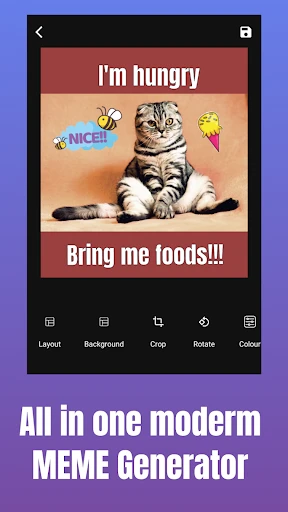
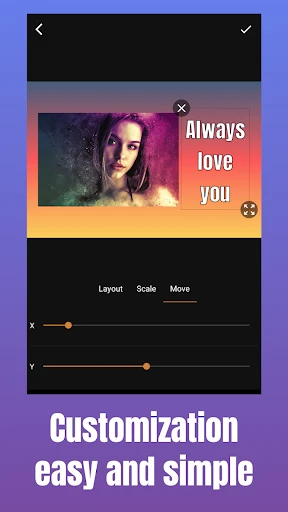
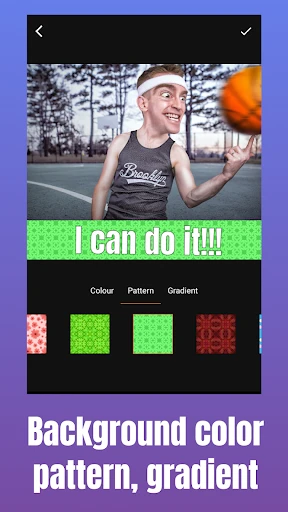
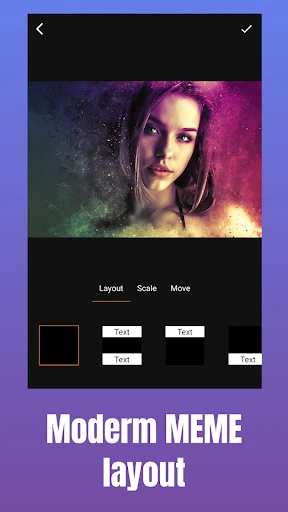
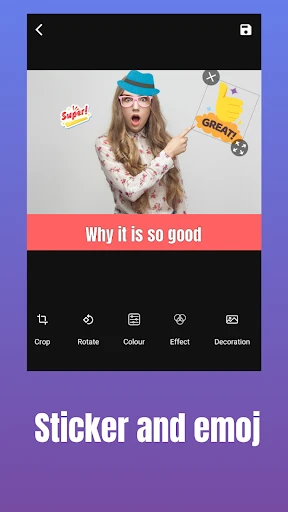
Meme Maker & Meme Creator: Your Ultimate Tool for Viral Humor
Meme Maker & Meme Creator is a dedicated mobile application designed to simplify the process of creating, editing, and sharing internet memes. It serves as a comprehensive toolbox for anyone looking to generate personalized humor quickly, offering a vast library of pre-loaded meme templates, an intuitive text editor, and advanced image manipulation features. The app eliminates the need for complex graphic design software, allowing users to produce high-quality memes directly from their smartphones. Its primary mission is to democratize meme creation, enabling both casual users and content creators to express ideas, comment on trends, or simply entertain their audience with custom visuals. By streamlining the workflow from template selection to final export, the app has become a go-to resource for social media enthusiasts.
Chapter 1: Function
The core functions of the Meme Maker & Meme Creator app revolve around simplicity and template accessibility. First, it provides a regularly updated gallery of over 1000 popular meme formats, including classic templates like Distracted Boyfriend, Drake Hotline Bling, and various reaction images. Users can easily search or browse these templates by category or popularity. Second, the app features a powerful text editor that allows for precise control over font style, size, color, alignment, and the addition of text outlines or shadows to ensure readability. Third, it includes basic image editing tools such as cropping, rotating, and applying filters, enabling users to modify the base image before adding text. Furthermore, the app offers direct meme creation from the user’s own photo library, turning personal photos into custom memes. Finally, it simplifies the sharing process by allowing one-tap exporting to high-resolution images, ready for posting on platforms like Instagram, Twitter, or WhatsApp. These functions collectively reduce the time required to create a polished meme from minutes to seconds.
Chapter 2: Value
The value proposition of Meme Maker & Meme Creator lies in its ability to combine speed, creativity, and social utility. For individual users, the app provides a low-friction creative outlet. It removes technical barriers, meaning anyone—regardless of design experience—can participate in the cultural conversation of meme sharing. The instant access to trending templates ensures that users can react to current events or internet trends in real time, which is crucial for maintaining relevance on social media. A key advantage is the app’s offline capability; many core features, such as template browsing and text editing, function without an internet connection, making it reliable for on-the-go use. For content creators and small brands, the app serves as a cost-effective marketing tool. It allows for rapid A/B testing of humorous content, enabling quick iteration based on audience engagement. The clean user interface minimizes frustration, while the ability to save drafts and revisit them facilitates batch content production. Additionally, the app’s export in high resolution ensures memes look professional, preventing the pixelation common with low-effort editors. Ultimately, its value is measured by how effectively it turns a fleeting idea into a shareable asset, fostering both personal expression and community interaction.
Chapter 3: Scenarios
The primary target user groups for Meme Maker & Meme Creator include social media managers, digital marketers, and general internet users aged 16 to 35 who actively participate in online communities. In a typical daily use case, a social media manager might use the app to quickly create a topical meme for a brand’s Twitter account, responding to a trending news story within minutes. Another scenario involves students, who often use the app to create inside jokes for group chats or campus forums, customizing templates with university-specific references. The app is also popular among casual users during downtime, such as during a commute, where they browse templates and craft humorous reactions to posts they see on other platforms. For example, a user may take a screenshot of a funny GPS error and then use the app to overlay a classic meme caption, turning a personal experience into a relatable post. Additionally, the app serves hobbyist communities, such as gaming or book clubs, where members use it to create memes discussing specific characters or plot points. These scenarios highlight the app’s versatility in bridging spontaneous personal humor with structured content creation, making it a daily tool for both fun and professional output.
Advantages
- adds custom text to any image with drag-and-drop
- includes meme templates regularly updated from trending subreddits
- exports directly to high-resolution PNG without watermarks
- supports batch meme creation for series or comics
- uses low storage space with offline template caching
Disadvantages
- lacks advanced layer editing like shadow or glow effects
- free version forces a 10-second ad after every export
- aspect ratio locked to 1:1 for square memes only
- text font library limited to 8 basic typefaces
- no direct share integration for Discord or Telegram
Frequently Asked Questions
Q: What is the core function of this app?
A: Meme Maker & Meme Creator is a mobile app designed to let users quickly create custom memes using their own photos or built-in templates. It offers a library of popular meme formats, text editing tools, and basic image filters. No professional skills are required, and the app supports exporting high-resolution images for sharing on social media platforms.
Q: Is the app free to use or does it require purchases?
A: The app is free to download and includes a set of basic meme templates and text tools. However, advanced features like premium templates, watermark removal, and sticker packs require a one-time in-app purchase or a subscription. No additional hardware equipment is needed for basic usage, only a compatible smartphone.
Q: What devices and systems are compatible with this app?
A: Meme Maker & Meme Creator is compatible with iOS 12.0 or later and Android 6.0 or later. It supports both smartphones and tablets, but the interface is optimized for phone screens. The app requires camera and storage permissions to access photos and save creations. There is no desktop version available.
Q: Can I remove the watermark from my memes?
A: Yes, you can remove the watermark, but this feature requires either a one-time in-app purchase or an active subscription. The free version automatically adds a small watermark to the bottom corner of each exported meme. Once the watermark removal is unlocked, there are no limits on the number of exports.
Q: How do I report a bug or get support?
A: If you encounter a bug or need assistance, you can use the in-app feedback form located in the settings menu. Alternatively, you can email the support team directly from the app store listing page. The developer typically responds within 48 hours. There is no live chat or phone support available.
Technical Information
Recommended for You

Music ringtones for android

AI Photo Editor - AIFoto
Set Battery Charging Animation

AI Art Generator: AI Picture

SmartNews: News That Matters

Binance: Buy Bitcoin & Crypto

PayPal POS (ex Zettle)

Wear OS by Google Smartwatch

Live football TV

Node Video - Pro Video Editor

ThemePro - Widget & Wallpaper

Baby Shark Hospital Play: Game

Pocket Toons

GIO: AI Headshot Generator

1 Second Everyday Video Diary

DuckDuckGo Browser, Search, AI

Golden Surveys - Make Money

Zodiac Palm Reader: MagicWay

DogPack: Dog Parks & Services

Drone App: Forecast for UAV

Prank Video Call - Fake Chat

Uber - Request a ride

Audyssey MultEQ Editor app