BuzzKill Notification Manager

BuzzKill Notification Manager
BuzzKill filters alerts to reduce distraction and phone addiction
Screenshots
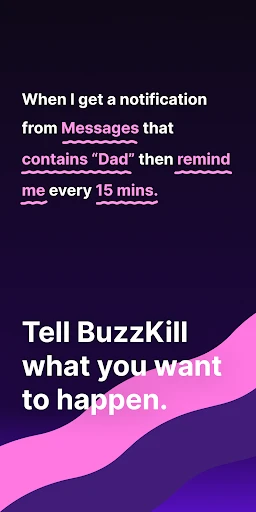
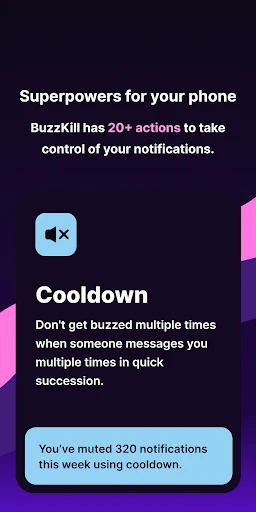
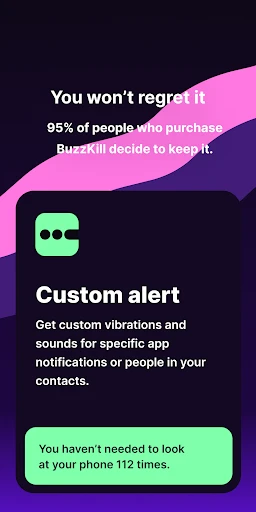

BuzzKill Notification Manager – Master Your Digital Distractions
BuzzKill Notification Manager is a highly customizable tool designed to give users granular control over their Android notification experience. Unlike standard system settings, it enables deep filtering, routing, and automation of alerts, allowing individuals to silence noise while prioritizing critical messages, ultimately transforming how they interact with their device.
Chapter 1: Function
BuzzKill offers a suite of core functions that redefine notification management. First, it introduces advanced rule-based filters: users can mute, block, or auto-dismiss notifications based on sender, app, keyword, or even the presence of specific text. Second, its scheduling feature allows automatic switching between profiles, such as a quiet work mode and a louder personal mode, triggered by time or calendar events. Third, the notification log provides a searchable history of all past alerts, ensuring no message is permanently lost even if accidentally dismissed. Fourth, it supports custom notification copying and sharing, enabling users to extract and forward critical details from an alert. Fifth, the app can force notifications to expire after a set duration, decluttering the tray. Finally, it integrates with automation platforms to trigger actions, like silencing the phone when a specific app sends multiple alerts within a minute, giving users unprecedented command over their notification flow.
Chapter 2: Value
The core value proposition of BuzzKill Notification Manager lies in reclaiming user attention and reducing cognitive load in an era of constant digital interruption. Its primary advantage is hyper-personalization: users are no longer forced to accept a binary choice between allowing all or none of an app's alerts. Instead, they can tailor rules that reflect their unique priorities, such as only seeing urgent emails from a boss while suppressing all promotional messages from the same service. This precision reduces anxiety by ensuring that the user never misses a high-stakes notification while eliminating low-value noise. Key benefits include enhanced productivity, as workers can focus for hours without unnecessary breaks; improved mental well-being, by preventing the stress of a constantly buzzing phone; and superior data management, since the searchable history prevents the loss of important information. Additionally, BuzzKill’s scheduling profiles adapt to daily rhythms, automatically enforcing digital boundaries during sleep, meetings, or family time. Unlike basic do-not-disturb modes, it allows exceptions based on context, such as letting calls from a doctor through while silencing text message threads. For power users, its compatibility with automation tools adds significant efficiency, turning repetitive manual toggling into invisible system operations. Ultimately, BuzzKill provides a framework for intentional technology use, giving users control back from the apps that vie for their attention, making it an indispensable tool for anyone overwhelmed by their smartphone’s constant demands.
Chapter 3: Scenarios
The primary target user groups for BuzzKill are professionals with high notification volume, such as project managers, developers, and sales representatives who receive hundreds of emails and messages daily. Everyday use cases include a consultant who sets rules to auto-archive all Slack alerts during deep work hours, except those containing a specific client name, ensuring focus without total isolation. A second common scenario involves a parent who schedules a profile for school pick-up time to allow only calls and texts from their child’s school while muting all social media pings. Third, a health-conscious user might configure rules to mute a calorie-tracking app’s daily reminders but keep its urgent glucose alert loud and visible. Another use case is for users with multiple messaging apps, where they can route all message notifications to a single, filterable list, eliminating the need to check separate apps. Finally, individuals prone to notification overload during travel can set a location-based profile that silences all non-essential alerts while in a car or airplane mode, only allowing navigation and calendar reminders through. These diverse scenarios underscore BuzzKill’s versatility as a daily driver for anyone seeking to curate their digital environment for peace, productivity, or personal preference.
Advantages
- silences grouped notifications with one tap
- not per-app
- uses on-device AI to auto-categorize spam vs priority alerts
- lets you set recurring quiet hours for specific contacts
- shows notification history even after dismissal
- no log setup
- works offline with zero data sent to cloud servers
Disadvantages
- requires manual training for AI categorization accuracy
- blocks notifications only from apps with granted permission
- no cross-device sync for quiet hour schedules
- in-app design feels cluttered on smaller screens
- some third-party widgets may still bypass filter rules
Frequently Asked Questions
Q: What does BuzzKill Notification Manager do?
A: BuzzKill is an Android app that filters and manages notifications based on custom rules. It allows users to mute, group, or redirect alerts by keyword, app, or sender, reducing distraction while retaining important messages.
Q: Is BuzzKill free to use with all features?
A: BuzzKill offers a free version with core filtering and blocking features. Advanced functions like recurring schedules, notification bundling, and backup require a one-time in-app purchase. No subscription is needed.
Q: Does BuzzKill work on all Android devices?
A: BuzzKill requires Android 7.0 (Nougat) or higher and Notification Access permission. It works on most phones and tablets, but manufacturer-specific skins (e.g., Xiaomi, Samsung) may limit some features due to system restrictions.
Q: Can BuzzKill filter notifications from any app?
A: Yes, BuzzKill can filter notifications from any installed app, provided the app sends standard Android notifications. Some apps with custom notification channels may have limited filtering precision.
Q: How does BuzzKill handle performance and battery drain?
A: BuzzKill runs as a lightweight background service and uses minimal battery—typically under 1% daily. No additional hardware is required. Users can pause the service if needed, and settings sync via backup files.
Technical Information
Recommended for You

Parental Control - Kroha

Clean Buddy - Antivirus

Nintendo Music

Lalatoon - Comics & Webtoon

AI Tutor - Math Homework Help

Samsung Galaxy SmartTag

FAMILIES | TalkingPoints

Tim Hortons

FaceSwap: Aging & Cartoon Me

PBS KIDS Video

ComiQuest - Comic Reader

WebNovel

YotePya

DMV Practice Test Permit Genie

Planner 5D: Home Design, Decor

Chic Me - Chic in Command

Paziresh24

Insomnia Cookies

Messages: Text SMS

Pentacomix

Navan

CarLink: MirrorLink & Car Play

All Recovery - Photos & Videos