Status Saver: Video Downloader

Status Saver: Video Downloader
Easily save videos and statuses for offline viewing anytime
Screenshots
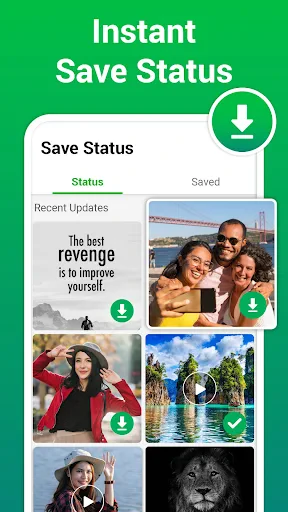
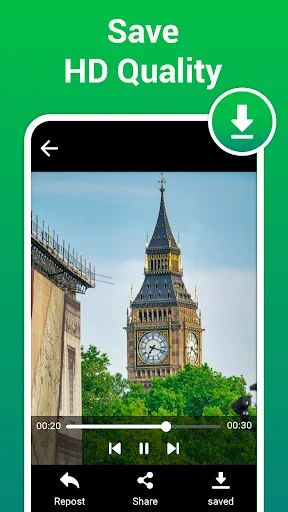
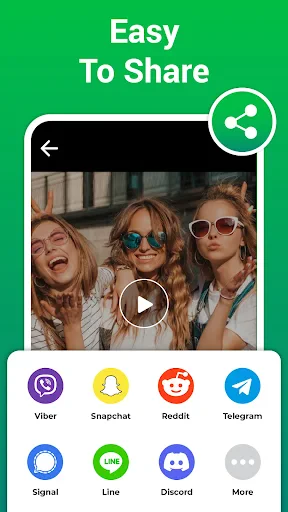

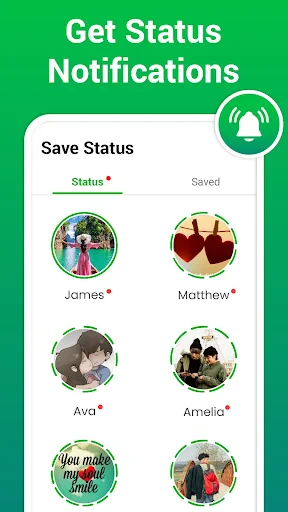
Status Saver: Video Downloader – Save and Share Moments Effortlessly
Status Saver: Video Downloader is a mobile utility application designed to help users download photos, videos, and status updates from popular social media platforms directly to their device gallery. The app focuses on simplicity and speed, enabling users to save high-quality content without watermarks or complex procedures. It supports multiple file formats and offers an intuitive interface for organizing saved media. By bypassing platform restrictions, it allows users to keep cherished posts, memories, or creative works offline for later viewing, sharing, or editing. The app is particularly useful for preserving temporary status updates that would otherwise vanish within 24 hours.
Chapter 1: Function
The core function of Status Saver: Video Downloader is to detect and download media content from social media statuses and feeds. When a user views a video or photo on a supported platform, the app automatically scans the cache or clipboard for the media file link. With a single tap, the user can save the file to their local storage in original resolution. The app also includes a built-in media viewer where downloaded items can be previewed before saving. Additional functions include batch downloading for multiple files, file categorization by date or platform, and direct sharing options to other apps. Some versions offer a private folder feature to protect sensitive downloads with password or fingerprint lock. The app does not require root access or complex configuration, making it accessible to casual users.
Chapter 2: Value
The primary value of Status Saver: Video Downloader lies in its ability to preserve ephemeral content and enhance user control over digital media. Many social media platforms impose time limits or prevent direct saving of status updates, which can frustrate users who want to keep content for personal archiving, inspiration, or sharing with non-platform users. This app bridges that gap by offering a legal loophole that aligns with personal use policies. Key advantages include zero loss of quality, fast download speeds even on slower networks, and offline access that saves mobile data. The user interface is minimalist, reducing learning time to seconds. For creators, it provides a way to collect reference material; for families, it allows saving video messages from loved ones before they expire. The app also updates regularly to adapt to platform changes, ensuring long-term reliability. Its lightweight design consumes minimal storage space and battery, making it a practical tool for daily media management.
Chapter 3: Scenarios
Primary target users include social media enthusiasts aged 16 to 45 who frequently view status updates on platforms like WhatsApp, Instagram, or Facebook. Common use cases include saving a friend’s travel vlog posted as a story, preserving a humorous video before it disappears, or collecting tutorial videos for offline study. Working professionals use it to archive product demos or client testimonials shared via status. Students download educational shorts or language learning clips. Parents save baby photos or milestone videos posted by relatives. Additionally, content creators and marketers use Status Saver to curate mood boards or analyze competitor campaigns. The app is also popular among users in regions with expensive or unreliable internet, as downloading during a Wi-Fi session allows later viewing without data charges. In summary, it serves anyone who wants to keep temporary media permanently without compromising quality or convenience.
Advantages
- uses WebKit API for faster video parsing without ads
- supports multi-platform links like TikTok
- YouTube
- bulk queue download with background processing capability
- extracts full HD without watermark for most sources
- offline access via in-app gallery with no login barrier
Disadvantages
- requires manual copy-paste of link for each download
- fails on age-restricted or private account content
- large 4K files may cause app slowdown on old devices
- no built-in browser or auto-detection of shared links
- limited to video and photo
- cannot handle audio-only streams
Frequently Asked Questions
Q: What does Status Saver do?
A: Status Saver: Video Downloader allows users to download videos and images from social media platforms like WhatsApp, Instagram, and Facebook directly to their device. It functions as a media saver, scanning for viewable content and providing a simple tap-to-save mechanism without requiring account login. No editing tools or cloud storage are included beyond local saving.
Q: Is the app free to use with no hidden costs?
A: The app is free to download and use for basic downloading features. However, it contains in-app advertisements and offers optional premium subscriptions for removing ads, enabling batch downloads, and accessing faster processing. No external equipment or additional permissions beyond storage access and internet connectivity are required for core functions.
Q: Which devices and systems are supported?
A: Status Saver is compatible with Android devices running OS version 5.0 and above. It is not available on iOS or desktop platforms. The app is optimized for smartphones and tablets, but performance may vary on lower-end hardware. It does not support smart TVs, wearables, or non-Android systems.
Q: How to download content from private accounts?
A: Status Saver only accesses publicly viewable media shared through statuses or stories on platforms like WhatsApp. It cannot bypass privacy settings, download from private accounts, or extract content behind login walls. Users must ensure the content is publicly accessible within their device’s current session or cache.
Q: Can downloaded videos be shared directly to other apps?
A: Downloaded videos are saved to the device’s local gallery or designated folder by default. They can be shared to other apps using standard system sharing menus, but the app itself does not provide built-in sharing, direct upload, or cross-platform posting features. Video quality remains unchanged from the source.
Technical Information
Recommended for You

Music Player & MP3 Player

Xiaomi Home

Tip Calculator

RxSaver – Prescription Coupons

DeepSkyCamera Pro

ScanSolve - AI Homework Helper

NFL

TV Cast Pro for Roku

Trucker Path: Truck GPS & Fuel

네이버 - NAVER

SuperCook - Recipe Generator

1.1.1.1 + WARP: Safer Internet

ReadAnywhere

Oscar Health

Video Maker Music Video Editor

Arlo Secure: Home Security

RoadWarrior Route Planner

FaceApp: Perfect Face Editor

Cartoonify Me – Toon Photos

Stop Motion Studio

Digital Iwasa Watch Face

Chatbot AI - Chat & Ask AI

KY3 Weather