All Document Plus

All Document Plus
Scan docs convert edit sign share collaborate
Screenshots

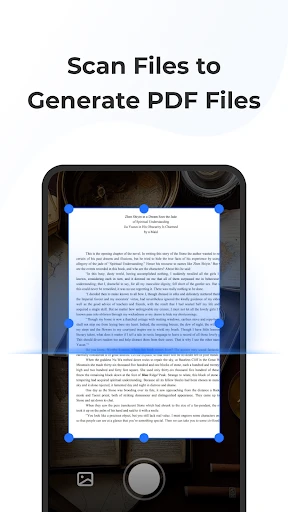


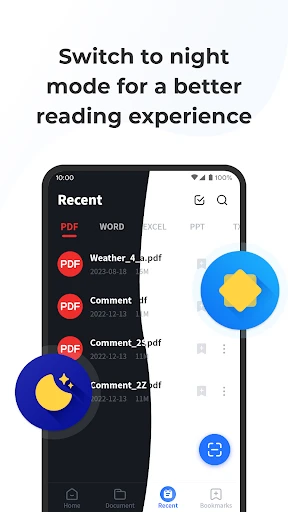
All Document Plus: Your All-in-One Document Management Solution
All Document Plus is a comprehensive mobile application designed to streamline the way you handle digital documents. It serves as a centralized hub for viewing, organizing, converting, and sharing a wide range of file formats, including PDFs, Word documents, Excel spreadsheets, PowerPoint presentations, images, and text files. The app eliminates the need for multiple specialized viewers by offering a single, unified platform that supports over 20 file types. Its intuitive interface ensures that both casual users and professionals can quickly access and manage their files directly from their smartphone or tablet. By combining powerful viewing capabilities with essential file management tools, All Document Plus simplifies daily document workflows, making it a practical tool for anyone who regularly interacts with digital content.
Chapter 1: Function
The core functions of All Document Plus revolve around universal file viewing and basic document management. First and foremost, it acts as a high-performance file viewer, supporting a vast array of formats from PDF and DOCX to XLSX, PPT, and common image types like JPEG and PNG. Users can open and read files directly from their device storage, email attachments, or cloud services without needing separate apps. Secondly, the app provides robust file organization features, allowing users to create folders, rename, copy, move, and delete documents within a clean, local file explorer interface. Thirdly, All Document Plus includes document conversion tools, most notably the ability to convert files to and from PDF format. Users can also compress PDFs to reduce file size. Finally, the app offers essential sharing and printing capabilities. Documents can be shared via email, messaging apps, or Bluetooth, and direct wireless printing support is integrated. These functions are delivered in a lightweight package that prioritizes speed and stability, ensuring that even large files open quickly and render correctly.
Chapter 2: Value
The value proposition of All Document Plus lies in its ability to consolidate multiple document-related tasks into a single, efficient application, thereby saving users time, storage space, and mental overhead. Its primary advantage is universal compatibility. Instead of searching for and installing separate viewers for PDFs, Office documents, and image files, users rely on one reliable app for all their reading needs. This eliminates app-switching and ensures a consistent user experience across different file types. A key benefit is its offline functionality. Unlike many modern document tools that require a constant internet connection, All Document Plus allows full access to locally stored files. This is critical for users in areas with poor connectivity, or for those who need to review sensitive materials securely without uploading them to a cloud server. The app also emphasizes privacy. All document processing, including conversion and compression, happens directly on the device. No files are sent to external servers, protecting user data from potential breaches. Another significant advantage is its lightweight design. Many competitors bloat their apps with unnecessary features and advertisements. All Document Plus remains streamlined, focusing on core functionalities to ensure fast performance, even on older or lower-powered Android devices. For professionals, the ability to convert and compress PDFs on the go provides substantial productivity gains, turning a mobile device into a functional document workstation. For students, the organizational features help manage lecture notes and assignment files seamlessly. Ultimately, the app delivers exceptional value by being a simple, powerful, and private tool that addresses a fundamental need: making document management on mobile devices effortless and reliable.
Chapter 3: Scenarios
All Document Plus serves a diverse range of target user groups across multiple everyday scenarios. The primary users include busy professionals, such as sales representatives, consultants, and managers, who frequently receive and need to review spreadsheets, PDF contracts, or slide decks while on the move. A typical scenario involves a salesperson opening a client’s large PDF proposal on their phone during a commute, quickly marking a few pages, and then sharing it via email directly from the app. Students form another core group. They use the app to view and organize lecture handouts, research papers, and notes saved in various formats. For instance, a student might download a Word document from an online portal, convert it to PDF for easier annotation, and then store it in a labeled folder for later exam review. Small business owners and freelancers also benefit greatly. An independent graphic designer might use All Document Plus to quickly view client briefs in DOCX format, check reference images, and compress large presentations before sending via a messaging app to save bandwidth. Additionally, the app is ideal for casual users who need a simple, no-fuss viewer for everyday documents. A user could open a downloaded recipe in PDF format while cooking, or browse a photo album organized within the app. In field service scenarios, technicians use it to access offline manuals and schematics stored on their tablet. By handling everything from viewing a single invoice to organizing hundreds of project files, All Document Plus proves versatile across both professional and personal contexts.
Advantages
- reads 50+ formats including DWG and PSD natively
- offline mode works without any internet connection
- opens password-protected PDFs and encrypted files
- zooms into high-res engineering drawings smoothly
- converts scanned images to editable text via OCR
Disadvantages
- no cloud sync or cross-device bookmarking
- large CAD files cause occasional app freezes
- cannot annotate or mark up most document types
- file export options limited to PDF and plain text
- search within scanned documents often misses OCR text
Frequently Asked Questions
Q: What formats does All Document Plus support for file viewing?
A: All Document Plus supports opening and viewing over 20 file formats, including PDF, DOCX, XLSX, PPTX, TXT, RTF, and image files. It also allows basic editing for text documents and spreadsheets, though advanced formatting may not render perfectly in all cases. No additional plugins are required.
Q: Is the app free to use or does it require in-app purchases?
A: The app is free to download and offers basic document viewing and editing functions. However, advanced features such as PDF annotation, cloud storage integration, and file conversion require a subscription or one-time in-app purchase. A free trial for premium features is available for 7 days.
Q: Does All Document Plus work offline without an internet connection?
A: Yes, the app functions fully offline for viewing and editing documents stored locally on your device. Features requiring internet access, such as cloud sync, sharing links, and online file conversion, will be disabled when offline. All local changes are saved automatically.
Q: How can I transfer files from my computer to the app?
A: You can transfer files via USB connection, email attachment, cloud storage services (Google Drive, Dropbox, OneDrive), or using the app’s built-in Wi-Fi file transfer feature. For iOS devices, iTunes file sharing is also supported. No dedicated desktop software is required.
Q: What should I do if the app crashes or fails to open a specific file?
A: First, ensure the file is not corrupted and is within the supported format list. Update the app to the latest version from the app store. If the issue persists, try restarting your device or reinstalling the app. For persistent problems, contact support via the app’s help menu; response time is typically within 48 hours.
Technical Information
Recommended for You

Mobs Maker for Minecraft PE

Slack

Centi PRO - Currency Converter

AutoZone Auto Parts & Repair

Haystack News: Local TV News

Spotify for Creators

Calculator: Simple Calculator

Metro

Stop & Shop

MySubaru

Hearing Clear: Sound Amplifier

マンガほっと -話題の漫画や人気コミックが読めるマンガアプリ

Remove Objects - Photo & Video

AdventHealth

Saily: An eSIM travel app

drawnames | Secret Santa app

tinyCam Monitor PRO for IP Cam

Coin Value - Coin Identifier

Skincare and Face Care Routine

GRUBL™ 4D Live Wallpapers + AI

HD Video Downloader Quick Save

FanDuel Sports Network

ULTRA Digital Retro watch face
