ADT Control ®

ADT Control ®
Smart home security for families with remote control
Screenshots
ADT Control: Comprehensive Home Security and Smart Automation Management
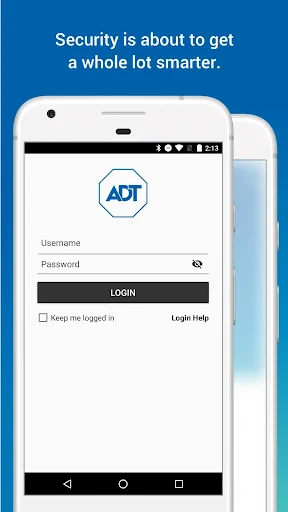
ADT Control is a mobile application designed to provide users with centralized management of their ADT security systems and compatible smart home devices. The app serves as a digital command center, enabling remote monitoring, system arming and disarming, and real-time alerts directly from a smartphone or tablet. It integrates with ADT security hardware, including door and window sensors, motion detectors, cameras, and smart locks, to offer a seamless security experience. The application is available for download on both Google Play and the Apple App Store, requiring a compatible ADT security system and an active monitoring subscription for full functionality. Its interface prioritizes user accessibility, allowing quick access to system status, event history, and device controls.
Chapter 1: Function
The core functions of ADT Control revolve around remote security system management and smart home integration. Users can arm or disarm their security system from anywhere using the app, eliminating the need to depend solely on physical keypads. The application provides push notifications for events such as door openings, motion detection, and system alarms, allowing users to respond immediately to potential incidents. It also facilitates live video streaming from connected cameras, enabling visual verification of activities at home or business premises. Additionally, ADT Control supports the control of smart devices like thermostats, lights, and locks, which can be programmed into automated routines. A built-in panic button feature offers a direct way to trigger an emergency response. The app also maintains a detailed event log, helping users review past activity and system status changes for security auditing purposes.
Chapter 2: Value
The value proposition of ADT Control lies in its ability to enhance security, convenience, and peace of mind through remote accessibility and automation. One key advantage is the reduction of response time during security breaches; real-time alerts and live camera feeds allow users to instantly assess situations and contact authorities if necessary, potentially preventing property loss or harm. The app also eliminates geographic limitations, meaning homeowners can check system status while traveling, and business owners can monitor their premises after hours from a single device. Another advantage is the integration of smart home controls, which simplifies daily routines. For example, users can create a Goodnight mode that locks doors, arms the security system, and adjusts thermostat settings simultaneously, saving energy and ensuring security without manual checks. The panic button feature provides an additional layer of safety, particularly for vulnerable individuals such as elderly family members living alone. Furthermore, the app promotes accountability by maintaining a timestamped history of system events, which can be useful for resolving disputes or tracking package deliveries. Overall, ADT Control transforms a traditional security system into an intelligent, user-centric solution that adapts to modern lifestyles.
Chapter 3: Scenarios
The primary target user groups for ADT Control include homeowners, renters, and small business owners who prioritize property security and convenience. Homeowners with families benefit from the app by monitoring children arriving home from school, receiving alerts when doors are left ajar, or checking on pets while away. Renters in apartments can use the app to ensure their unit is secured without needing physical keys, particularly when traveling. Small business owners, such as retail store managers, use ADT Control to access camera feeds after closing hours and receive immediate notifications of unauthorized entry, allowing remote verification before dispatching security personnel. Everyday use cases include arming the system when leaving for work, disarming before entering the front door, and receiving package delivery alerts via motion detection. The app is also used in scenarios where users need to grant temporary access to service providers, such as cleaners or repair technicians, by remotely unlocking smart locks and disarming the system for a scheduled window. Additionally, individuals with mobility challenges use ADT Control to manage home security and automation without needing to physically interact with wall panels, enhancing independence and safety.
Advantages
- siren triggers via app with no monthly fee
- z-wave plus radio supports 200+ smart home devices
- 24/7 professional monitoring with cellular backup
- motion sensor detects pets up to 80 lbs
- live video view from doorbell and indoor cameras
Disadvantages
- requires professional installation for most packages
- contract lock-in for premium monitoring plans
- no native HomeKit or Thread support yet
- app interface can lag during high-demand events
- add-on sensors raise total cost quickly
Frequently Asked Questions
Q: What is ADT Control and what does it do?
A: ADT Control is a home security and automation app that allows users to arm/disarm their ADT security system, receive real-time alerts, control smart home devices like locks and thermostats, and view live camera feeds. It serves as the central hub for managing ADT-equipped properties remotely via smartphone.
Q: Is ADT Control free to use or does it require a subscription?
A: The ADT Control app is free to download, but full functionality requires an active ADT security monitoring subscription (monthly or annual). Certain features like video recording and smart device integration may depend on your specific service tier. No additional in-app purchases are needed beyond the subscription.
Q: Which devices and operating systems are compatible with ADT Control?
A: ADT Control supports iOS 13.0+ and Android 8.0+ devices, including smartphones and tablets. It requires a compatible ADT security panel (e.g., ADT Command or ADT Smart Hub) and a stable Wi-Fi or cellular connection. Not all ADT legacy systems are supported; check compatibility on the ADT website.
Q: Can I control multiple ADT systems or locations within one account?
A: Yes, the app allows managing multiple ADT systems under a single account, each with independent arming, device control, and alert settings. Users can switch between locations from the main dashboard. However, system limits apply based on your subscription plan—contact ADT support for specific capacity details.
Q: How do I troubleshoot if the app fails to connect to my ADT system?
A: First, ensure your smartphone has an active internet connection and the ADT panel is powered on. Restart the app and check for system updates. If the issue persists, verify that your panel’s cellular or Wi-Fi signal is strong. For persistent disconnections, contact ADT technical support (1-800-ADT-HELP) as the panel may require service.
Technical Information
Recommended for You

Quran Pro: Read the Holy Quran

Hard Rock Bet: Betting, Casino

Safe Surfer: Block Porn & Apps

Bonjour RATP

Vivaldi Browser - Fast & Safe

Al Quran Sharif for Muslim

The Guardian - Live World News

Easy Language Translator App

CoinMarketCap: Crypto Tracker

HealtheLife

FIFA Official App

Coda

Miles - Video chat online

OBD2 Car Scanner - ELM Torque
BeautyTheme: Icons & Widgets

Be Closer: Family location

Blend Photos - Photo Blender

MyRadar Weather Radar

Xpress Downloader - Video Hub

HolMe Dating app: Meet People

Bose

Paramount+

lPlayer - Offline Video Player