Cync (the new name of C by GE)

Cync (the new name of C by GE)
Smart home control lighting scenes for busy families
Screenshots
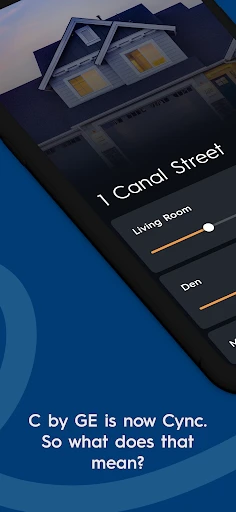
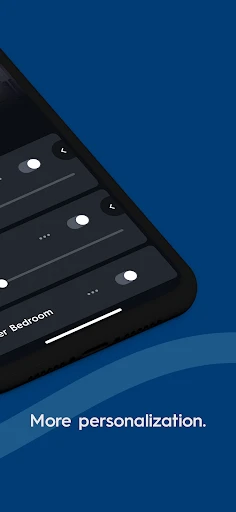

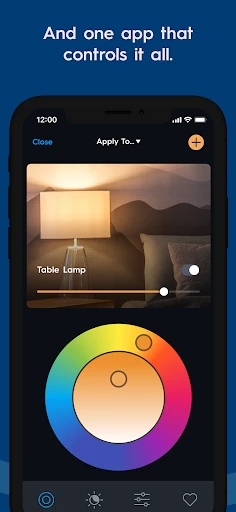
Cync Smart Lighting Control App Overview
Cync, the successor to C by GE, is a smart home application designed to control GE-branded smart lighting products. The app enables users to manage light bulbs, switches, and plugs through a centralized interface, offering both manual and automated control via Wi-Fi or Bluetooth. It focuses on simplicity, allowing for quick setup without requiring a separate hub, and supports voice commands through Amazon Alexa and Google Assistant. Cync aims to make smart lighting accessible to everyday users by combining essential features like scheduling, dimming, and grouping with a user-friendly design.
Chapter 1: Function
Cync provides core functions centered on lighting control and automation. Users can turn lights on or off, adjust brightness levels, and change colors for compatible RGB bulbs directly from the app. The app supports grouping devices into rooms or zones for simultaneous control, such as dimming all living room lights at once. Scheduling allows users to set timers for lights to turn on or off at specific times, enhancing convenience and energy efficiency. Cync also offers away-from-home control via Wi-Fi, enabling users to manage lights remotely when connected to a compatible Cync smart switch or plug. Additionally, the app integrates with voice assistants for hands-free operation, and its Bluetooth-based setup ensures quick installation without complex network configuration. These functions prioritize reliability and ease of use, positioning Cync as a straightforward tool for everyday lighting management.
Chapter 2: Value
Cync delivers significant value by bridging affordability and functionality in the smart home market. Its primary advantage is the hub-free operation, which reduces upfront costs and eliminates the need for additional hardware, making it accessible to users who are new to smart home technology. The app supports a wide range of GE lighting products, including bulbs, switches, and plugs, allowing users to expand their system gradually without compatibility issues. Cync enhances daily life through energy savings, as scheduling and remote control help reduce unnecessary power usage. The ability to create custom scenes, such as setting a warm dim light for reading or a bright white for cleaning, adds personalization that improves comfort and productivity. For households, the app enables shared access, so family members can control lights from their own devices. Security benefits emerge from the away-from-home feature, which lets users simulate occupancy by turning lights on and off randomly, deterring potential intrudents. Compared to competitors, Cync’s integration with major voice platforms and its focus on minimal maintenance set it apart, offering a reliable solution that respects users’ time and budget. Overall, the app’s value lies in its ability to simplify smart lighting without sacrificing essential features.
Chapter 3: Scenarios
Cync targets a broad audience, including homeowners, renters, and tech enthusiasts who seek an entry-level smart lighting system. Primary users are individuals looking for convenience in daily routines, such as parents who wish to automate children’s bedtime lights or professionals wanting to control home lighting while traveling. The app also appeals to elderly users who benefit from voice control and remote access to reduce physical effort. Everyday use cases include setting a morning wake-up routine where lights gradually brighten, turning off forgotten lights from bed, and creating a theater-like dim environment for movie nights. In rental apartments, tenants can install smart bulbs without permanent modifications, using Cync to manage lighting without landlord restrictions. For small businesses, such as cafes or retail spaces, the app facilitates simple ambiance changes and energy scheduling. Outdoor use extends to controlling porch lights or holiday decorations via timers. Cync’s intuitive interface ensures that even non-technical users can adopt it quickly, while its scalability supports growing setups. By addressing common pain points like misplaced keys or high electricity bills, the app integrates seamlessly into everyday life, providing practical solutions for diverse households.
Advantages
- dimming and color tuning without a hub
- works with both Alexa and Google Home
- no subscription required for full features
- schedules and automations run on device
- supports Matter for cross-platform compatibility
Disadvantages
- bluetooth range limits remote control reliability
- requires strong Wi-Fi for multi-light setups
- setup process can fail with older routers
- no native HomeKit support without Matter bridge
- firmware updates occasionally reset custom scenes
Frequently Asked Questions
Q: What is Cync and what does it do?
A: Cync is a smart home app for controlling GE-branded smart lights, switches, and plugs. It allows users to adjust brightness, color, and schedules via Wi-Fi or Bluetooth. No hub is required for most devices, and it supports voice control through Alexa and Google Assistant. The app replaced C by GE, offering similar core functions with an updated interface.
Q: Is Cync free to use or does it require in-app purchases?
A: Cync is free to download and use for basic lighting controls, schedules, and scenes. However, some advanced features like dynamic lighting effects or integrations with third-party platforms may require purchasing additional hardware or subscribing to future premium services. Currently, no mandatory in-app purchases are needed for standard operation.
Q: Can Cync work with Apple HomeKit or other smart home systems?
A: Cync supports Amazon Alexa, Google Assistant, and works with Samsung SmartThings via a separate integration. It does not natively support Apple HomeKit. Users with HomeKit-compatible lights may need to use alternative controllers. The app relies on Wi-Fi (2.4 GHz) and Bluetooth for direct device communication without a hub.
Q: How do I fix frequent disconnections between Cync and my lights?
A: Ensure your smartphone is on the same 2.4 GHz Wi-Fi network as the lights. Move the lights within 30 feet of the router if using Bluetooth. For Wi-Fi devices, avoid interference from thick walls or metal objects. Resetting the device via the app's troubleshooting menu often resolves pairing issues. If problems persist, check for firmware updates.
Q: null
A: First, confirm the device is powered on and in pairing mode (usually indicated by a flashing light). Disable mobile data and VPN, then force-close and reopen the app. Reset the device by toggling power off/on three times. If using Bluetooth, enable location permissions for the app on Android. For Wi-Fi devices, ensure your router is not blocking the device's MAC address.
Technical Information
Recommended for You

Meeting - Video Meeting

Miles - Video chat online

BlueDriver OBD2 Scan Tool

CallApp: Caller ID & Block

BabySparks - Development Activ

Happy Kids Timer Chores

Roadie Driver

QuickBooks Workforce

Nayo: Chat, Meet & Dating App

AMI Play

Hyde App Hider - Hide Apps

Clap to Find My Phone

Flowt Wear

Viki: Asian Dramas & Movies

CryptoWatch

SportsEngine – Team Management

Talking Ben the Dog

Today's Hit Music Ringtones

Upside: Cash Back - Gas & Food

MyChart

Tour Tempo Golf Total Game

BetMGM - Online Sports Betting

Receipt Pal Scanner & Rewards
