Stellarium Mobile - Star Map

Stellarium Mobile - Star Map
Stargazers explore sky with realistic star map and astronomy tools
Screenshots

Stellarium Mobile - Star Map: Your Personal Planetarium in Your Pocket
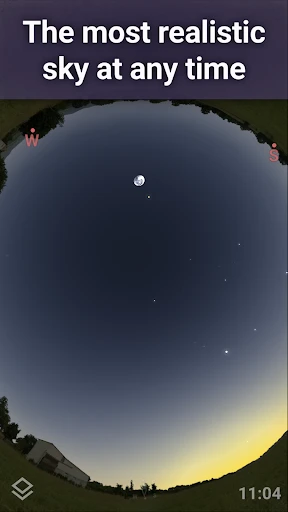
Stellarium Mobile - Star Map is a sophisticated astronomy application that transforms your smartphone or tablet into a virtual planetarium. Developed by the creators of the renowned desktop version, this app offers an accurate and immersive simulation of the night sky. It uses your device’s sensors to align the star map with your real-world view, allowing you to identify stars, planets, constellations, satellites, and deep-sky objects in real time. With detailed 3D graphics, a comprehensive database, and intuitive controls, Stellarium Mobile is a powerful tool for both casual stargazers and dedicated amateur astronomers.
Chapter 1: Function
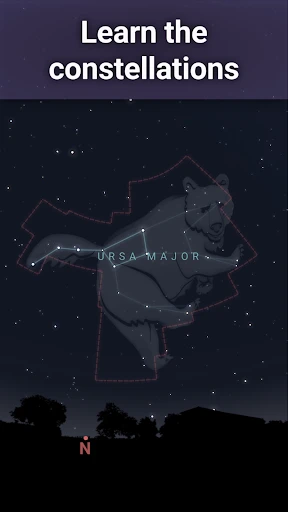
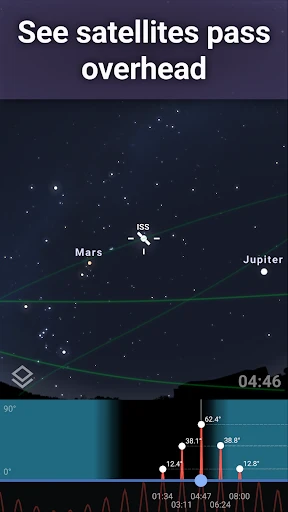
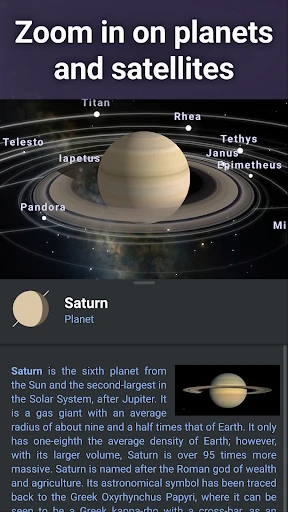
The core function of Stellarium Mobile is real-time sky mapping and celestial object identification. Upon launching, the app uses your GPS location and device orientation to display an accurate representation of the visible sky. You can simply point your phone upward, and the app will label every visible star, planet, and constellation. Its extensive database includes over 600,000 stars, the entire Messier catalog, all 88 recognized constellations, and major planets from Mercury to Neptune. Additional features include a night mode that preserves your dark-adapted vision, a time-lapse simulation to view past or future celestial events, and the ability to zoom in for detailed views of deep-sky objects like nebulae and galaxies. The app also tracks artificial satellites, including the International Space Station, and provides ephemeris data for precise astronomical planning.
Chapter 2: Value
Stellarium Mobile provides exceptional value by democratizing astronomy. Its primary advantage is accessibility: it removes the need for expensive telescopes or encyclopedic knowledge. The intuitive user interface, combined with gyroscopic tracking, makes it instantly usable for beginners during a casual evening walk. For educators and students, the app serves as an interactive teaching tool that visualizes complex concepts like planetary motion and constellation myths. The app’s accuracy is a key differentiator; it calculates celestial positions with scientific precision, making it reliable for observation planning. The time simulation feature is invaluable for predicting events like meteor showers, solar eclipses, and planetary alignments days or years in advance. Offline functionality ensures usability in remote camping or wilderness locations, where internet connectivity is often unavailable. Additionally, the clean, ad-free experience and regular database updates ensure long-term utility. Whether you need to identify a single bright object, plan a deep-sky imaging session, or simply inspire wonder about the universe, Stellarium Mobile delivers professional-grade capability in a lightweight mobile package.
Chapter 3: Scenarios
The primary target users for Stellarium Mobile include amateur astronomers, students, educators, and nature enthusiasts. A key everyday use case is backyard observation: a family uses the app during a summer night to identify Jupiter and its moons, sparking a child’s curiosity about the solar system. For educators, it becomes a portable teaching aid in a school astronomy club or during a field trip to a dark-sky site, where they can point the device at a faint nebula and instantly provide historical and scientific context. Another common scenario is trip planning: a photographer uses the time-lapse feature to find the exact position of the Milky Way for a landscape astrophotography shoot, ensuring the perfect composition. Travelers also benefit, using the app to learn the visible constellations from different latitudes during overseas vacations. In survival or outdoor education contexts, the app can even serve as a celestial navigation reference, identifying prominent stars and their directional significance.
Advantages
- real-time sky view aligns with device orientation
- star patterns rendered with high-precision 3D engine
- tracks satellites and comets with ephemeris data
- night mode preserves dark adaptation for outdoor use
- offline star catalog works without cellular signal
Disadvantages
- battery drains quickly during extended sky scanning
- bright city backgrounds obscure faint deep-sky objects
- 3D rendering lags on older smartphone processors
- manual calibration drifts if magnetic compass not re-calibrated
- small touch targets for tapping distant DSOs at night
Frequently Asked Questions
Q: What is Stellarium Mobile - Star Map used for?
A: Stellarium Mobile is a planetarium app that simulates the night sky in real-time. It allows users to identify stars, constellations, planets, and deep-sky objects by pointing their device at the sky. Core features include a realistic 3D sky model, time controls, and a search function for celestial bodies. It is designed for both amateur stargazers and astronomy enthusiasts without requiring any external hardware.
Q: Is Stellarium Mobile free to use or does it require payment?
A: The app offers a free version with basic sky simulation and ads. For full features, such as deep-sky object details, larger star catalogs, and no ads, users must purchase the paid version via in-app purchase. No additional equipment is required beyond the device itself. The free version is sufficient for casual stargazing, while the paid version suits serious observers.
Q: Which devices and systems are compatible with Stellarium Mobile?
A: Stellarium Mobile is compatible with smartphones and tablets running Android 5.0+ or iOS 12.0+. It supports both phones and tablets, but optimal performance is achieved on devices with at least 2GB RAM and a decent GPU. The app uses GPS and accelerometer for automatic sky alignment, requiring location and motion permissions. No internet connection is needed after initial download.
Q: Can Stellarium Mobile identify stars in daylight or indoors?
A: The app cannot display actual stars during daylight or indoors because it relies on real-time sky simulation based on time and location. In bright conditions or without an unobstructed view of the sky, the automatic sky identification feature may not function. Users can manually set the time to night mode for simulation, but live identification via camera overlay is not supported.
Q: How do I troubleshoot if the sky map does not match the real view?
A: First ensure location services are enabled and GPS is active, as the app uses them for accurate alignment. Calibrate the device's compass by moving it in a figure-8 pattern. Check if the time and date are set correctly, including daylight saving settings. If the issue persists, restart the app or reinstall it. The app does not offer direct customer support, but an in-app FAQ and online forums provide common solutions.
Technical Information
Recommended for You

AI Baby Generator: Face Maker

Camera endoscope / OTG USB

MERO - Programări Online

Find a Grave

Weather Now Launcher - Radar

LinkedIn Learning

Watch Duty (Wildfire)

Ringtones for Android Phone

AstroLink Proxy

Jewel-Osco Deals & Delivery

Good Morning Wishes

Silly Smile Live Wallpaper 4K

BlackPlayer EX

Home AI - AI Interior Design

Pocket Broker - trading

Second Phone Number - 2Number

Home Security Camera - SeeCiTV

Coin Identifier - Coin Value

Speedway: Rewards & Shopping

Samsung Print Service Plugin

Barber Chop

Papa Johns Pizza & Delivery

AI Video Maker: Photo & Music