ABP for Samsung Internet

ABP for Samsung Internet
ABP for Samsung Internet blocks ads fast for cleaner browsing
Screenshots
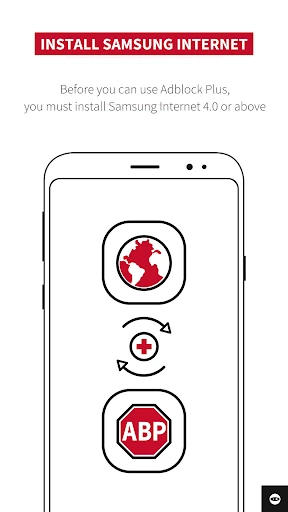


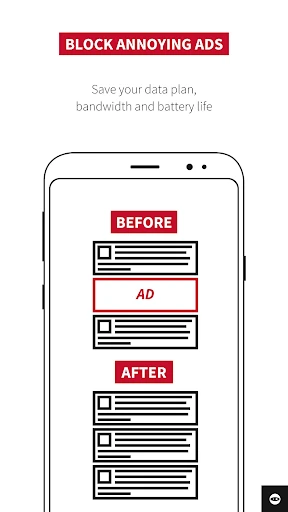

ABP for Samsung Internet - Ad Blocking Extension for Samsung Browser
ABP for Samsung Internet is an ad-blocking extension specifically designed for the Samsung Internet browser on Android devices. It integrates seamlessly with the browser to filter out intrusive advertisements, pop-ups, and tracking scripts, enhancing page loading speed and user privacy. The extension is built on the foundation of Adblock Plus, a widely recognized ad-blocking technology, and is available for free installation directly from the Samsung Galaxy Store or Google Play.
Chapter 1: Function
ABP for Samsung Internet performs real-time content filtering as users browse web pages. It automatically blocks display ads, video ads, interstitial ads, and malicious pop-ups by comparing page elements against regularly updated filter lists. Users can customize which ads to block or allow through whitelisting specific websites. The extension also reduces data usage by preventing the loading of unnecessary ad content and minimizes distractions for a cleaner reading experience. Additionally, it provides a protection layer against tracking scripts and known malware domains, improving overall security during browsing sessions.
Chapter 2: Value
The core value proposition of ABP for Samsung Internet lies in its ability to deliver a faster, safer, and more focused mobile browsing experience. By removing resource-heavy advertisements, it significantly reduces page load times, which is especially beneficial on slower mobile networks or older devices. Battery life is conserved as fewer background scripts run, and mobile data consumption decreases, helping users avoid exceeding data caps. Privacy protection is a key advantage, as the extension blocks third-party trackers that collect browsing habits without consent. For users who frequently encounter intrusive or misleading ads, this extension restores control over their visual experience. It is also entirely free with no premium tiers, making it accessible to all Samsung Internet users. Unlike some ad blockers that break website functionality, ABP for Samsung Internet maintains compatibility with most popular sites through its Acceptable Ads program, which allows non-intrusive ads by default. This balance ensures that publishers can still generate revenue from respectful advertising while users enjoy a less cluttered environment. The extension updates automatically to adapt to new ad formats, providing long-term reliability without manual intervention.
Chapter 3: Scenarios
Primary target users include Android smartphone owners who use Samsung Internet as their default browser and are frustrated by aggressive pop-ups, autoplay video ads, or slow-loading pages on news sites, forums, or blogs. Everyday use cases involve reading articles without sidebar or overlay ads obscuring text, shopping on e-commerce platforms where product listings are clean of promotional banners, and watching streaming video content with fewer pre-roll interruptions. It is frequently used by privacy-conscious individuals who want to minimize tracking during casual web searches, and by students or professionals who need to concentrate on research materials without visual noise. Travelers with limited or pay-per-megabyte data plans also benefit from reduced data consumption. The extension is particularly useful on websites known for high ad density, such as recipe blogs, sports score trackers, or tech review pages.
Advantages
- blocks all ads in Samsung Internet without root
- uses Samsung's native content blocker API for efficiency
- enables cosmetic filtering to hide blank ad slots
- supports custom filter lists for niche site needs
- open-source with frequent updates for new ad patterns
Disadvantages
- limited to Samsung Internet
- no cross-browser support
- requires manual enabling in browser settings after install
- some anti-adblock scripts bypass filter lists easily
- no built-in VPN or anti-tracking beyond ads
- may break layout of heavily ad-integrated web apps
Frequently Asked Questions
Q: What is ABP for Samsung Internet?
A: ABP for Samsung Internet is a browser extension that blocks intrusive ads, pop-ups, and tracking scripts on Samsung Internet browser for Android devices. It does not block all ads but focuses on disruptive formats. No additional setup is required after installation, and it works silently in the background.
Q: Is ABP for Samsung Internet free to use?
A: Yes, the extension is completely free to download and use. There are no in-app purchases, subscription fees, or hidden costs. No additional hardware or extra permissions beyond standard browser extension access are needed. It relies on community-maintained filter lists which update automatically.
Q: Does it work on all Samsung devices and Android versions?
A: ABP for Samsung Internet is compatible with Samsung Internet browser version 9.0 and above on any Android device running Android 5.0 (Lollipop) or later. It does not support iOS, desktop browsers, or non-Samsung browsers. Functionality may vary on custom ROMs or rooted devices.
Q: Can ABP for Samsung Internet block YouTube or Twitch ads?
A: It can block some video ad formats on websites, but YouTube and Twitch ads are not fully supported due to their use of dynamic, server-side ad injection. For these services, ad blocking is unreliable and may cause playback issues. Consider using dedicated apps or browser features for those platforms.
Q: How do I update filter lists or report a missed ad?
A: Filter lists update automatically when a new version is available through the extension's settings menu. To report a missed ad or broken page layout, users can submit the URL via the 'Report an issue' option in the extension's dashboard. No manual maintenance is required for normal usage.
Technical Information
Recommended for You

AR Drawing Paint Sketch Trace

myAir™ by Resmed

Smart & Final

Vagaro

Bose Connect

Pixelix - A Pixelfed Client

Webfic - Fantastic Reading

Token Transit

밀리의 서재 - 독서와 무제한 친해지리

Shopify Point of Sale (POS)

Glorify: Devotional & Prayer

DraftKings Sportsbook & Casino

Ghibli Style Cartoon - ToonApp

6Minutes - Local News & Alerts

Raytunnel فیلترشکن قوی امن

Pregnancy Tracker App | Glow

Football Scoreboard-Live Score

Yahoo News: Daily News For You

AI Photo Editor - PhotoArt

Christmas Icon Pack

OmeTV – Video Chat Alternative

QuickEdit Text Editor Pro

Cursa - Online courses