PixShift: BackGround Changer

PixShift: BackGround Changer
PixShift swaps backgrounds easily for social media users and creators
Screenshots

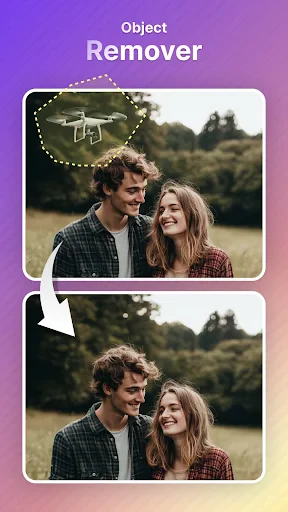
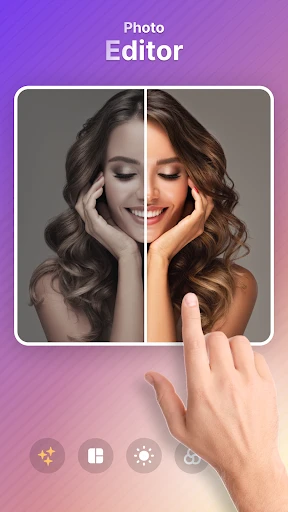
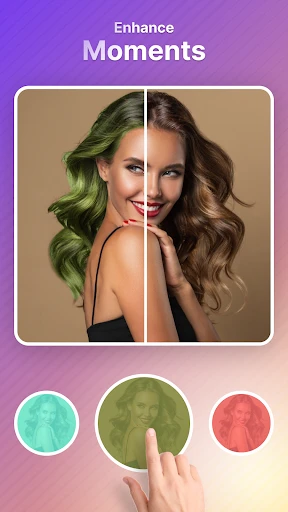

PixShift: BackGround Changer – Transform Your Photos Instantly
PixShift is a dedicated mobile application designed to simplify the process of changing and editing photo backgrounds. It leverages advanced artificial intelligence to accurately detect subjects, allowing users to replace, blur, or remove backgrounds with just a few taps. The app provides a variety of preset backgrounds, including solid colors, gradients, and scenic templates, while also enabling users to import their own images as backdrops. With an intuitive interface and real-time preview, PixShift aims to make professional-grade background editing accessible to everyone, from casual social media users to small business owners.
Chapter 1: Function
PixShift’s core function is to isolate the main subject of a photograph and seamlessly replace its background. Upon opening the app, users can import an image from their gallery or take a new photo. The AI-powered detection engine automatically outlines the subject, such as a person, pet, or object, with high precision. Users can then refine the selection manually using edge adjustment tools for complex details like hair or fur. After selection, the app offers multiple background options: remove the background for a transparent cutout, apply a solid color, choose from built-in templates like beach, office, or cityscapes, or upload a custom image. The final output can be saved in high resolution or directly shared to social platforms. Additional editing features include brightness, contrast, and shadow adjustments to ensure the subject blends naturally with the new backdrop.
Chapter 2: Value
The primary value of PixShift lies in its ability to deliver professional-level background editing without requiring technical skills or desktop software. For content creators, marketers, and e-commerce sellers, this app eliminates the need for expensive subscription tools like Photoshop or complex manual masking. The AI reduces editing time from minutes to seconds, significantly improving workflow efficiency. A key advantage is the hair and fur detection feature, which handles fine details that traditionally require tedious manual work. The app also provides a library of copyright-free backgrounds, saving users the cost and effort of sourcing separate stock images. For personal users, PixShift enhances everyday photography by removing cluttered or distracting backgrounds, making portraits and product shots look polished. The one-tap erase and replace function democratizes photo editing, allowing anyone to create visuals for resumes, social media profiles, or invitations. Privacy is another advantage: all processing occurs on-device, meaning user photos are not uploaded to external servers. This builds trust and ensures data security. Moreover, the app offers consistent updates with new background templates and improved AI models, maintaining its relevance and performance. Ultimately, PixShift provides a powerful yet simple tool that saves time, reduces costs, and elevates visual quality for a wide range of users.
Chapter 3: Scenarios
PixShift primarily targets social media enthusiasts, small business owners, and freelance professionals who require quick photo enhancements. For instance, a makeup artist can use the app to replace messy salon backgrounds with clean white or glamorous scenes for their portfolio. E-commerce sellers, such as those managing online clothing stores, can quickly remove product backgrounds and replace them with consistent, branded colors to meet platform requirements like Amazon or eBay. Job seekers can polish their profile pictures by erasing distracting office or home backdrops and adding a simple professional gradient. Travel bloggers and fitness coaches can swap plain indoor backgrounds with exotic beaches or gym environments to make their content more engaging. Additionally, event photographers on a tight deadline can batch-process images by replacing varied backgrounds with a uniform theme for corporate headshots. Students and educators also benefit by creating clean visuals for presentations or posters. The app’s real-time preview helps users experiment with different backgrounds before finalizing, making it ideal for creative brainstorming. Whether for personal expression, brand consistency, or professional marketing, PixShift serves as a versatile tool in everyday digital workflows.
Advantages
- ai removes backgrounds with one tap
- no manual masking
- supports batch export for multiple photos at once
- retains original image resolution after background swap
- offers preset solid colors and gradient backgrounds built-in
- works offline for core background removal feature
Disadvantages
- struggles with fine hair edges in complex portraits
- no layer-based editing for detailed adjustments
- limited to image files
- no video background removal
- requires stable lighting for consistent ai detection
- free version adds watermark on exported images
Frequently Asked Questions
Q: What is PixShift and what does it do?
A: PixShift is a photo editing app focused on background replacement. It uses AI-powered segmentation to automatically detect and remove backgrounds from portraits, objects, and pets. Users can then replace the background with solid colors, custom images, or preloaded templates. No manual masking tools are included.
Q: Is PixShift free to use or does it require payment?
A: PixShift offers a free version with basic background removal and limited export resolution. Advanced features like HD export, custom background uploads, and batch processing require a one-time in-app purchase or a subscription. No additional equipment or external permissions are needed beyond camera roll access.
Q: Which devices and systems are compatible with PixShift?
A: PixShift supports iOS 14.0 and later, including iPhone 6s and newer models. It also runs on iPad with iPadOS 14.0 or newer. There is no Android version currently available. The app works best on devices with A12 Bionic chip or higher for faster processing.
Q: Can I use PixShift to edit group photos with multiple people?
A: Yes, PixShift can detect multiple subjects in a single photo. It automatically segments each person individually, but you must select and apply the new background to the entire group at once. Individual background per person is not supported. Accuracy decreases with overlapping bodies.
Q: How do I fix blurry edges after removing a background?
A: If edges appear blurry or fringed, ensure the original photo has good lighting and contrast between subject and background. PixShift does not include manual edge refinement tools. For better results, try using the 'High Detail' mode in settings before export, which improves hair and fur edges.
Technical Information
Recommended for You

Camera iphone 15 - OS16 Camera

Blood Pressure Diary

Pregnancy and Due Date Tracker

Pregnancy Tracker & Baby App

Ficbook: Read Fictions Anytime

Life Palmistry - Palm&Gender

BimmerCode for BMW and MINI

Simple Radio: Live AM FM Radio

Wiser - 15 minutes Audio Books

Photo Frame & Collage Maker

GPS Navigation Live Map Road

My Bible - Verse+Audio

Smule: Karaoke, Sing & Record

Luvme Hair

미스터블루 - 웹툰, 만화, 소설앱

Cantina

Instant Cut - Video Editor

Shuffles by Pinterest

مایکت فیلم | Myket Film

Trip.com: Book Flights, Hotels

AMC Theatres: Movies & More

Hexa AI: Logo & Design Creator

Apartment List
