Texture Maker for Minecraft PE
Texture Maker for Minecraft PE
Texture maker crafting pixel art for Minecraft PE builders
Screenshots

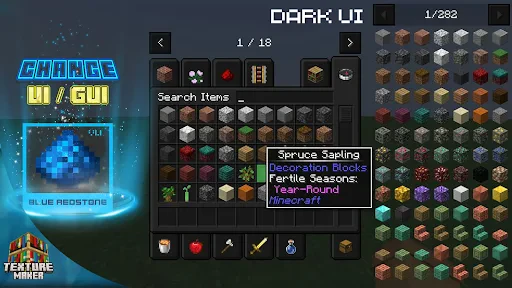
Texture Maker for Minecraft PE
Texture Maker for Minecraft PE is a mobile application designed to simplify the creation and customization of texture packs for the Minecraft Pocket Edition game. It provides users with an integrated toolkit to design, edit, and apply textures directly on their device without needing a computer. The app covers all in-game blocks, items, and entity skins, offering a streamlined workflow for both beginners and experienced creators.
Chapter 1: Function
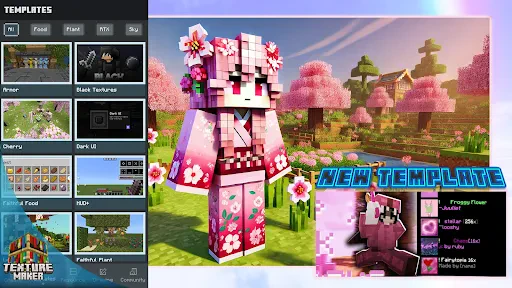
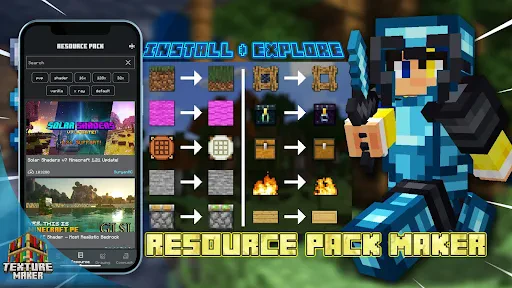
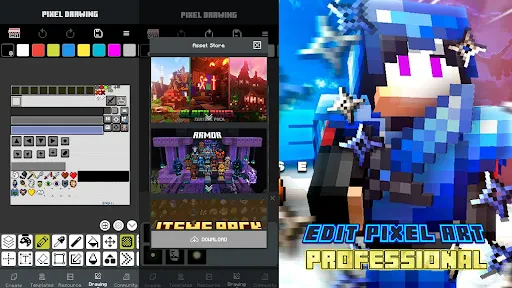
The core function of Texture Maker for Minecraft PE is to enable users to create and edit pixel art textures specifically for Minecraft PE. It includes a built-in pixel editor with zoom capabilities, color palettes inspired by Minecrafts block palette, and basic drawing tools such as brushes, erasers, and fill. Users can import existing texture pack files (PNG or .mcpack) for modification, export finished packs in the correct game format, and preview how textures will appear on blocks and items in real time. The app also provides pre-made texture templates and layers support, allowing for non-destructive editing. A key feature is the direct import/export to the Minecraft PE game folder on compatible devices, enabling instant application of user-created textures without third-party file managers.
Chapter 2: Value
The primary value of Texture Maker for Minecraft PE lies in its accessibility and specialization. Unlike generic image editors, it is tailored to Minecrafts exacting pixel resolution requirements and file structure, eliminating guesswork for users. Its key advantage is the elimination of a desktop computer requirement; users can design, edit, and deploy texture packs entirely on their mobile device. This democratizes content creation for Minecraft PE players, particularly younger users or those without access to PC software. The app adds significant convenience through direct game integration, allowing instant testing of textures in a live Minecraft world. Additionally, the layer-based editing system and undo history provide a professional workflow that prevents irreversible errors, a feature rarely found in other mobile pixel editors. For educational contexts, the app introduces basic concepts of graphic design, color theory, and file management. For experienced players, it enables rapid prototyping of themed packs, custom resource packs for multiplayer servers, and preservation of personal artistic style. The tutorial system and template library reduce the learning curve, turning a traditionally complex task into an approachable hobby. Ultimately, the app delivers a self-contained creative ecosystem that empowers users to personalize their Minecraft experience completely.
Chapter 3: Scenarios
The applications primary target user groups are Minecraft PE players aged 8 to 25 who wish to personalize their gaming experience beyond default textures, and mobile-first content creators who lack desktop access. Everyday use cases include a player creating a matching texture pack for a specific survival world theme, such as a medieval castle build requiring stone and wood textures to match. A second common scenario involves server administrators designing custom block textures to label different mini-game zones or to enforce a consistent visual style across a multiplayer arena. Young artists use the app to learn pixel art fundamentals by remixing Minecrafts iconic block faces, exporting results to share on social media or with friends. Another use case is in educational settings where teachers use the app for a project on digital literacy, having students design a texture representing a historical tile pattern or natural material. Finally, content creators on video platforms use the app to produce brief demonstrations of unique texture designs as part of tutorial content, leveraging the direct export feature to avoid complex recording setups.
Advantages
- generates seamless block textures from photos in seconds
- supports both 16x and 32x resolution for mobile performance
- layered editing with undo stack for precise pixel tweaks
- direct export to Minecraft PE resource pack format
- works offline without needing internet connection
Disadvantages
- limited to square textures only
- no banner or item support
- no built-in tutorial for first-time texture painters
- exported packs sometimes cause block flicker on older devices
- frequent crashes when importing large photos over 2MB
- no cloud backup for unfinished texture projects
Frequently Asked Questions
Q: What does Texture Maker for Minecraft PE do?
A: This app allows users to create, edit, and apply custom texture packs for Minecraft Pocket Edition. It provides a built-in editor with tools like color picker, brush, and layer support, enabling players to design blocks, items, mobs, and UI skins without needing external software. No coding skills are required, and textures are exported directly as .mcpack files compatible with Minecraft PE.
Q: Is the app free to use or does it require purchases?
A: The app is free to download with basic features. Additional premium textures, advanced editing tools (e.g., transparency layers), and ad removal are available via one-time in-app purchases. No subscription is required, and all purchased content is permanently unlocked. No extra hardware or permissions beyond storage access are needed.
Q: Does it work on all devices and Minecraft versions?
A: Texture Maker supports Android devices running OS 5.0 or higher. It is fully compatible with Minecraft Pocket Edition versions 1.16 and above. iOS and PC versions are not supported. The app works on most modern phones and tablets with at least 2GB RAM, but performance may vary on low-end devices.
Q: Can I share my custom textures with other players?
A: Yes, created textures can be exported as .mcpack files and shared via email, messaging apps, or cloud storage. Other players can import them directly into Minecraft PE. However, shared packs may not be editable again in the app if the recipient does not have the same premium features.
Q: How do I fix textures not appearing in the game?
A: First, ensure the exported .mcpack file is placed in the 'resource_packs' folder of Minecraft PE. Then enable the pack in the game settings. If textures still fail to load, check that the texture format is 16x16 or 32x32 PNG with no transparency issues. Re-exporting the pack or restarting the app often resolves glitches.
Technical Information
Recommended for You

All Video Downloader Master

MetaTrader 5 — Forex, Stocks

ibis Paint

The Home Depot

Bible-Daily Bible Verse

VSee Clinic for Patient

Ranking Filter: FYP Challenge

Blend Photo Editor & Effect

Currency Converter Plus

Fast Launcher

World Clock – World time clock

Dazzly: Color by Number Game

Boat Trader

1DM+: Browser & Video Download

Prank Video Call - Fake Chat

NBC LA: News, Weather

Citizen: Protect The World

SHAREit Lite - Fast File Share

Shutterfly: Prints Cards Gifts

MyVeteransUnited

Buddy.ai: Fun Learning Games

Voice Recorder Pro

QR Scanner - Barcode Reader
